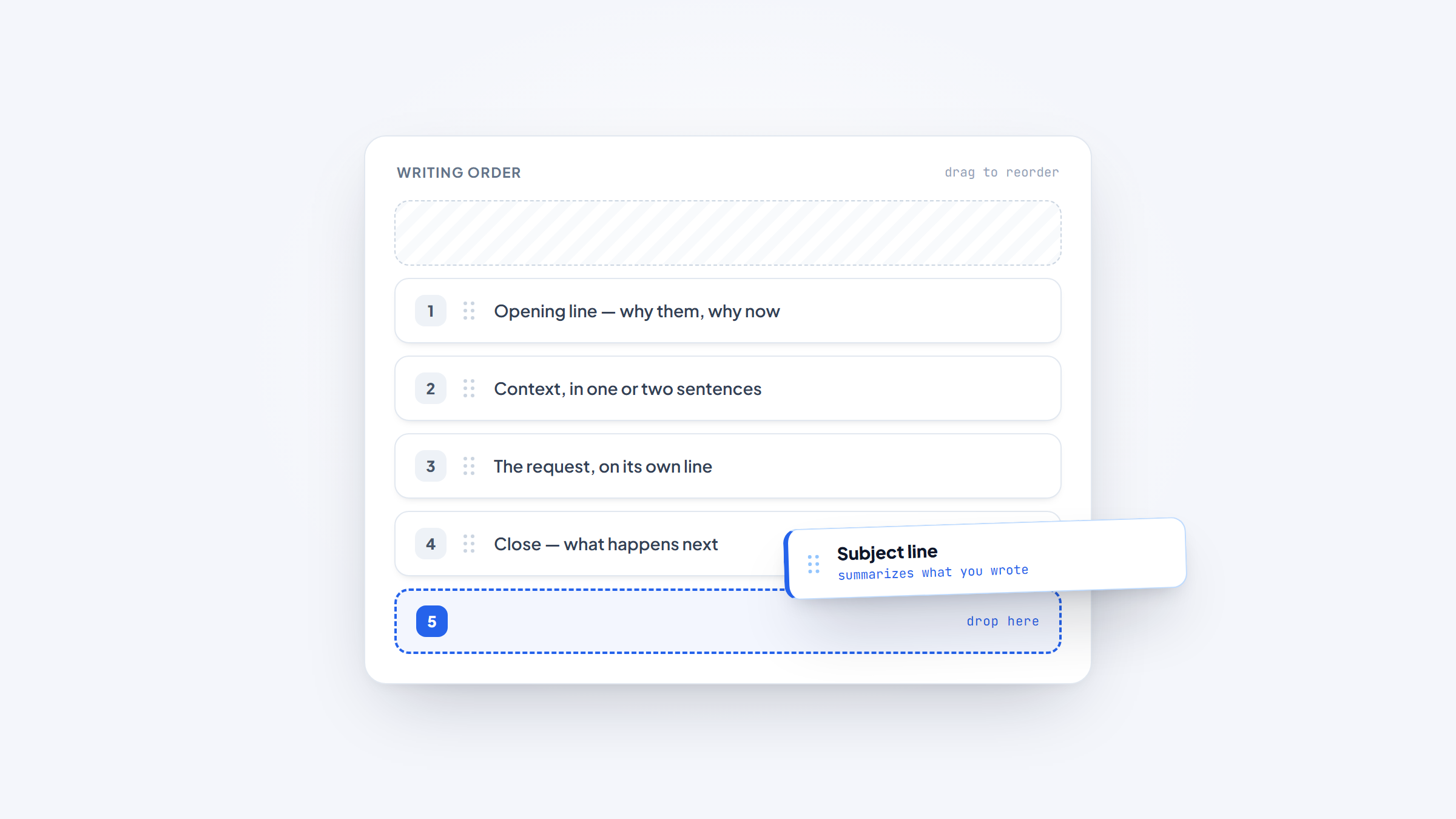
- 1A good email makes one request, in one screen, with a subject line that says what it is. Almost every other rule follows from those three.
- 2Write the subject line last. You cannot summarize a message you have not written yet, and vague subject lines are the main reason good emails go unread.
- 3Analysis of 12 million outreach emails by Backlinko and Pitchbox found a personalized subject line lifts response rate by 30.5%.
- 4The best-written email in the world fails if it goes to the wrong address, which is the part we help with.
Most bad emails are not badly written. They are unclear about what they want.
The reader finishes them unsure whether they need to do something, decide something, or just be aware of something, so they defer it. Deferred emails become unanswered emails.
This guide covers how to write a good email that gets read and answered, across the situations people actually face: cold outreach, follow-ups, business updates, sales, marketing, and job applications. It focuses on structure and decisions rather than templates, because templates stop working the moment your situation differs slightly from the example.
We make Name2Email, a free Chrome extension that finds work emails inside Gmail, so we spend most of our time on the step before writing. We will keep our part brief and stick to the writing.
What Actually Makes an Email Good
A good email is judged by one measure: did the reader do what you needed without a second exchange.
That reframes the whole task. You are not writing to express yourself, you are writing to remove work from someone else's day. Every decision follows from that.
Three qualities follow from that one measure, and everything else is refinement.
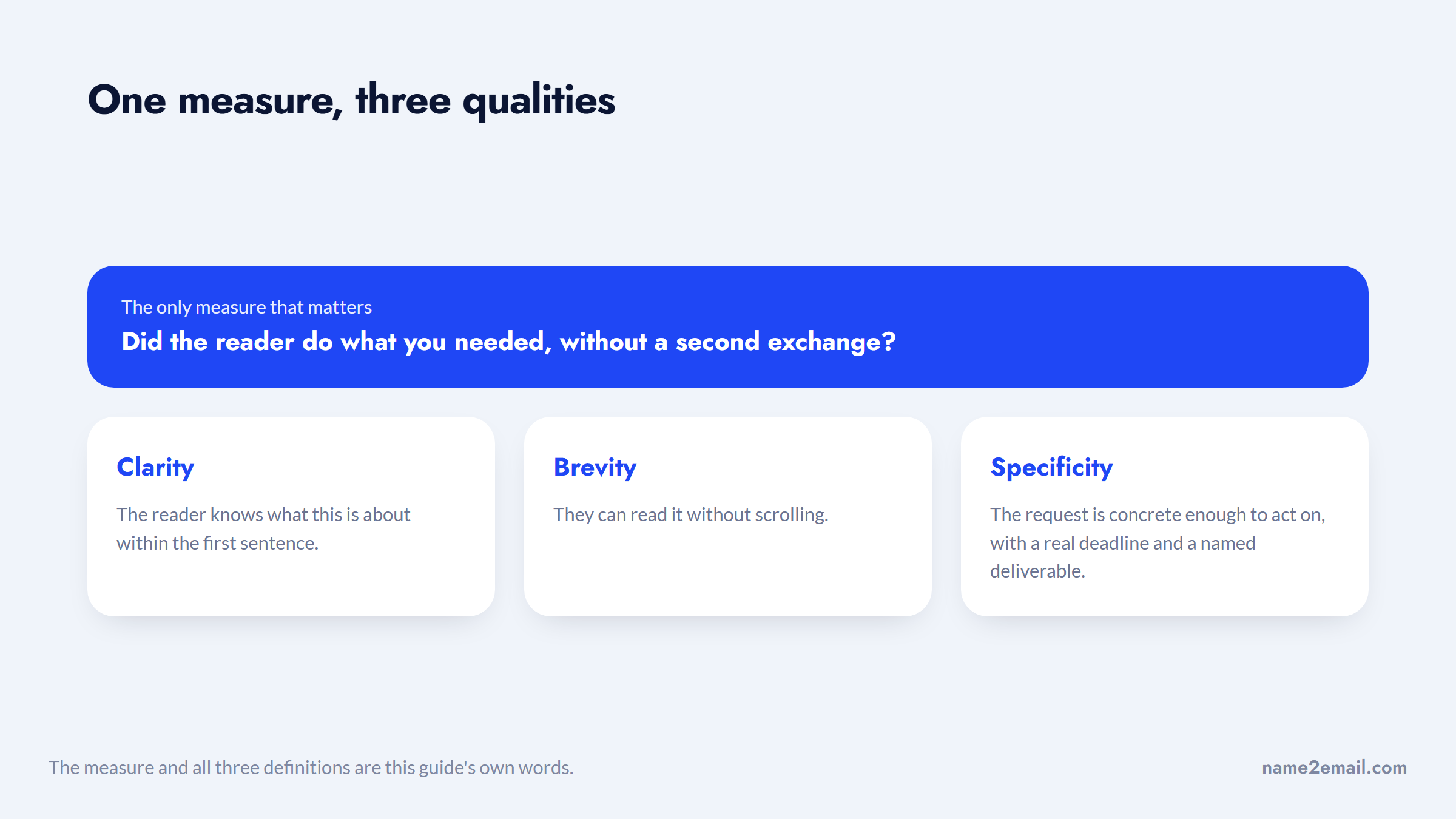
Three qualities do most of the work. Clarity means the reader knows what this is about within the first sentence. Brevity means they can read it without scrolling. Specificity means the request is concrete enough to act on, with a real deadline and a named deliverable.
Everything else, tone, formatting, sign-off choice, is refinement on top of those three.
How to Write a Good Email Subject Line: Write It Last
The subject line is the only part everyone reads, and it is the part most people write first, when they know least about the message.
Write the body, then summarize it. A subject line should tell the reader what the email is about and, ideally, what it needs from them.
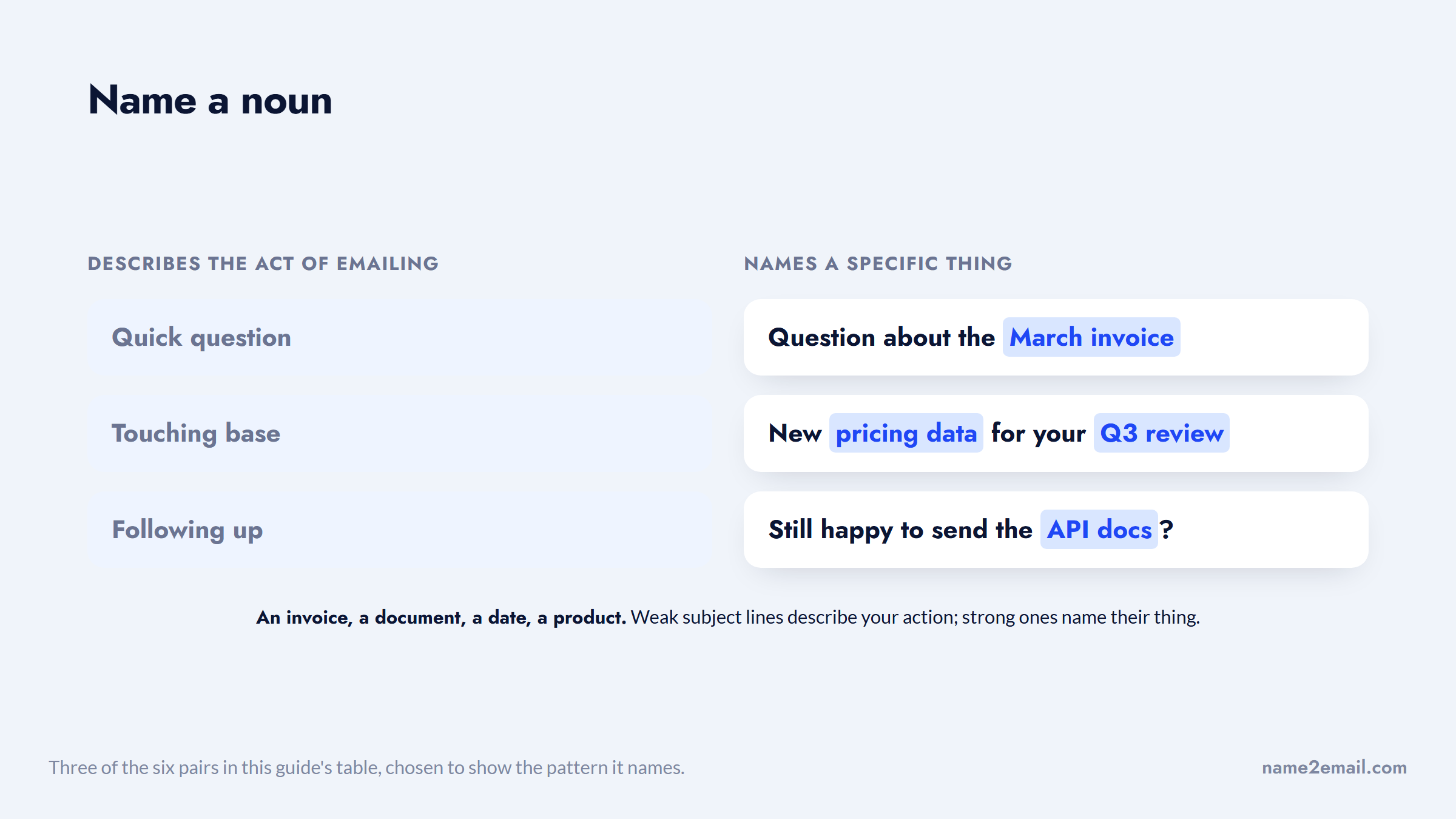
"Quick question" tells them nothing. "Question about the March invoice" tells them the topic. "Approval needed: March invoice by Friday" tells them the topic, the action, and the deadline.
Personalization measurably helps in outreach. The Backlinko and Pitchbox analysis of 12 million outreach emails found that personalized subject lines lifted response rates by 30.5%, and that the average outreach email still only draws an 8.5% response.
The strong versions all do the same thing, and it is easy to copy.
Length matters less than people assume, and clarity beats cleverness consistently. Curiosity-gap subject lines like "you're going to want to see this" work once and then train people to ignore you.
The difference is easiest to see side by side.
Weak subject line | Why it fails | Stronger version |
|---|---|---|
Quick question | Says nothing, used by everyone | Question about the March invoice |
Touching base | Announces there is no news | New pricing data for your Q3 review |
Following up | Describes your action, not their benefit | Still happy to send the API docs? |
Partnership opportunity | Vague and reads as mass-sent | Integrating with your Shopify checkout |
Introduction | Front-loads you, not them | Cut your onboarding time by two weeks |
You won't believe this | Curiosity gap, works once | Three findings from your competitor's launch |
The pattern is that strong subject lines name a specific noun: an invoice, a document, a date, a product. Weak ones describe the act of emailing.
One live debate worth knowing: emoji in subject lines. A thread in r/Emailmarketing shared data suggesting emoji help even in B2B, and the replies were split, with practitioners reporting different results by audience and industry. You can read the discussion on Reddit, treating it as practitioner opinion rather than settled evidence. The safe read is to test it on your own list rather than adopt a rule.
The Four-Part Structure That Works
Nearly every effective email has the same skeleton, whatever the context.
The first line establishes relevance. Why you, why them, why now. This is where cold emails live or die, because a generic opener signals a generic message.
The second part gives context, in one or two sentences. Enough for the request to make sense, not a history of the project.
The third part is the request, stated plainly and placed on its own line. This is the sentence the reader will scan for, so do not bury it in a paragraph.
The fourth part is the close: what happens next, by when. Then a sign-off.
Laid out as a message, the third part is the one that has to sit alone.
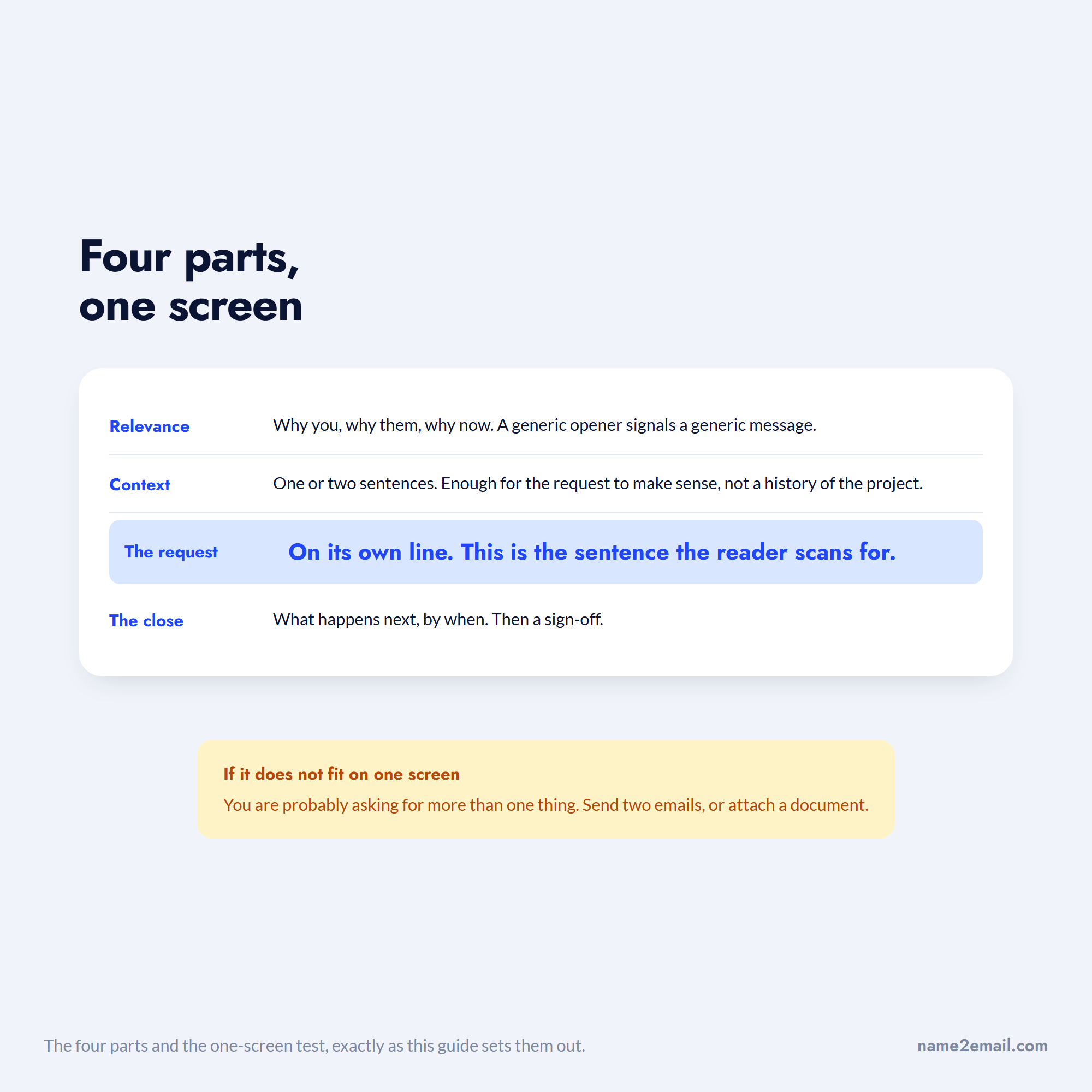
The whole thing should fit on one screen without scrolling. If it does not, you are probably asking for more than one thing, and the fix is usually to send two emails or attach a document.
For the closing specifically, we have covered it in depth elsewhere: how to end an email walks through building the whole ending, email closing salutations is the catalog of sign-offs by register, and the best regards email covers that specific phrase.
Writing a Good Email by Scenario
The skeleton holds, but the emphasis shifts by situation. This table shows where to put your effort in each case.
Scenario | Where the effort goes | Ideal length | Main mistake to avoid |
|---|---|---|---|
Cold outreach | The first line and the relevance signal | 50 to 125 words | Leading with your company, not their problem |
Follow-up | Adding something new, not repeating | Under 75 words | "Just bumping this to the top of your inbox" |
Business or internal | The request line and the deadline | 100 to 200 words | Burying the ask in paragraph three |
Sales | One specific, low-friction next step | 75 to 150 words | Asking for 30 minutes from a stranger |
Marketing | Subject line and a single call to action | 100 to 300 words | Multiple competing links and offers |
To a recruiter | Fit evidence in the first two lines | 100 to 175 words | Attaching a resume with no message |
Interview follow-up | A specific detail from the conversation | 75 to 150 words | Generic thanks with nothing distinguishing |
Knowing how to write a good marketing email is mostly knowing to cut the second call to action. The through-line is that shorter contexts demand more precision, not less effort. A 50-word cold email is harder to write well than a 300-word internal update.
How to Write a Good Cold Email
A cold email has about one line to justify its existence.
Open with the reason you are contacting this specific person: something they published, shipped, announced, or hired for. Then name the problem you believe they have, in their language rather than yours. Then make a request small enough that saying yes costs nothing, which usually means a question rather than a meeting.
Do not open with who you are. Nobody cold-emailed has ever cared about your company in the first sentence, and it is the fastest way to be identified as a template.
Keep it under 125 words. If you cannot make the case in that space, the case is not ready.
How to Write a Good Follow Up Email
A follow-up must add something, or it is just pressure.
Add a new angle, a relevant piece of news, a resource, or a shorter version of the original ask. Reference the previous message briefly rather than reproducing it. Keep it shorter than the first email.
The one line to delete forever is "just bumping this to the top of your inbox," which announces that you have nothing new to say. We cover the sequencing in depth in our guide to cold email follow-ups.
How to Write a Good Business Email or Sales Email
Internal and client email is judged on how quickly someone can act on it. The same rule governs how to write a good sales email: the faster a reader sees what you want, the likelier they are to give it.
Put the request in the subject line where you can. Lead with the decision needed rather than the background. Use a short paragraph per idea, and bold the deadline if there is one.
If you are writing to several stakeholders with different actions, name who needs to do what explicitly. Ambiguous ownership is why group emails get ignored by everyone.
How to Write a Good Email to a Job Recruiter
Both cases turn on evidence rather than enthusiasm.
Writing to a recruiter, put your fit in the first two lines: the role, and the one or two things in your background that map to it directly. That is the whole of how to write a good email to a job recruiter. Attach the resume, but never let the attachment carry the message.
The rule for how to write a good interview follow up email is narrower: reference something specific that was discussed. "Thank you for your time" is what everyone writes; "your point about consolidating the reporting stack is exactly the problem I handled at my last role" is what gets remembered. Send it within 24 hours.
How to Write a Good Email Signature
A signature should identify you and give one way to verify you exist. That is the whole job.
Name, role, company, and one link is sufficient. A phone number if you take calls. Company logos, inspirational quotes, legal disclaimers nobody reads, and four social icons all add weight without adding trust.
There is a practical reason to keep it light. Image-heavy signatures increase the chance of landing in the promotions tab or triggering spam filters on cold sends, and they render inconsistently on mobile clients.
For cold outreach specifically, a plain-text signature performs better than a designed one, because it looks like a person wrote it rather than a marketing system.
The Mistakes That Cost You Replies
A handful of habits account for most unanswered email.
Asking for several things at once forces the reader to handle the whole message before replying to any part of it, so they postpone all of it. Send separate emails instead.
Writing a wall of text guarantees skimming. Three or four lines per paragraph, with white space between, is the readable shape.
Using vague time references like "soon" or "at your earliest convenience" produces vague responses. Name a date.
Hiding the ask below the fold means it will not be seen on a phone, where a large share of email is read.
Over-apologizing, hedging, and stacking qualifiers ("I was just wondering if maybe you might possibly have a moment") makes the request easy to dismiss. Say what you need.
Tone: The Part People Overthink
Most advice on email tone is too abstract to act on. Two decisions cover almost all of it.
The first is formality, and it should match the recipient's own register rather than a rule. If they write "Hi Sam, thanks for this," replying with "Dear Mr. Okonkwo, I trust this message finds you well" creates distance for no reason. Read their last message and match it.
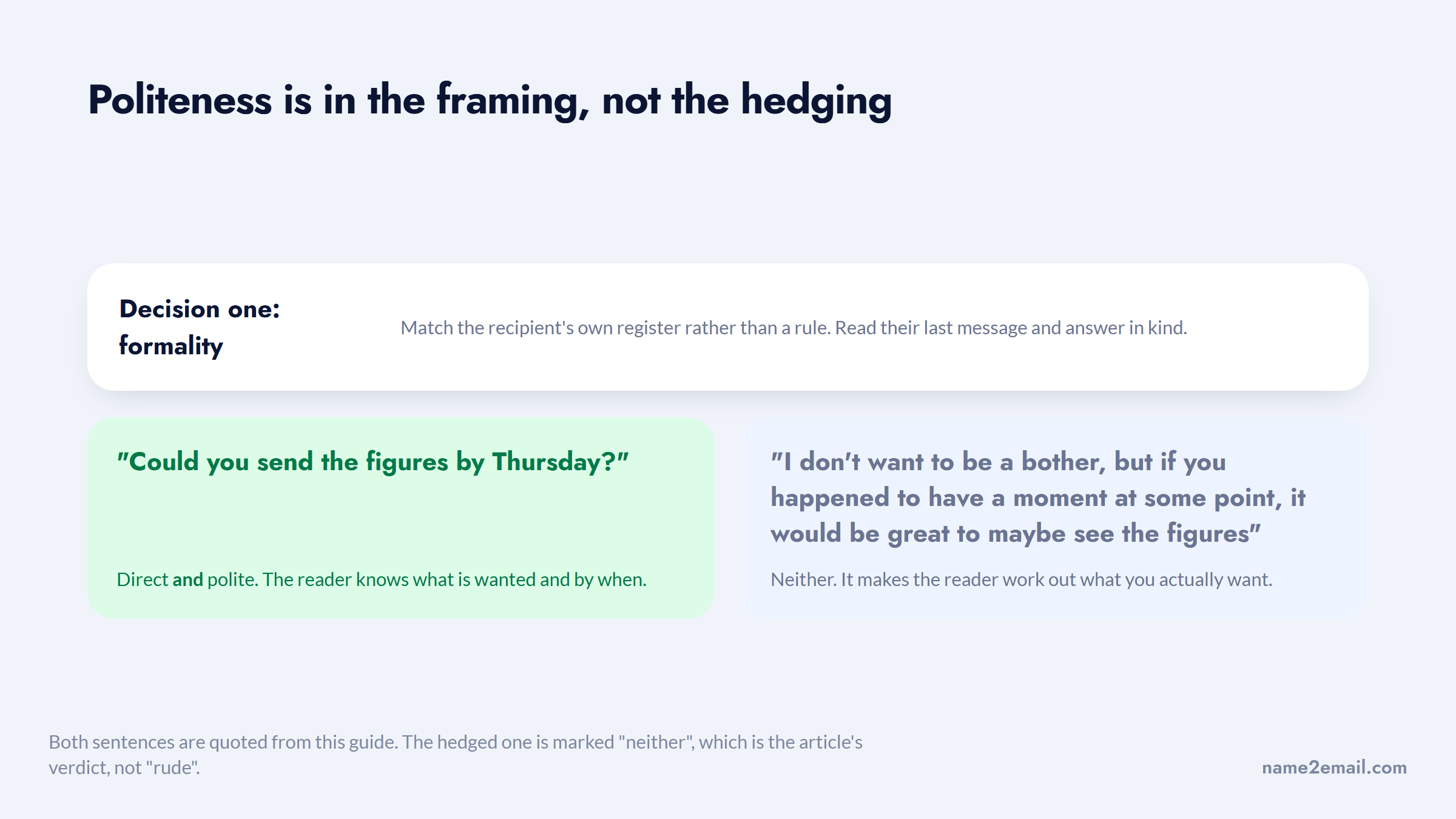
The second is directness, and here the useful principle is that politeness lives in the framing, not in the hedging. "Could you send the figures by Thursday?" is both direct and polite. "I don't want to be a bother, but if you happened to have a moment at some point, it would be great to maybe see the figures" is neither, because it makes the reader work out what you actually want.
Set the two side by side and the longer one is doing less work, not more.
Contractions help almost everywhere. They read as a person rather than a template, and the formality they cost is rarely worth anything.
One case genuinely calls for more formality: writing to someone senior at an organization you have no relationship with, particularly in law, government, academia, or outside the US and UK, where norms are often more formal than the tech-sector default.
Why This Is Worth Getting Right
Email remains the highest-return channel available, which is why small improvements compound.
Litmus research puts email's average return at $36 for every dollar spent, ahead of any other channel. That figure only holds if messages get read and acted on, which is exactly what clarity buys you.
The return is only half of it; the other half is what a bad send costs you later.
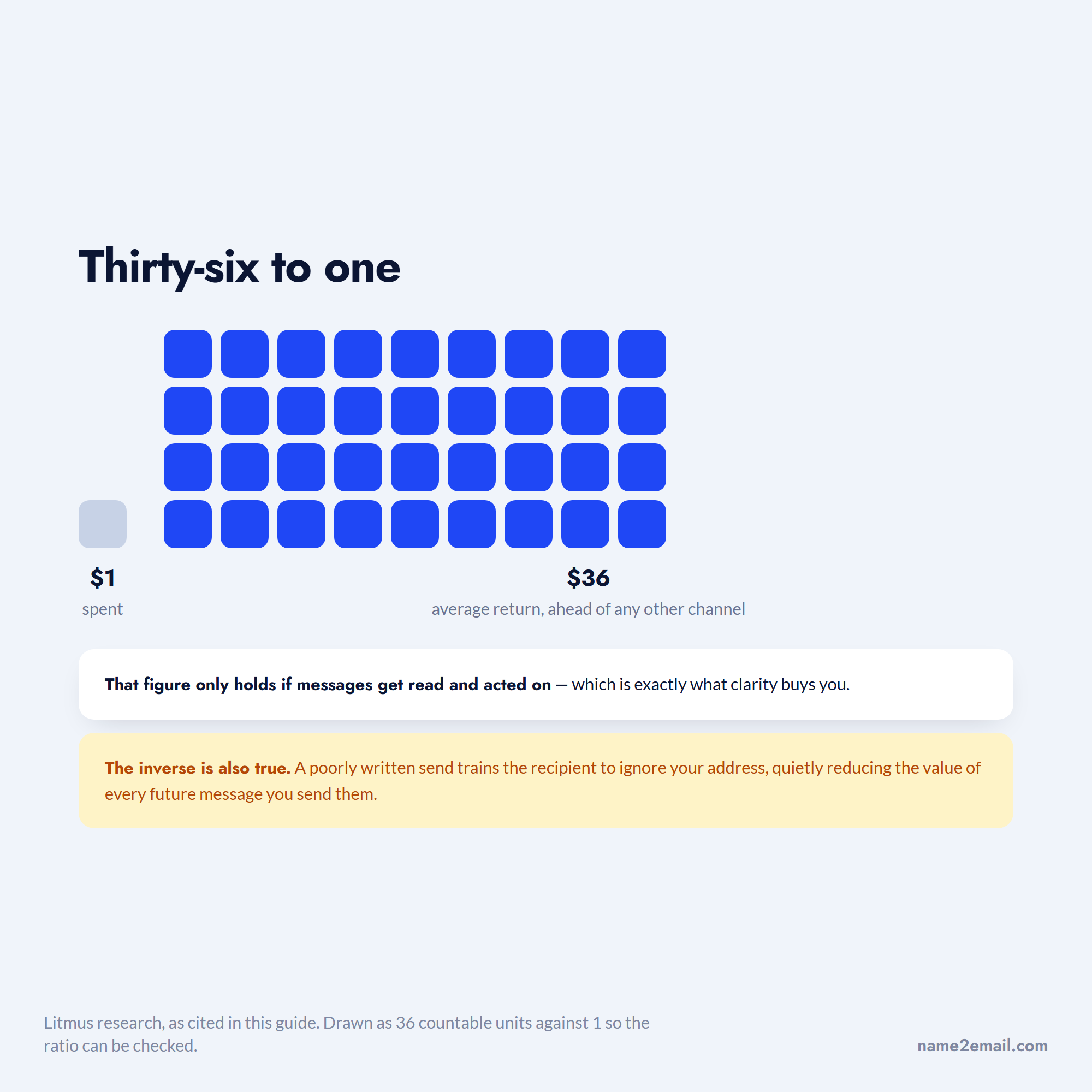
The inverse is also true. A poorly targeted or poorly written send costs more than a wasted opportunity: it trains the recipient to ignore your address, which quietly reduces the value of every future message you send them.
The Step Before Writing
None of this matters if the email reaches the wrong person, and that is the part we work on.
Name2Email is a free Chrome extension that finds work emails inside Gmail. You type a name and company domain in the compose window, we generate the likely formats, populate the "To" field, and you confirm by hovering, since Gmail shows the person's name and photo when it recognizes an address. No credits, no account, no card.
We are honest about the limits: we generate patterns from public naming conventions rather than a scraped database, we work best on corporate domains, and we cannot guarantee every address. Our guide on finding an email address covers the manual methods, and searching Google for an address covers the operator approach.
Run This Check Before You Send
Ninety seconds of review catches most of what goes wrong.
- Read the subject line alone and ask whether it says what the email is about.
- Confirm there is exactly one request, and that it sits on its own line.
- Check that any deadline is an actual date rather than "soon."
- Read the first sentence and ask whether it is about them or about you.
- Cut every sentence that does not move the reader toward the action.
- Confirm the address is right, because a perfect email to a wrong address is a bounce.
That last check is the one people skip and the one with lasting cost, since bounces damage sender reputation over time. Our guide on verifying an email address covers it.
If you send cold outreach at any volume, the best cold email software compares the platforms that handle sequencing and deliverability, and you can add Name2Email to Chrome to handle the address side free. See who uses us and how if you want the short version.
Frequently asked questions
Make one request, keep it to one screen, and write a subject line that states what the message is about. Structure it in four parts: a first line establishing why you are writing to this person, one or two sentences of context, the request on its own line, and a close naming what happens next and by when. Write the subject line last, once you know what the email actually says. Most unanswered emails fail on clarity of the ask rather than on writing quality.
Short enough to read without scrolling, which in practice means 50 to 200 words depending on context. Cold outreach performs best between 50 and 125 words, follow-ups under 75, and internal business email between 100 and 200. If a message runs longer, you are usually asking for more than one thing, and splitting it into two emails will get both answered faster than one long message gets answered at all.
It should say what the email is about and, where possible, what it needs from the reader. "Approval needed: March invoice by Friday" outperforms "Quick question" because it carries topic, action, and deadline. Backlinko and Pitchbox found personalized subject lines lift response rates by 30.5% across 12 million outreach emails. Avoid curiosity-gap lines, which work once and then teach recipients to ignore you.
Your name, role, company, and one link, plus a phone number if you take calls. That is enough to identify you and let someone verify you exist. Skip logos, quotes, legal boilerplate, and multiple social icons, which add visual weight without adding trust. For cold outreach, use plain text rather than a designed signature, since image-heavy signatures render poorly on mobile and can increase the odds of landing in the promotions tab.
Send it within 24 hours and reference something specific from the conversation rather than thanking them generically. Name a topic that came up, connect it to relevant experience in one or two sentences, and restate your interest briefly. Keep it between 75 and 150 words. The goal is to be remembered for the substance of what you discussed, which a generic thank-you note cannot do because every other candidate is sending one.

We build Name2Email, the free Chrome extension that finds work emails inside Gmail. We write about outreach, prospecting, and getting more replies.
Connect →