- 1Google is still the most capable free email address search engine, because it indexes the places where addresses actually get published.
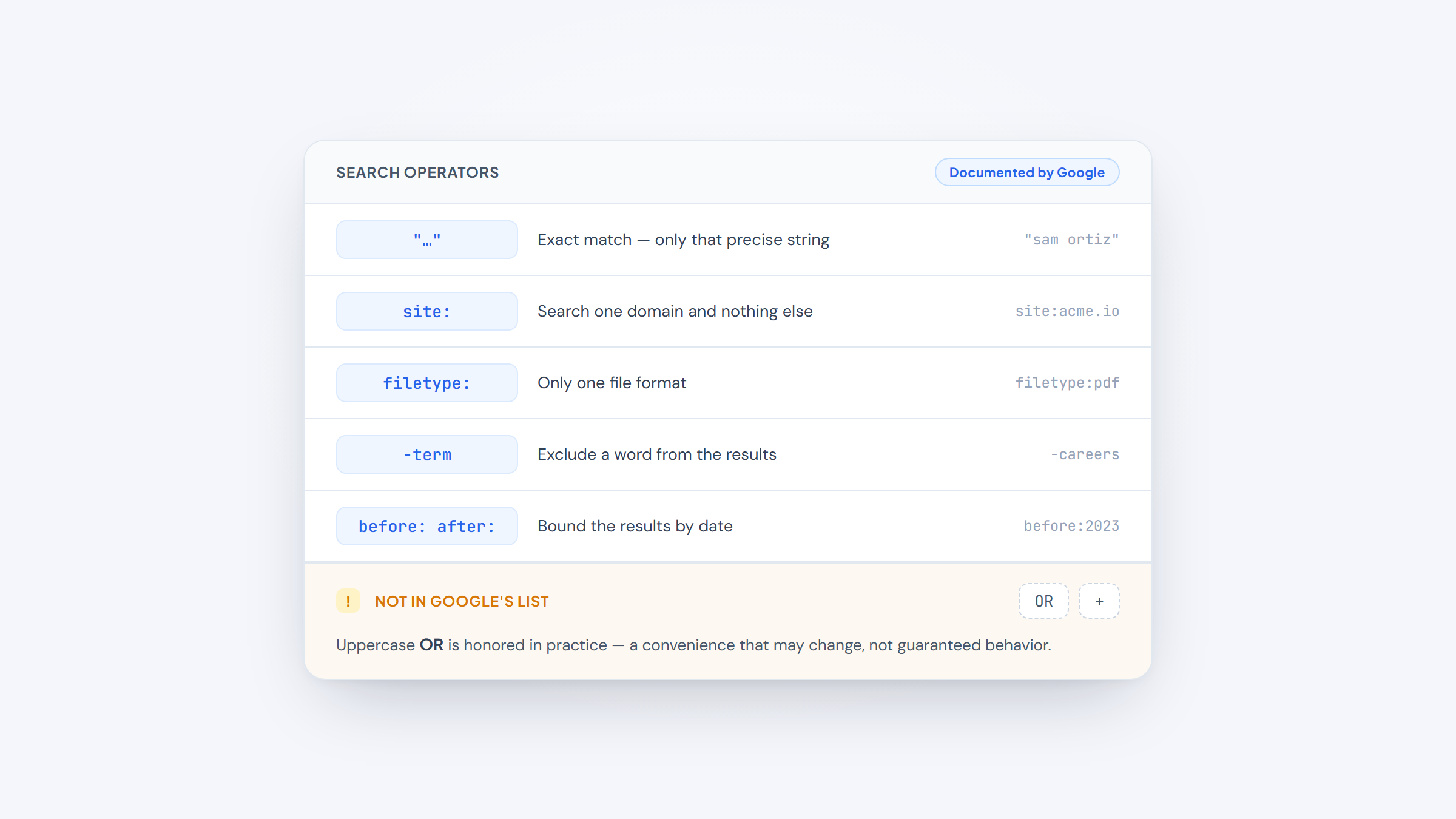
- 2Quotation marks, `site:`, and `filetype:` are officially documented Google operators and do the bulk of the work. Most "secret hack" lists just recombine those three.
- 3The highest-yield technique is not searching for your target's address at all. It is finding one colleague's address to learn the company's pattern, then applying it.
- 4Once you know the pattern, our free Gmail extension applies it and confirms the result without credits or an account.
You need one person's work email. You could pay a finder $49 a month for credits, or you could spend ninety seconds in a search box.
You can search Google for email address details because they end up published constantly: in PDFs, on team pages, in press releases, in code repositories, in conference programs. If it has been crawled, it is findable.
This guide covers how to search Google for an email address properly, using operators Google actually documents rather than folklore. It is the forward direction, name to address. If you have the address already and want to know who owns it, our guide to Google reverse email lookup covers that instead, and our broader guide on finding an email address covers the non-Google methods too.
We build Name2Email, a free Chrome extension that finds work emails inside Gmail, so this is our daily territory. Everything below works without it.
The Operators Google Actually Documents
Start from what is real. Google publishes its own list of search refinement operators, and the useful ones for this job are a short list.
Quotation marks force an exact-match search. `"maria.chen@acme.com"` returns only pages containing that precise string, where the unquoted version would scatter across pages mentioning Maria, Chen, or Acme separately.
The `site:` operator restricts results to one domain, so `site:acme.com` searches only that company's website.
A minus sign excludes terms, which matters more than it sounds when a company name collides with a common word.
The `filetype:` operator restricts results to a file format, and `before:` and `after:` bound results by date.
Worth knowing: Google's own page does not document an `OR` operator or a `+` operator, though both circulate widely in prospecting guides. Google does honor uppercase `OR` in practice, but treat undocumented operators as conveniences that may change rather than as guaranteed behavior.
How to Search Email Address on Google: The Four Queries
These four cover the majority of cases. Run them in order and stop when one works.
- Search `"firstname lastname" email acme.com` to catch pages that publish the name and address together.
- Search `site:acme.com "@acme.com"` to surface any address published anywhere on the company's own site.
- Search `"firstname lastname" "@acme.com"` to tie a specific person to the company domain.
- Search `"@acme.com" filetype:pdf` to pull addresses out of documents, which is where they hide most often.
The fourth is the one people skip and the one that most often works. Conference programs, annual reports, board minutes, grant applications, university directories, and regulatory filings are all PDFs, and they print contact details in full because they were written for humans rather than for the web.
Why Finding One Address Beats Finding the Right One
Here is the technique that changes the economics of this entirely.
You can search Google for email address patterns rather than for the address itself, and that is the shift that matters. You usually do not need to find your target's address. You need to find anyone at that company, because almost every organization uses a single naming convention across all staff.
Find `robert.klein@acme.com` on a press release, and you have learned that Acme uses `first.last@acme.com`. Your target, Maria Chen, is therefore `maria.chen@acme.com` with high probability.
This is why `site:acme.com "@acme.com"` is such a productive search. It does not matter whose address it returns. Any single address reveals the pattern for everyone.
The common patterns are a short list: `first.last`, `firstlast`, `flast`, `first`, `f.last`, and `first_last`. Once you have one confirmed example, you know which one this company uses.
Where Addresses Hide on the Open Web
Different sources suit different kinds of people, and knowing which to search saves time.
Source | Search approach | Best for |
|---|---|---|
Company website | `site:acme.com "@acme.com"` | Any employee, especially at smaller firms |
PDFs and documents | `"@acme.com" filetype:pdf` | Executives, academics, board members |
Press releases | `"firstname lastname" acme press contact` | Marketing, communications, leadership |
GitHub | `site:github.com "@acme.com"` | Engineers and technical staff |
Conference sites | `"firstname lastname" speaker email` | Anyone who presents publicly |
Academic papers | `"firstname lastname" filetype:pdf university` | Researchers, scientists, faculty |
Job listings | `site:acme.com careers "@acme.com"` | Recruiting and HR contacts |
WHOIS records | Domain lookup | Small business owners, site operators |
The pattern across all of these is that people with public-facing roles are easy and internal individual contributors are hard. For the latter, the pattern-derivation method above is usually the only free route.
An Operator Trick Worth Borrowing
Search operators are not only for finding one person. They can build whole lists.
A widely-shared thread in r/sales demonstrated the idea: the poster searched `site:docs.google.com/spreadsheets` combined with an industry term and a year, and surfaced publicly shared Google Sheets containing company data that people had never intended to expose to search. The replies treated it as a revelation, and it works because `site:` can be pointed at any host that publishes user content, not just at company websites. You can read the thread on Reddit for the original example, treating it as one practitioner's technique rather than a documented method.
The operator did not change; only what you point it at did.
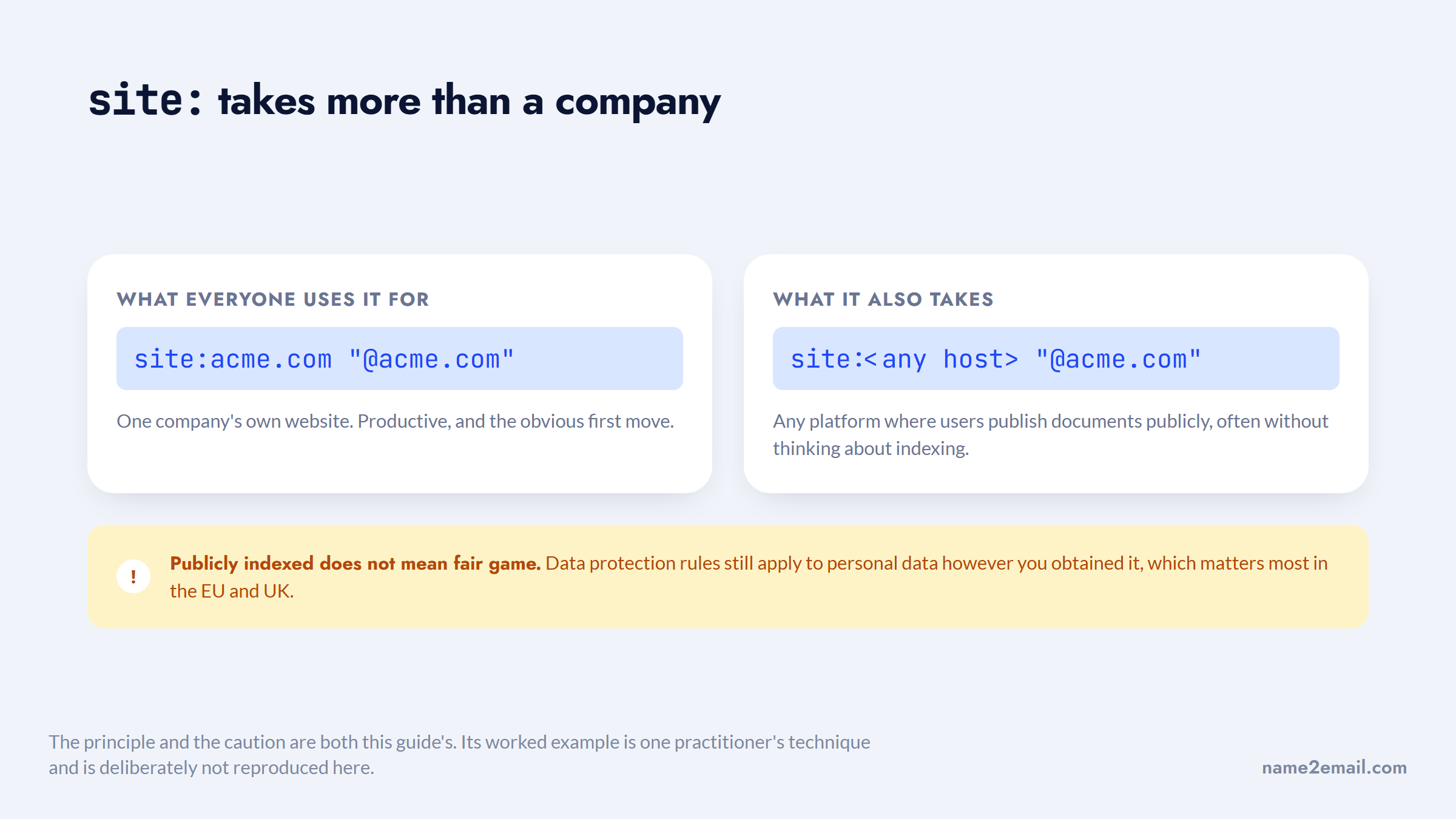
The same logic applies to `site:docs.google.com`, `site:slideshare.net`, and any platform where users publish documents publicly without thinking about indexing.
A caution worth stating: publicly indexed does not mean fair game for any purpose. Data protection rules still apply to personal data however you obtained it, which matters most in the EU and UK.
Combining Operators for the Hard Cases
Single operators find the easy addresses. Combinations find the ones that basic search misses.
Stacking `site:` with a file type narrows aggressively: `site:acme.com filetype:pdf "@acme.com"` searches only Acme's own documents, which is where staff directories, annual reports, and event programs live.
Excluding noise matters when a company name is also a common word. `"@apex.com" -site:apex.com` deliberately searches everywhere except the company's own site, which surfaces the third-party pages where employees published their address: conference listings, partner directories, press coverage.
Date bounding helps when a company has rebranded or been acquired. `"@oldbrand.com" before:2023` finds historical addresses that reveal the pattern the company used, which frequently survives a rebrand with only the domain changed.
Searching a job title alongside the domain finds the person when you do not have a name yet. `"@acme.com" "head of operations"` will often return a press release or a conference bio that gives you both.
None of these are secret. They are the documented operators combined, which is all most advanced prospecting techniques actually are.
When the Company Publishes Nothing
Some organizations, particularly smaller private firms and anything in defense or finance, publish no addresses at all. The pattern method has nothing to work from.
Three routes are left, and it is worth knowing where they run out.
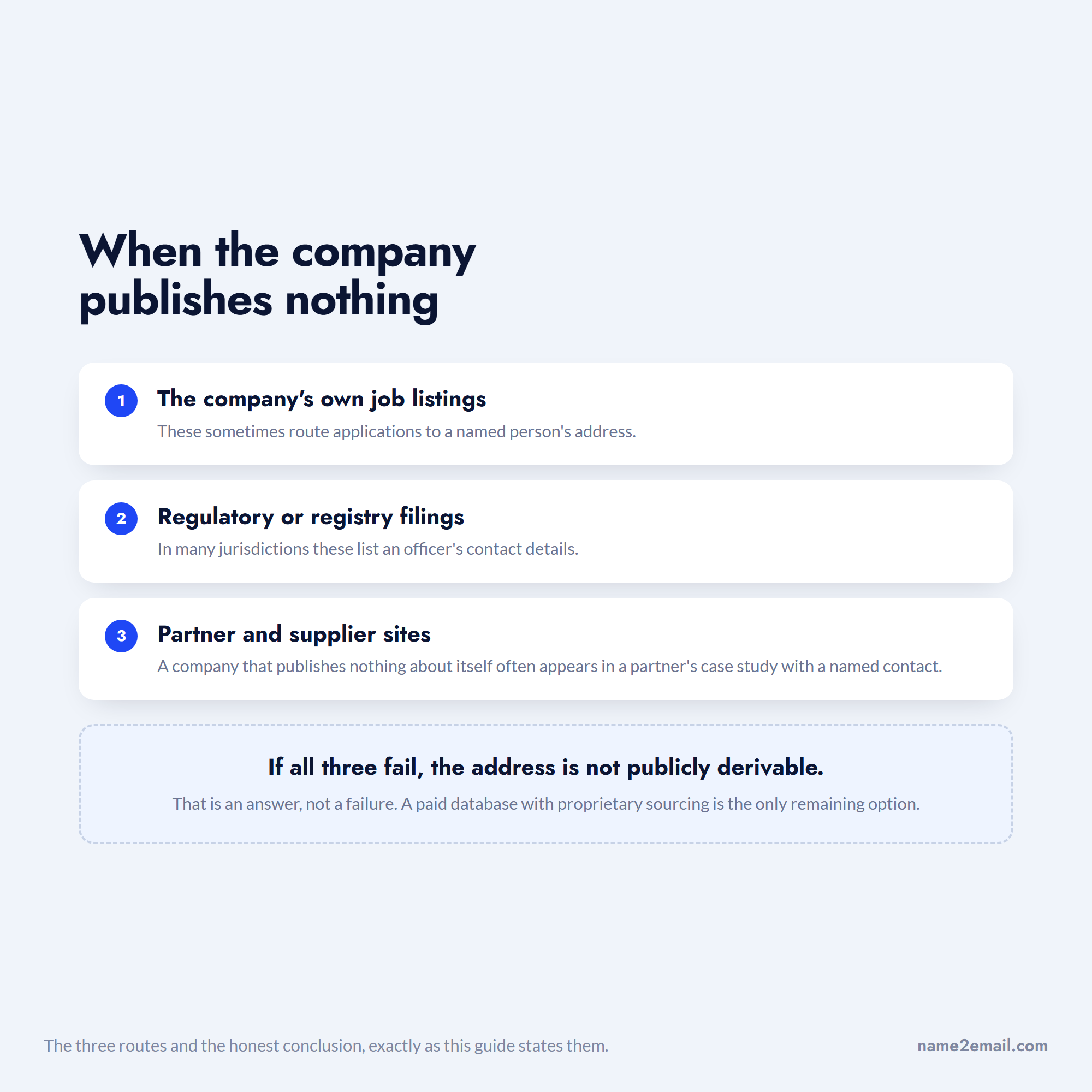
Three routes remain. Check the company's own job listings, which sometimes route applications to a named person's address. Check regulatory or registry filings, which in many jurisdictions list an officer's contact details. And check partner and supplier sites, since a company that publishes nothing about itself often appears in a partner's case study with a named contact.
If all three fail, the honest answer is that the address is not publicly derivable, and a paid database with proprietary sourcing is the only remaining option.
Why the Right Address Is Worth the Effort
The effort only makes sense if reaching the correct person actually changes outcomes, and it does.
Buyers have moved away from wanting to be sold to at all. Gartner's sales survey found that 61% of B2B buyers prefer a rep-free buying experience, leaning on independent digital research instead of sales conversations. When you do get one direct touch, it has to land in the right personal inbox rather than a generic `info@` address that nobody owns.
When most buyers would rather not talk to anyone, the one touch you get cannot be wasted.
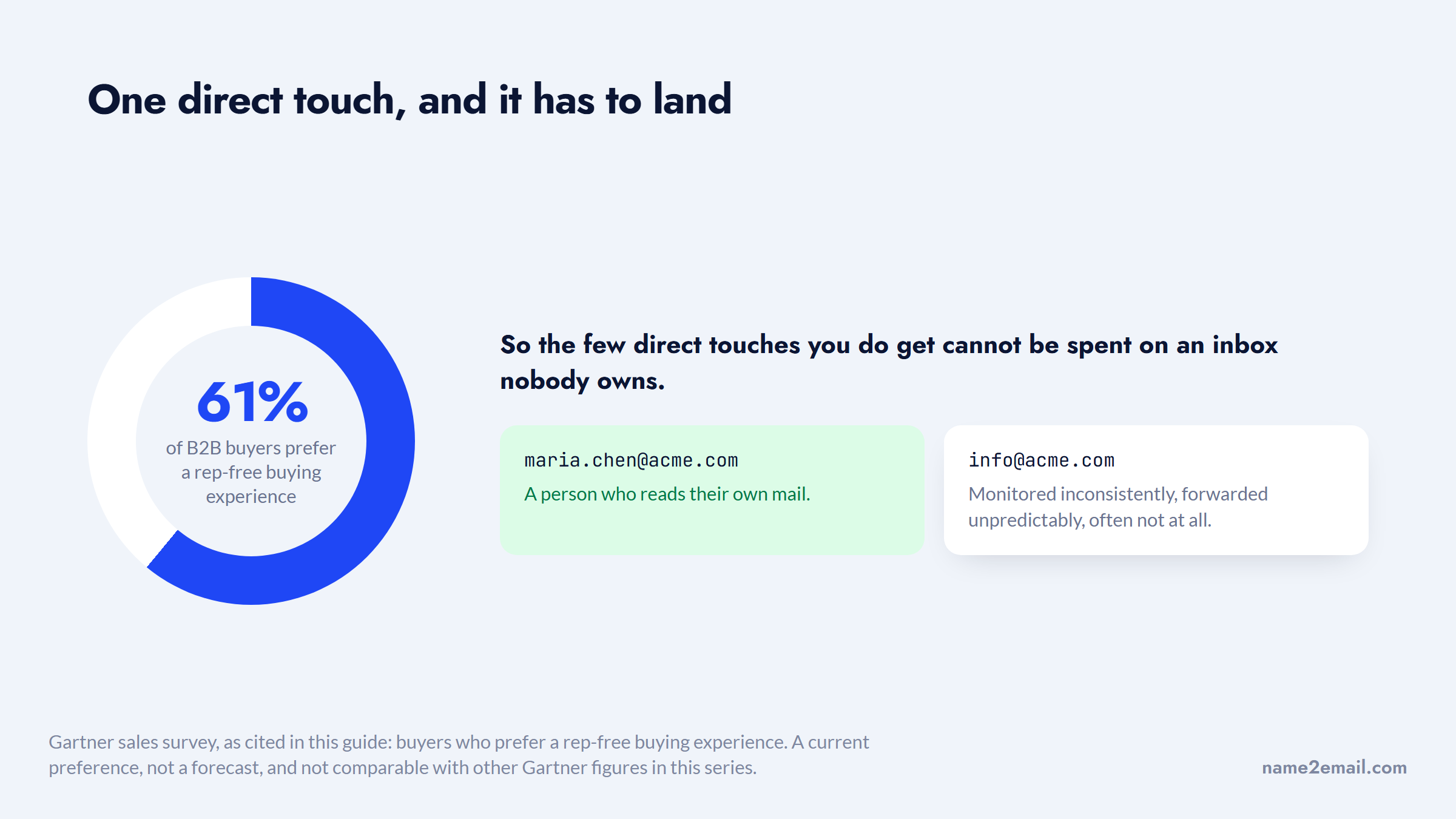
The alternative is worse than it looks. Generic inboxes are monitored inconsistently, forwarded unpredictably, and often not at all, so an email sent there is frequently a wasted attempt at a decision maker you had correctly identified.
Doing It Inside Gmail Instead
Running four searches per prospect is fine for one person and painful for twenty.
That repetition is exactly what we built Name2Email to remove. You type a name and company domain in Gmail's compose window, we generate the likely address formats, populate the "To" field, and you confirm the right one by hovering, because Gmail surfaces the person's name and photo when it recognizes an address.
It is the same pattern logic described above, applied automatically instead of by hand. There are no credits, no monthly cap, no account, and no card.
We are direct about the limits. We generate patterns from public naming conventions rather than serving a scraped database, so we work best on corporate domains and cannot guarantee every address resolves. Google search and our extension are complementary rather than competing: search is better at finding the one published address that reveals a company's pattern, and we are better at applying that pattern quickly to everyone else.
For bulk list building, neither is the right tool, and the best email finding tools compares the paid options honestly.
Google Search Compared With Paid Finders
The trade-off is time against money, and it resolves differently depending on volume.
Approach | Cost | Speed per contact | Accuracy | Best for |
|---|---|---|---|---|
Google operators | Free | 2 to 5 minutes | High when published | One-off, high-value targets |
Pattern derivation | Free | Under a minute | High on corporate domains | Multiple people at one company |
Name2Email in Gmail | Free | Seconds | High on corporate domains | Ongoing one-at-a-time outreach |
Paid email finder | $34 to $99/month | Seconds | Varies, credits burn on misses | Bulk list building |
The honest read is that Google wins on cost and loses on scale. At ten contacts a week the free route is clearly correct; at a thousand a month it is not.
There is a second dimension the table does not capture, which is that the two approaches fail differently. Google fails by returning nothing, which is obvious and costs you a few minutes. A paid database fails by returning a plausible but outdated address, which is not obvious, consumes a credit, and produces a bounce that quietly damages your sending domain.
The shape of each failure matters more than the price row above it.
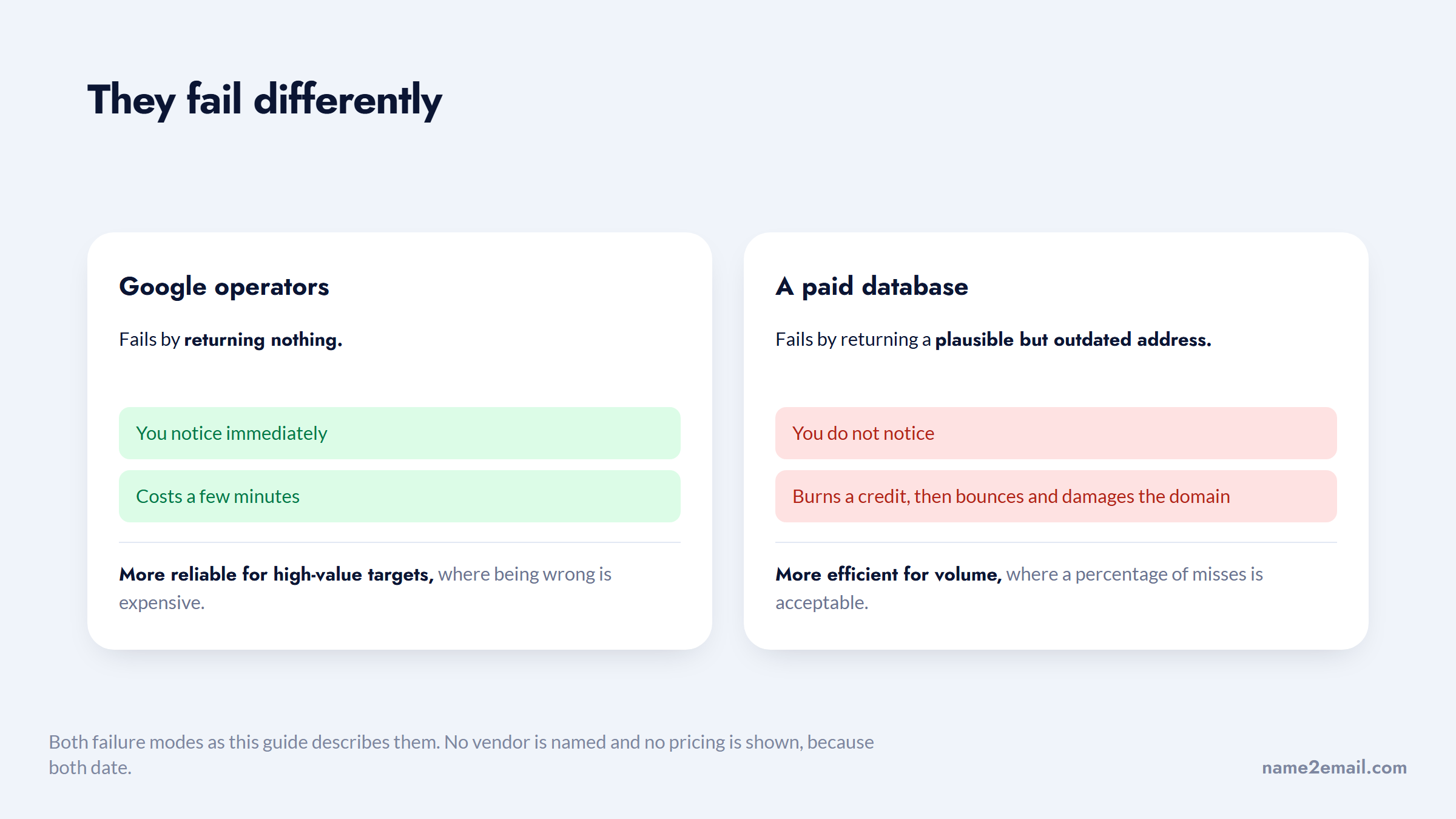
That makes the free method more reliable for high-value targets, where being wrong is expensive, and the paid method more efficient for volume, where a percentage of misses is acceptable and the time saved dominates.
Reading the Pattern Correctly
Deriving a pattern from one example sounds mechanical, and it mostly is, until you hit the cases that break it.
Duplicate names are the first. When a company already employs a Maria Chen, the second one usually gets a variant: a middle initial, a number, or a switch to `mchen2`. If your target has a common name for their region, treat the derived address as lower confidence.
Legacy addresses are the second. After a merger or rebrand, long-tenured staff often keep their original address while new hires get the current format, so a single example can be the exception rather than the rule. Finding two addresses at the same company, ideally one from a recent press release and one from an older document, tells you whether the format has changed.
Contractors and agencies are the third. Someone listed on a company's site is not always on that company's mail system, and consultants frequently keep their own domain.
Subsidiaries are the fourth and the most common in enterprise. A person who works for a brand may sit on the parent company's mail domain, so the domain you derived from the brand website will never resolve.
All four break the same assumption, which is that one example speaks for everyone.
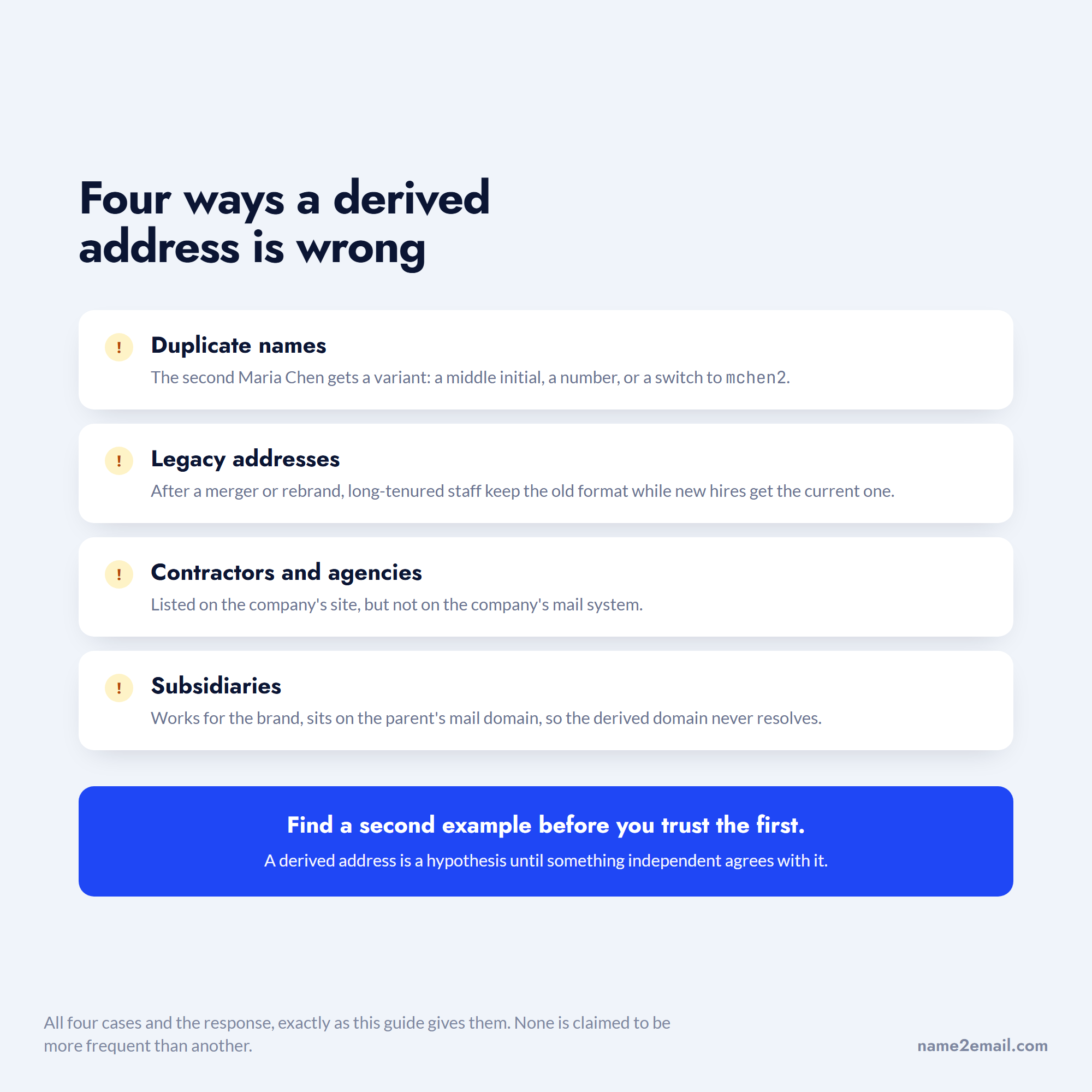
The practical response to all four is the same: find a second example before you trust the first, and confirm the final address rather than assuming it. A derived address is a hypothesis until something independent agrees with it.
Common Mistakes That Waste the Search
Most failed searches fail for one of a few reasons.
Skipping quotation marks is the biggest. Without them Google fragments the query and returns noise, which is why people conclude the address is not online when it is.
Searching only the person is the second. Adding the company domain to the query is what separates your target from everyone else who shares their name.
Ignoring PDFs is the third, and it is costly because documents are where full contact blocks survive.
Searching only the current employer is a quieter one. People who recently changed jobs are often still indexed under the previous company, so a search that returns nothing at the new domain may simply mean the web has not caught up yet. Check the old employer to confirm the name, then derive against the new domain.
Trusting a single unverified guess is the fourth and most expensive. A derived address is a hypothesis, and sending to an unverified hypothesis is how bounce rates climb and sender reputation quietly degrades.
Always confirm before you send, whether by Gmail's hover recognition or a verification tool.
From Found Address to Sent Email
Work the sequence in order and it rarely takes long.
Search the name with the domain in quotes, then search the company site for any address at all, then derive the pattern from whatever you find, then confirm your target's address before sending.
That last step matters more than the rest combined. Our guide on verifying an email address covers the manual check, and the best email verification tools compares the tools if you are working at volume. When you are emailing several people separately rather than as a campaign, sending to multiple recipients individually covers doing it without a platform.
If you would rather skip the searching entirely for one-off lookups, add Name2Email to Chrome and do it inside Gmail for free, or check what it costs first, which is nothing.
Frequently asked questions
When you search Google for email address information, wrap what you know in quotation marks to force an exact match, then add the company domain to narrow it. Start with `"firstname lastname" "@company.com"`, then try `site:company.com "@company.com"` to find any address on the company's own site, then `"@company.com" filetype:pdf` to pull addresses out of documents. Quotation marks, `site:` and `filetype:` are all officially documented Google operators. Without quotes, Google splits your query and returns unrelated results.
Google search for email address lookups is the most capable free option, because it indexes the pages, documents, and repositories where addresses are actually published. A dedicated email address search tool will usually offer only a small monthly credit allowance, typically 5 to 50 lookups, before asking for payment. For in-Gmail lookups, our free Name2Email extension has no credit limit and no account requirement. For bulk list building, no genuinely free option exists at scale, since the underlying data costs money to maintain.
`site:` combined with the company domain is the most productive, because it finds any address at the company rather than requiring you to guess your specific target's. Searching `site:company.com "@company.com"` returns whatever addresses the company has published, and a single result reveals the naming convention used by everyone there. Pair it with `filetype:pdf` for documents, which is where full contact details survive most often.
Accuracy is high on corporate domains and much lower elsewhere, because most organizations apply one convention consistently across staff. Once you have confirmed one real address at a company, applying the same pattern to a colleague is a reasonable inference rather than a blind guess. It still needs confirming, since companies handle duplicate names with variations and some staff keep legacy addresses from before a rebrand or acquisition. Never send to a derived address without verifying it first.
Usually not, and that is by design. Personal Gmail, Outlook and Yahoo addresses are rarely published alongside a name, are not tied to a company domain, and often were chosen precisely to avoid being findable. Work addresses are a different case because they exist to be contacted professionally and appear in press releases, team pages, papers, and filings. If the goal is business outreach, search for the work address rather than the personal one.

We build Name2Email, the free Chrome extension that finds work emails inside Gmail. We write about outreach, prospecting, and getting more replies.
Connect →