- 1A closing salutation is the last thing your reader sees, so it colors how the whole message lands, and the right one is a match between formality, relationship, and what you want to happen next.
- 2The safest professional default tier is "Best regards," "Kind regards," and "Warm regards"; the formal tier is "Sincerely" and "Respectfully"; and gratitude closers like "Thank you" measurably lift reply rates.
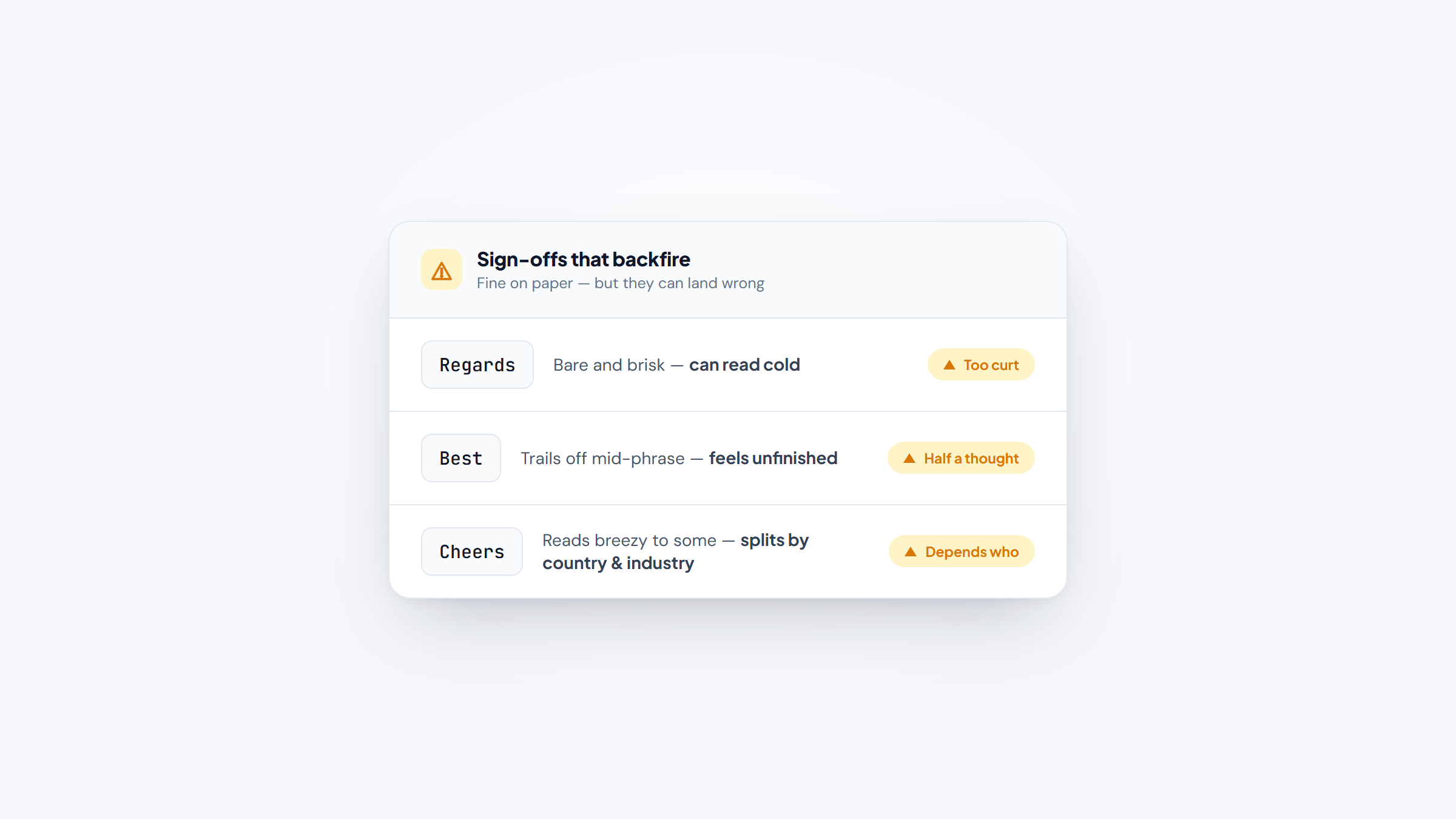
- 3A few common sign-offs backfire: a bare "Regards" can read cold, "Best" can feel unfinished, and "Cheers" splits people by country and industry, so pick with context in mind.
- 4Before any sign-off matters, you have to reach the right person; our free Name2Email extension tracks down work emails inside Gmail so the message actually arrives.
The greeting opens your email, but the closing salutation is what lingers. It's the last line the reader takes in before they decide whether to reply, file it, or forget it, and a mismatched one, too stiff, too chummy, or missing entirely, quietly undercuts an otherwise good message.
The tricky part is that there's no single "correct" sign-off. "Sincerely" is right for a cover letter and wrong for a note to a teammate you Slack all day. This guide is the menu: a full list of email closing salutations grouped by register, with examples and plain guidance on when each one fits and which to leave alone.
Name2Email is our free Gmail extension for tracking down a contact's real work email, so we read a lot of email and think hard about what makes each one land. The sign-off is a small piece of that, but it's the piece people agonize over most, so it's worth getting right.
What a Closing Salutation Does (and Why It Still Matters)
A closing salutation is the sign-off phrase that sits between your last sentence and your name, "Best regards," "Thanks," "Sincerely," and the like. It does two jobs at once: it signals the formality of the relationship, and it sets the emotional tone the reader carries into their reply.
That last impression carries real weight. Psychologists call it the recency effect: people remember the end of an exchange more sharply than the middle, so the closing does outsized work in how the whole email feels.
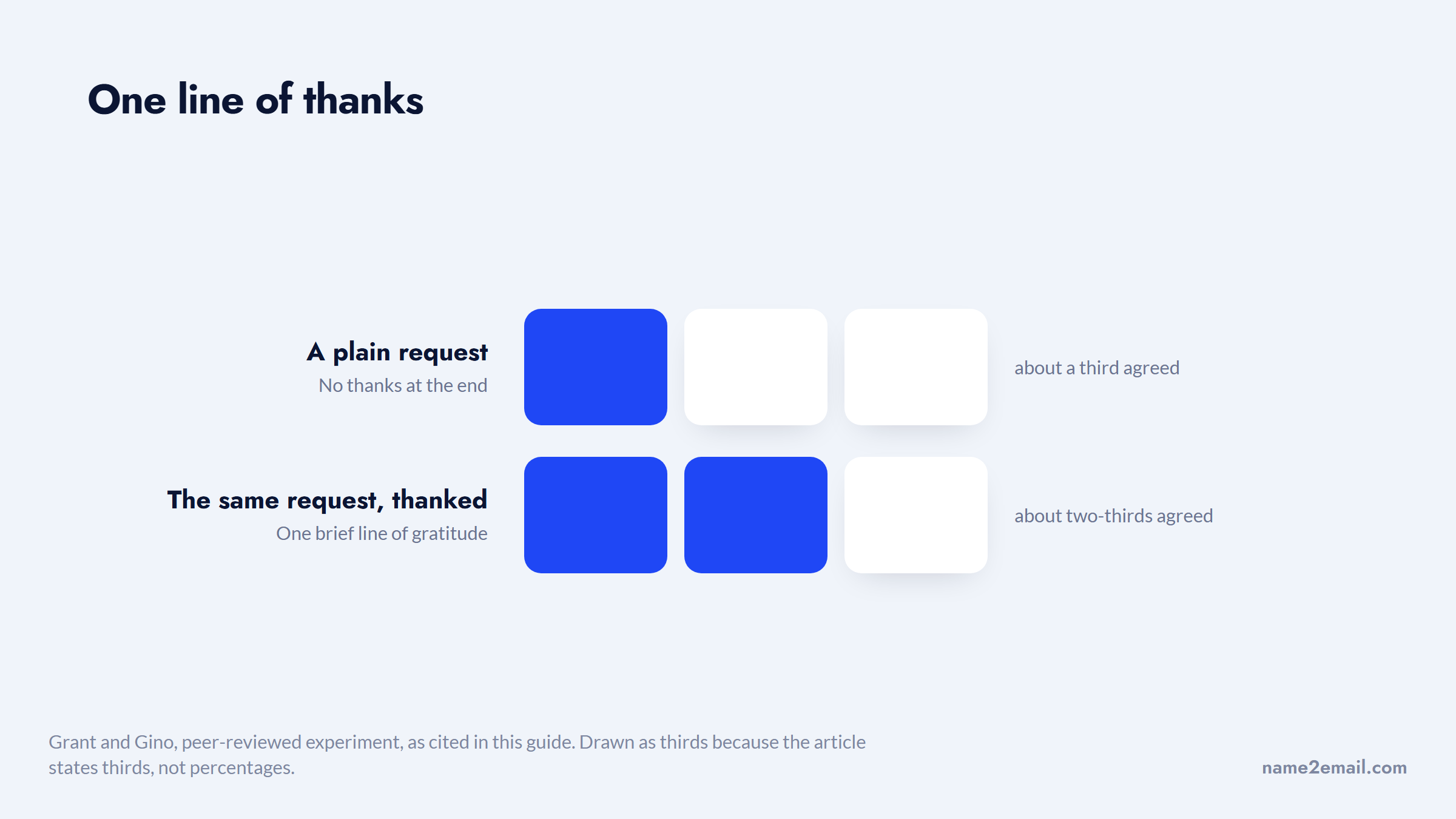
Tone at the end also changes behavior, not just perception. In a peer-reviewed experiment by Grant and Gino, adding a brief line of thanks to a request roughly doubled the share of people who agreed to a follow-up ask, from about a third to two-thirds. A warm, grateful close isn't decoration; it nudges the reader to act.
The size of that shift is easier to feel in whole people than in percentages.
None of this means you need a clever sign-off. It means you need a fitting one. The rest of this guide sorts the options by register so you can grab the right closer in a second instead of second-guessing it.
How to Choose the Right Closing Salutation
Picking a sign-off comes down to three questions, answered in order. Get these right and the specific phrase almost chooses itself.
First, gauge the relationship: is this a stranger, a client, a colleague, or a friend? Second, read the context: a legal notice, a job application, a project update, and a quick favor all sit at different formality levels.
Third, decide what you want next, a reply, a signature, a meeting, and let that steer whether you close with gratitude or a simple neutral sign-off.
Run through this quick check before you type your name:
- Read the relationship, and match the greeting you opened with so the email feels consistent top to bottom.
- Match the formality to the stakes, formal for first contact and anything official, relaxed for people you know.
- Decide the one action you want, then let a gratitude or call-to-action closer carry it if a reply is the goal.
- When you're unsure, default up one notch in formality; "Best regards" rarely feels wrong, while an over-casual sign-off can.
That last rule is the safety net. If you can't read the room, a slightly more formal close is the lower-risk choice, because it reads as respectful rather than presumptuous.
The Five Registers of Email Closing Salutations
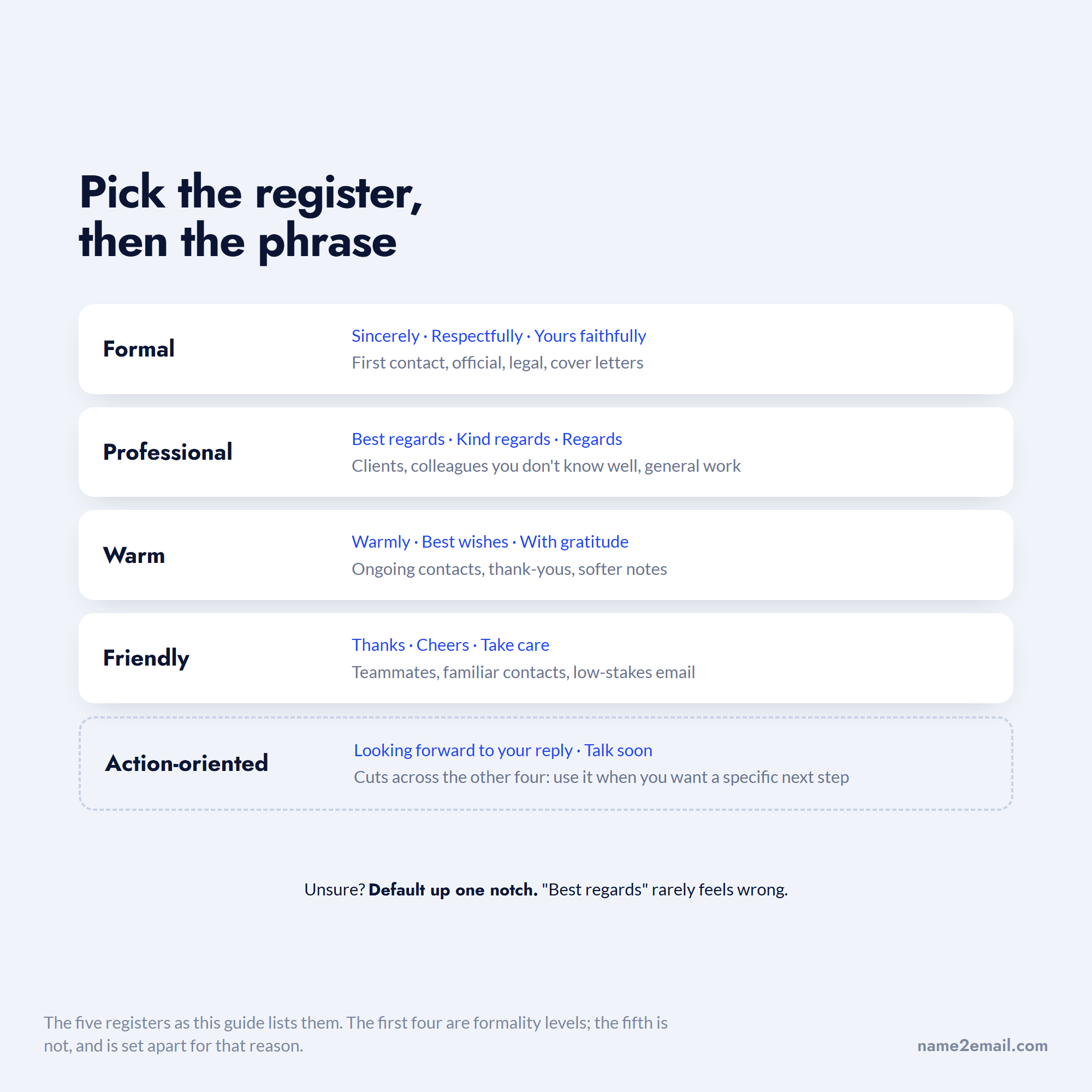
Almost every usable sign-off falls into one of five registers, from buttoned-up to breezy. Thinking in registers, rather than memorizing dozens of phrases, is the fastest way to pick well and to know when you're reaching too high or too low for the reader.
Register | Example salutations | Use it when |
|---|---|---|
Formal | Sincerely, Respectfully, Yours faithfully | First contact, official, legal, cover letters |
Professional / business | Best regards, Kind regards, Regards | Clients, colleagues you don't know well, general work |
Warm / relationship | Warmly, Best wishes, With gratitude | Ongoing contacts, thank-yous, softer notes |
Friendly / casual | Thanks, Cheers, Take care | Teammates, familiar contacts, low-stakes email |
Action-oriented | Looking forward to your reply, Talk soon | When you want a specific response or next step |
The registers overlap at the edges, and that's fine. "Best regards" can serve a warm client note as easily as a cool professional one, and "Thanks" works both as a casual closer and a gratitude closer. The email closing salutations examples in each register below show the range, but the point is direction: aim for the register the relationship calls for, then pick any phrase inside it.
Formal Closing Salutations
Formal sign-offs are for first contact, official business, and anything with a paper-trail feel: cover letters, legal correspondence, a note to a senior leader you've never met, or a formal complaint. They prioritize respect over warmth.
"Sincerely" is the workhorse here, correct almost anywhere formality is expected. In British usage, the old rule still holds: "Yours sincerely" when you opened with the person's name, "Yours faithfully" when you opened with "Dear Sir or Madam." "Respectfully" and "Respectfully yours" lift the deference higher, which suits letters to officials, courts, or dignitaries.
A few formal options carry baggage. "Cordially" is polite but can read as chilly or old-fashioned. "Yours truly" is technically formal yet strikes some readers as dated or oddly intimate, so it's fallen out of favor for business. When in doubt in a formal setting, "Sincerely" is the choice no one faults.
Formal closers pair with a full signature: your name, title, company, and contact details. The mismatch to avoid is a stiff "Respectfully" over a bare first name, which reads as unfinished. Match the weight of the sign-off to the weight of the signature beneath it.
Professional and Business Email Closing Salutations
The professional email closing salutations in this register are the ones you'll use most: the safe, neutral default for clients, colleagues you don't know well, and everyday work email. "Best regards," "Kind regards," and "Warm regards" anchor it, professional without being cold, friendly without being familiar.
"Best regards" is the closest thing email has to a universal safe closer. It fits almost any professional context, which is exactly why it deserves its own treatment; our full guide to the best regards email covers its meaning, capitalization, and when it's the right call versus a warmer or cooler alternative.
Two popular members of this tier come with a caveat worth knowing. A bare "Regards," with no adjective in front, reads as neutral to some and noticeably cold to others; several etiquette guides flag it, and plenty of office workers read a curt "Regards" as mild irritation.
Three phrases from one register, and only one of them carries no edge.
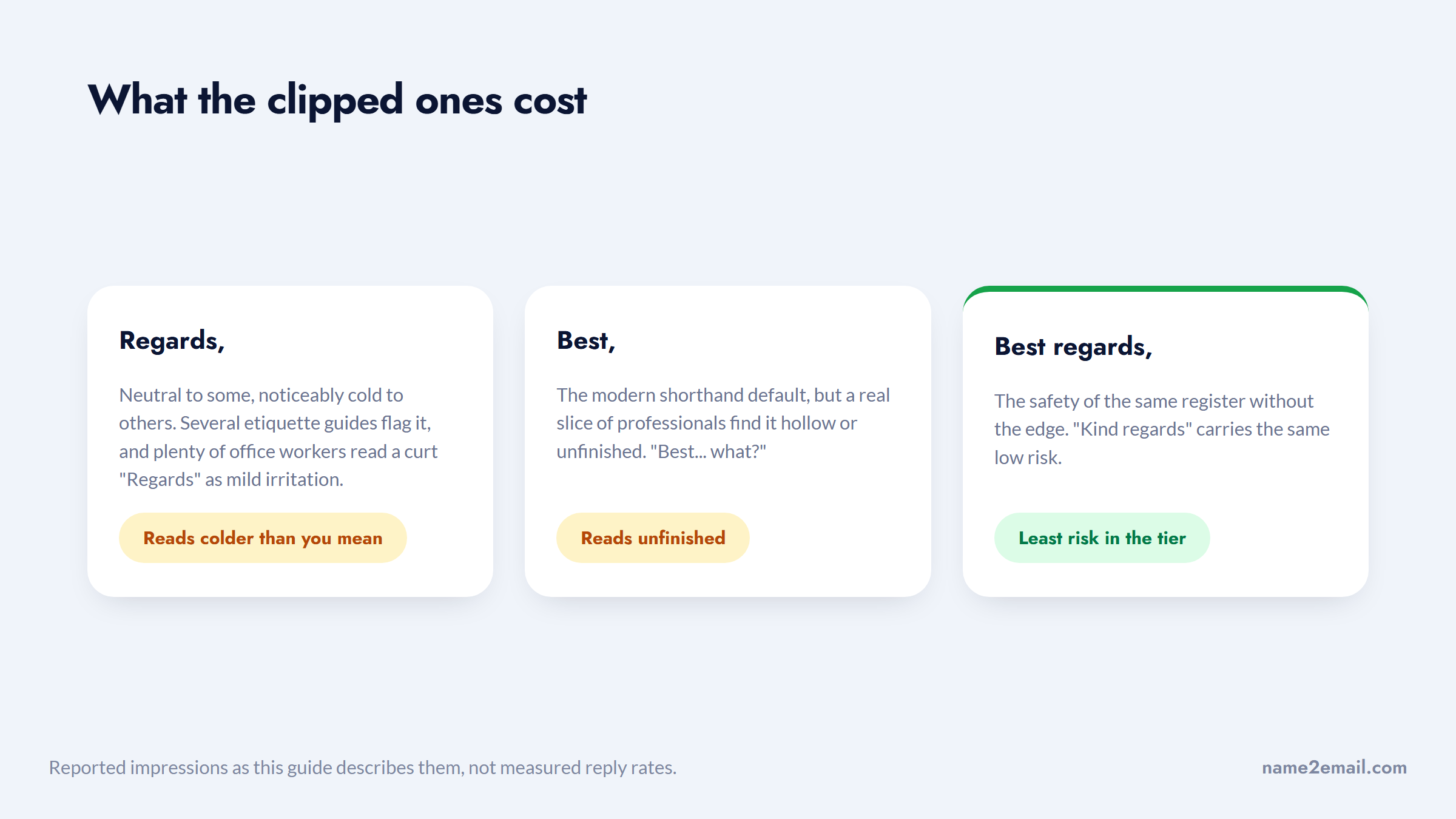
"Best," on its own, is the modern shorthand default, but a real slice of professionals find it hollow or unfinished, "Best... what?" If you want the safety of the register without the edge, "Best regards" and "Kind regards" carry less risk than their clipped cousins.
"All the best" and "Thank you" round out the tier, slightly warmer options that still read as professional. For general business email where you have no special reason to go formal or casual, staying in this register is the reliable move.
Friendly and Casual Closing Salutations
Casual sign-offs fit teammates, familiar clients, and low-stakes threads where a formal closer would feel stiff. "Thanks," "Cheers," "Take care," "Talk soon," and "Have a great day" all live here, and used with the right person they make an email feel human.
"Cheers" is the one to place carefully. It's normal and professional in the UK, Australia, and much of the creative and tech world, but in US legal, finance, or first-contact settings it can read as too casual, and one survey of sign-offs even flagged it as a top annoyance for some readers. Use it where the culture supports it, not by default.
"Take care" carries a subtler risk: to people who know you well it's warm, but to a near-stranger it can sound oddly heavy, as if something's wrong. Reserve it for contacts you actually have a rapport with.
The rule for the whole casual register is relationship-first. These closers reward familiarity and punish presumption, so they're the right call once you know someone and the wrong one for a cold first email. When you're not sure the relationship supports it, step back up to the professional tier.
Warm and Relationship-Building Salutations
Between formal and casual sits a warm register built for connection: "Warmly," "With gratitude," "Best wishes," "As ever," and "Great working with you." These suit ongoing relationships, thank-you notes, and moments where you want the reader to feel valued rather than processed.
"Warmly" and "Best wishes" are the flexible core, warmer than "Best regards" without tipping into casual, and safe for clients or contacts you've built some history with. "With gratitude" and "Many thanks" lean into appreciation, which fits when someone has genuinely helped you.
A couple are relationship-specific by design. "As ever" only works with someone you correspond with regularly; used cold, it's confusing. "Great working with you" belongs at the natural end of a project or collaboration, where it reads as sincere rather than generic. Matched to the right moment, warm closers do something the other registers can't: they make routine email feel personal.
Salutations That Nudge a Reply
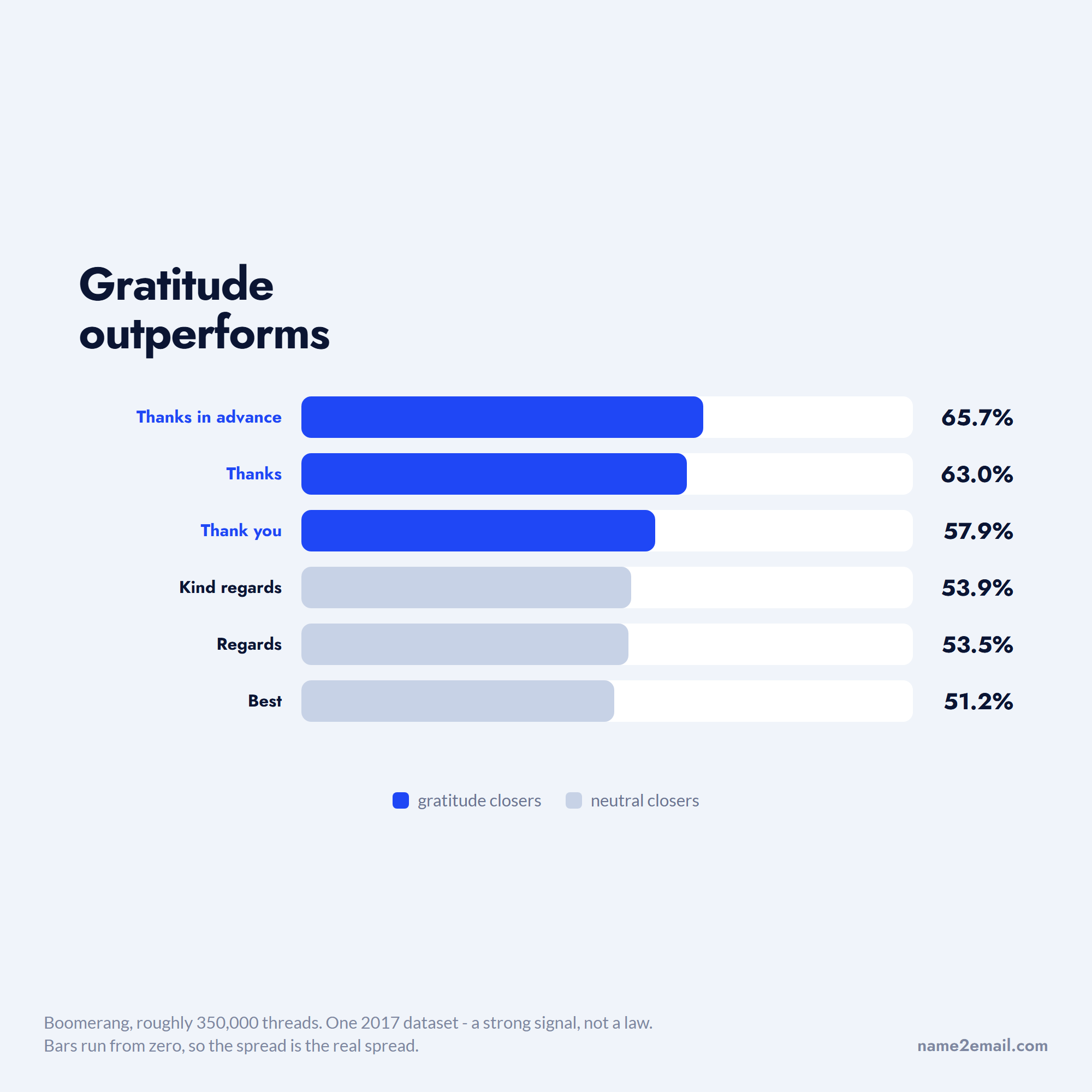
If your goal is a response, the sign-off can help. Gratitude-flavored closers consistently outperform neutral ones, and the effect is measurable. Boomerang analyzed roughly 350,000 email threads and found "thank"-based sign-offs beat the average reply rate by a wide margin.
Sign-off | Reply rate |
|---|---|
Thanks in advance | 65.7% |
Thanks | 63.0% |
Thank you | 57.9% |
Kind regards | 53.9% |
Regards | 53.5% |
Best | 51.2% |
Those figures come from one 2017 dataset, so treat them as a strong signal rather than a law, but the pattern is clear and it matches the Grant and Gino research above: thanking people makes them likelier to act. The gap between a gratitude closer and a neutral one is the difference between roughly two-thirds and half of readers replying.
Ranked against each other, the three gratitude closers sit clear of the neutral ones.
There's one honest tension. "Thanks in advance" tops the reply-rate chart, yet some etiquette writers call it presumptuous, since it assumes a yes before you've asked. Both are true. The move is to use it only when the ask is genuinely small and reasonable, where the thanks reads as courtesy, not pressure.
Working professionals feel this split too. In a thread on Reddit, executive assistants swapped ways to close other than "Best," and many said they default to "Thanks" or "Thank you" precisely because gratitude lands better than a flat sign-off.
Action-oriented closers work alongside the gratitude ones. "Looking forward to your reply," "Let me know your thoughts," or "Happy to jump on a call" state the next step clearly, which is half the battle. Building an ending that actually earns a response is a bigger topic, and our full guide to end an email walks through the whole closing sequence, from last line to sign-off.
Closing Salutations to Avoid
Some sign-offs cost you more than they give, either because they misread the register or because they read as careless. The safest list to steer clear of in professional email:
- Affectionate closers like "Love," "XOXO," or "Hugs," which are too intimate for work.
- Abbreviations such as "Rgds," "KR," "BW," or "Thx," which read as rushed or dismissive.
- No sign-off at all, which can feel abrupt on anything but a rapid back-and-forth.
- Emoji-only closers, which undercut authority in a first or formal contact.
- "Sent from my iPhone" left as an accidental default, which is a signature, not a sign-off.
- Overly casual lines like "Later," "Ciao," or "Peace" in any formal or first-contact email.
The abbreviations deserve special caution, because their tone is worse than it looks. In a candid Reddit thread on email sign-offs, one worker admitted that they and their boss send a curt "Regards" with no name attached specifically when a message has annoyed them, a private code for irritation. It's one office's joke, not a universal rule, but it captures why a clipped closer can land colder than you intend. When in doubt, spell it out.
Match the Salutation to Culture, Industry, and Generation
The "right" sign-off shifts with the audience, and the same phrase reads differently across borders, fields, and age groups. Reading those cues is what separates a safe closer from a tone-deaf one.
Geography matters most with "Cheers," which is professional in the UK and Australia and casual-bordering-on-odd in US formal settings. Industry sets expectations too: law, finance, and government lean formal ("Sincerely," "Respectfully"), while tech, creative, and startup cultures happily use "Best," "Cheers," or a first name alone. Generation adds another layer, since older colleagues often expect "Sincerely" or "Best regards," while younger senders may drop the sign-off entirely on internal notes.
The same three words land differently depending on which of these you are reading.
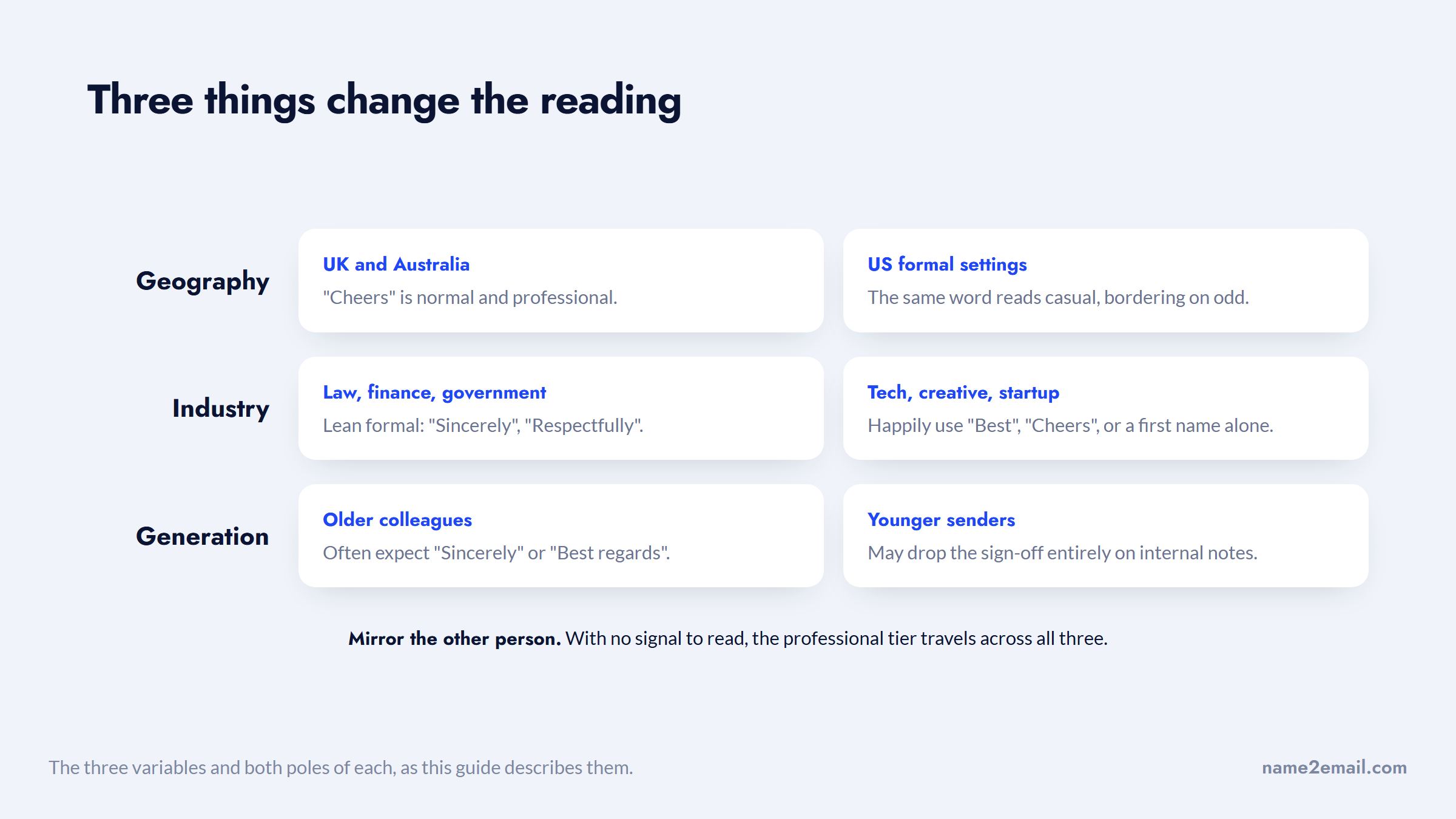
The practical takeaway is to mirror the other person. If a client signs off "Kind regards," match their register; if a teammate ends with "Cheers," you can too. When you have no signal to read, default to the professional tier, which travels across all three variables without offending anyone.
Format the Sign-Off and Signature
A well-chosen salutation still needs clean formatting, or it undercuts itself. The mechanics are simple and worth doing the same way every time.
- Put the sign-off on its own line and capitalize just the opening word (write "Best regards," rather than "Best Regards").
- Add a comma after the phrase, then start a new line for your name.
- Use your first name for people you know, and your full name for formal or first contact.
- Follow with a signature block: title, company, and the contact details the reader might need.
- Check that the sign-off's formality matches both your greeting and your signature, so the email is consistent end to end.
That consistency is the whole game. A formal "Sincerely" over a nickname, or a casual "Cheers" under a five-line corporate signature, creates a small dissonance the reader feels even if they can't name it.
The one thing formatting can't fix is sending to the wrong address, which no sign-off survives. Before you polish the closing, check it's going to a real inbox: our free Name2Email extension generates the likely work-email patterns while you draft in Gmail, and you pick the real one by hovering until Gmail recognizes it, so you're not perfecting a message that bounces.
We keep it honest: it reads public naming conventions, leans on corporate domains, and points to the most probable address rather than promising all of them. If you already have an address, our guide on how to find an email address covers the free ways to get it, how to look up an email address checks who owns it, and how to verify an email address confirms it's live before you hit send.
Pick the Register, Then the Phrase
The best closing salutation isn't the cleverest one; it's the one that fits. Read the relationship, match the formality, and let your goal, a reply, a signature, a warm note, point you to the register. Inside that register, almost any phrase works, which is why "pick the register first" beats memorizing a list.
All five registers, with the phrases that live inside each one.
When you want a response, lean on gratitude, since the data and the research agree it lifts replies. When you want to keep it neutral and safe, "Best regards" rarely misses. And when you're reaching a new prospect for the first time, get the address right before you worry about the sign-off.
Add Name2Email to Chrome and track down a contact's address without leaving your inbox, then choose the salutation that fits the moment. If you're running outreach at scale, the guides to the best email outreach tools and the best cold email software run through the platforms that send and follow up once your addresses are ready.
Frequently asked questions
"Best regards," "Kind regards," and "Warm regards" are the safest professional defaults, right for clients, colleagues you don't know well, and general business email. They read as polite without being stiff. If you want a reply, a gratitude closer like "Thank you" or "Thanks" tends to perform even better, and for anything formal or first-contact, "Sincerely" is the no-fault choice.
For business email, stay in the professional register: "Best regards," "Kind regards," "Regards," and "All the best" all work across most situations. Match the formality to the stakes, more formal for first contact, official notices, or senior contacts, and warmer for people you already have a relationship with. Mirror the sign-off your counterpart uses when you have that signal.
Neither is universally better; it depends on the relationship and context. Formal closers like "Sincerely" and "Respectfully" fit first contact, official business, and cover letters. Friendly ones like "Thanks," "Cheers," or "Take care" fit teammates and familiar contacts. When you can't tell, default one notch more formal, since a respectful sign-off rarely offends while an over-casual one can.
In a Boomerang study of about 350,000 threads, gratitude-based sign-offs got the highest reply rates, with "Thanks in advance" at 65.7%, "Thanks" at 63%, and "Thank you" at 57.9%, all well above the roughly 47.5% average. The catch is tone: "Thanks in advance" can read as presumptuous, so use it only when your ask is small and reasonable.
On a fast internal back-and-forth, dropping the sign-off is fine and common. On a first email, a formal message, or anything with stakes, skipping it can feel abrupt or curt. The safe habit is to include a short closer, "Best regards" or "Thanks," in any email where you're not mid-conversation, and to save the no-sign-off style for threads that already read as casual.

We build Name2Email, the free Chrome extension that finds work emails inside Gmail. We write about outreach, prospecting, and getting more replies.
Connect →