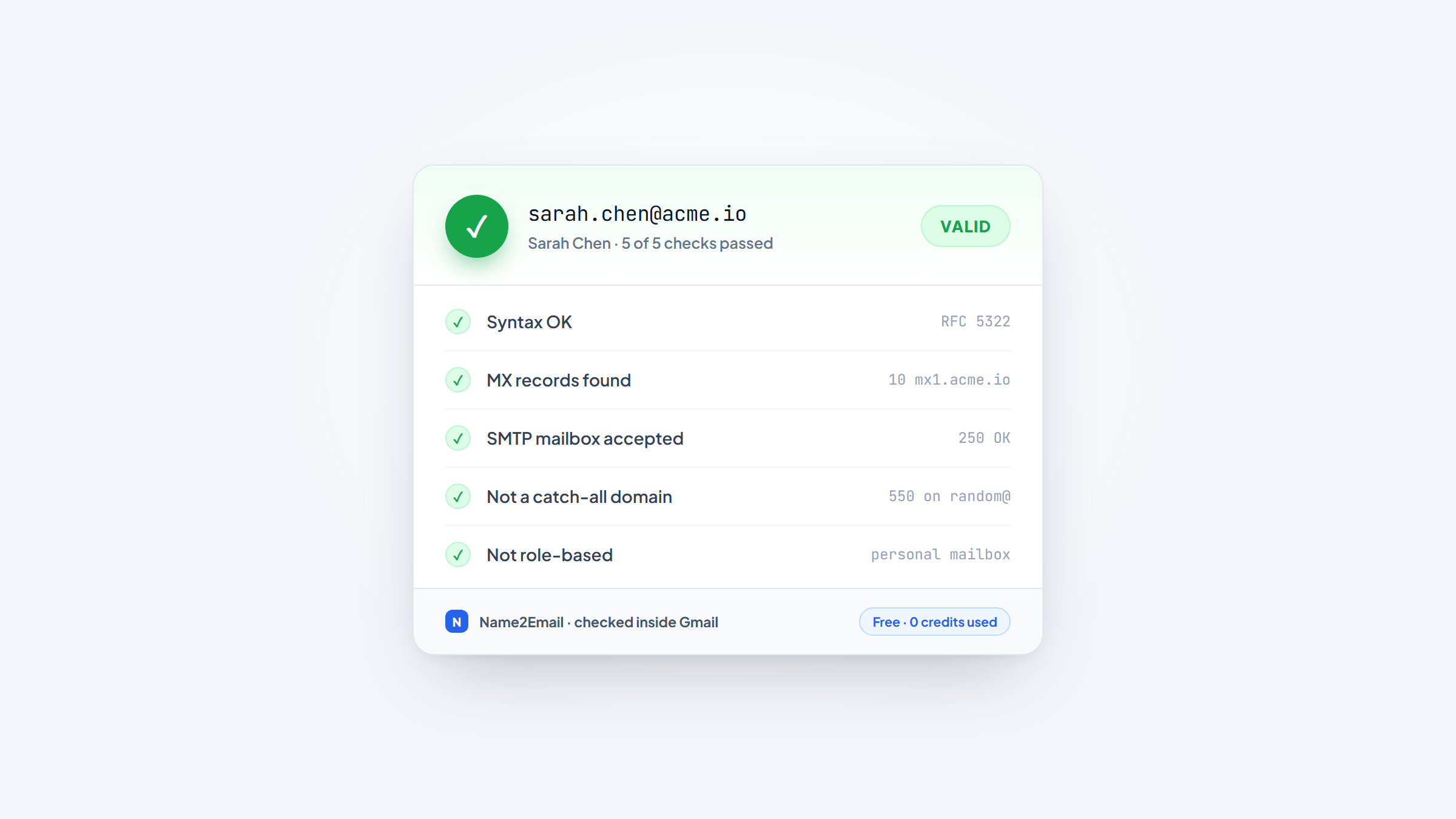
- 1Verifying an email means checking it's real and can receive mail before you send, which protects your sender reputation from bounces.
- 2The core free method is an SMTP check that "asks" the mail server whether a mailbox exists, without ever sending a message, so no email and no bounce is generated.
- 3Two cases genuinely can't be confirmed: catch-all domains that accept every address, and Gmail addresses, which return "valid" for fake mailboxes on purpose to block guessing.
- 4Inside Gmail, our free Name2Email extension confirms an address is recognized (a strong signal it's the right one), but recognition isn't the same as deliverability, so pair it with a verifier for a real send.
A wrong email address costs you twice: the message never lands, and the bounce chips away at the reputation that decides whether your next emails reach the inbox at all. Verifying before you send fixes that, and you can do most of it for free.
This guide explains how email verification actually works, the free tools that do it, how to sanity-check an address right inside Gmail, and the two situations no tool can fully resolve.
We built Name2Email to find and confirm work emails inside Gmail, so we care a lot about getting this right, and about being honest where verification hits its limits. If you're still tracking down the address in the first place, our guide on how to find an email address covers the free ways to do that; this one picks up once you have a candidate to check.
Why Verify an Email Before You Send
Verification isn't busywork; it's reputation protection. Every message you send to a dead address bounces, and mailbox providers read a high bounce rate as a sign you're a careless or spammy sender, which pushes even your good emails toward the spam folder.
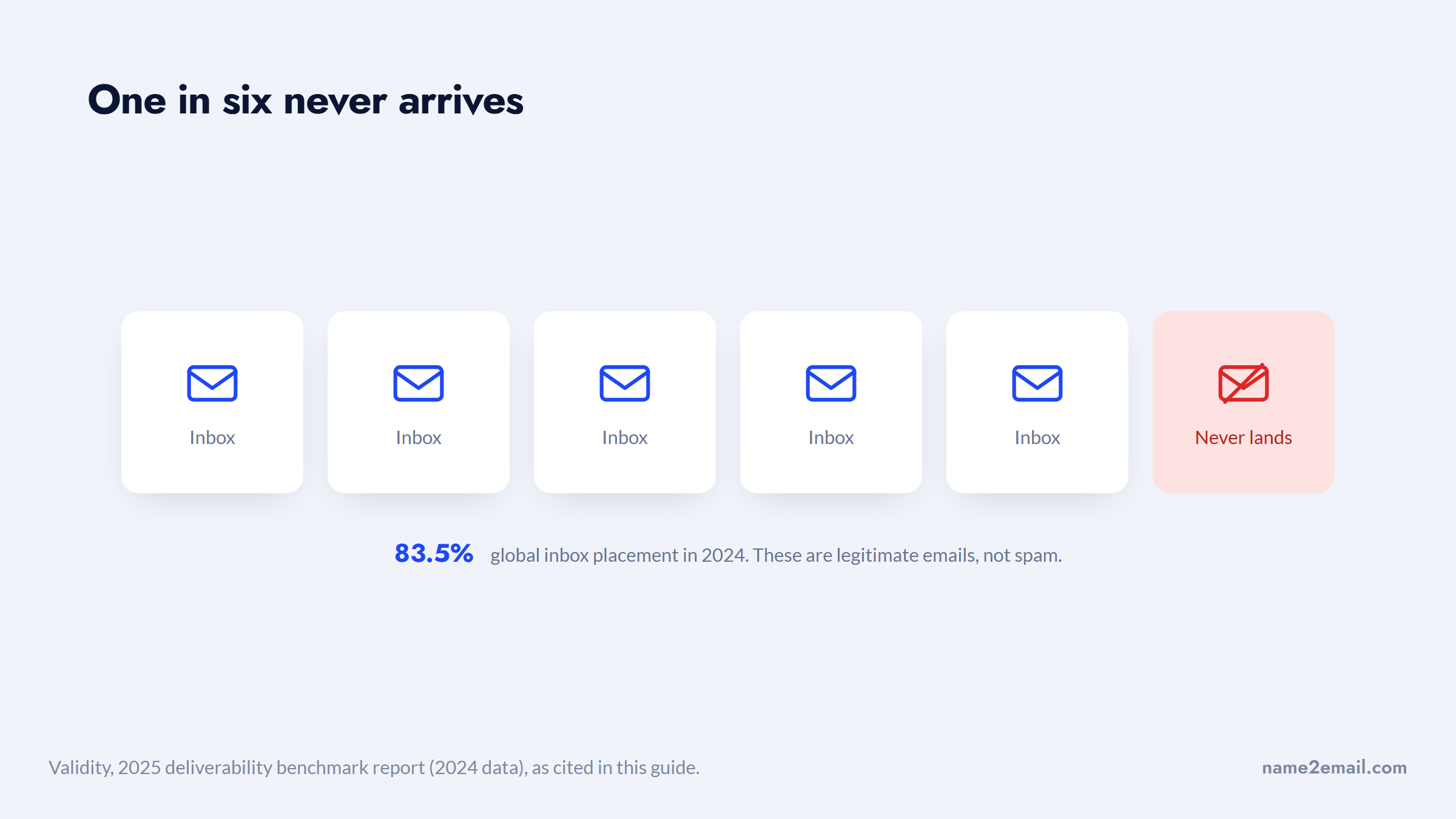
The stakes are measurable. Validity found global inbox placement sat around 83.5% in 2024, meaning roughly one in six legitimate emails never reached the inbox, and bounce rates are one of the levers that decide which side of that line you land on. A clean, verified list keeps you in the inbox; a dirty one drags your good mail toward spam right along with it.
At that rate, one message in every six you send is already lost before anyone reads it.
Providers now enforce this explicitly. Google's sender guidelines require bulk senders, those sending more than 5,000 messages a day to Gmail, to authenticate with SPF, DKIM, and DMARC and keep spam complaints under 0.3%.
High bounce rates and spam complaints tend to travel together, so a verified list is part of clearing that bar. As a rule of thumb, most deliverability teams aim to keep the bounce rate under about 2%, and a quick verification pass is the cheapest way to stay there.
That's why the order matters: find the address, verify it, then send. Skipping the middle step is the most common reason good outreach underperforms, and it's entirely avoidable with free tools.
How Email Verification Actually Works
Verification is a layered pipeline. Each layer is cheaper and more certain than the next, and the last one is where certainty starts to break down. Understanding the layers tells you exactly what a free tool can and can't promise.
Layer | What it checks | How reliable |
|---|---|---|
Syntax | The address is validly formatted | Fully reliable, offline |
Domain (MX) | The domain can receive mail | Reliable |
SMTP / mailbox | The specific mailbox exists | Usually, with exceptions |
Catch-all | Whether the domain accepts everything | Detectable, not resolvable |
Disposable | Whether it's a throwaway address | List-based, mostly reliable |
The first two layers are quick wins. A syntax check confirms the address is structurally legal (one @, a valid domain, no illegal characters), which catches typos like `john@gmail` with no top-level domain. A domain check looks up the domain's MX (mail exchange) records; if there are none, the domain can't receive email at all, so the address is dead regardless of the name in front of the @.
The interesting layer is the SMTP check, which is how "verify without sending" works, so it gets its own section next.
Verify an Email Address Without Sending an Email
You can confirm a mailbox exists without ever emailing it. The method is just a normal email conversation cut short: a verifier opens a connection to the domain's mail server, starts the handshake, then hangs up before any message is transmitted.
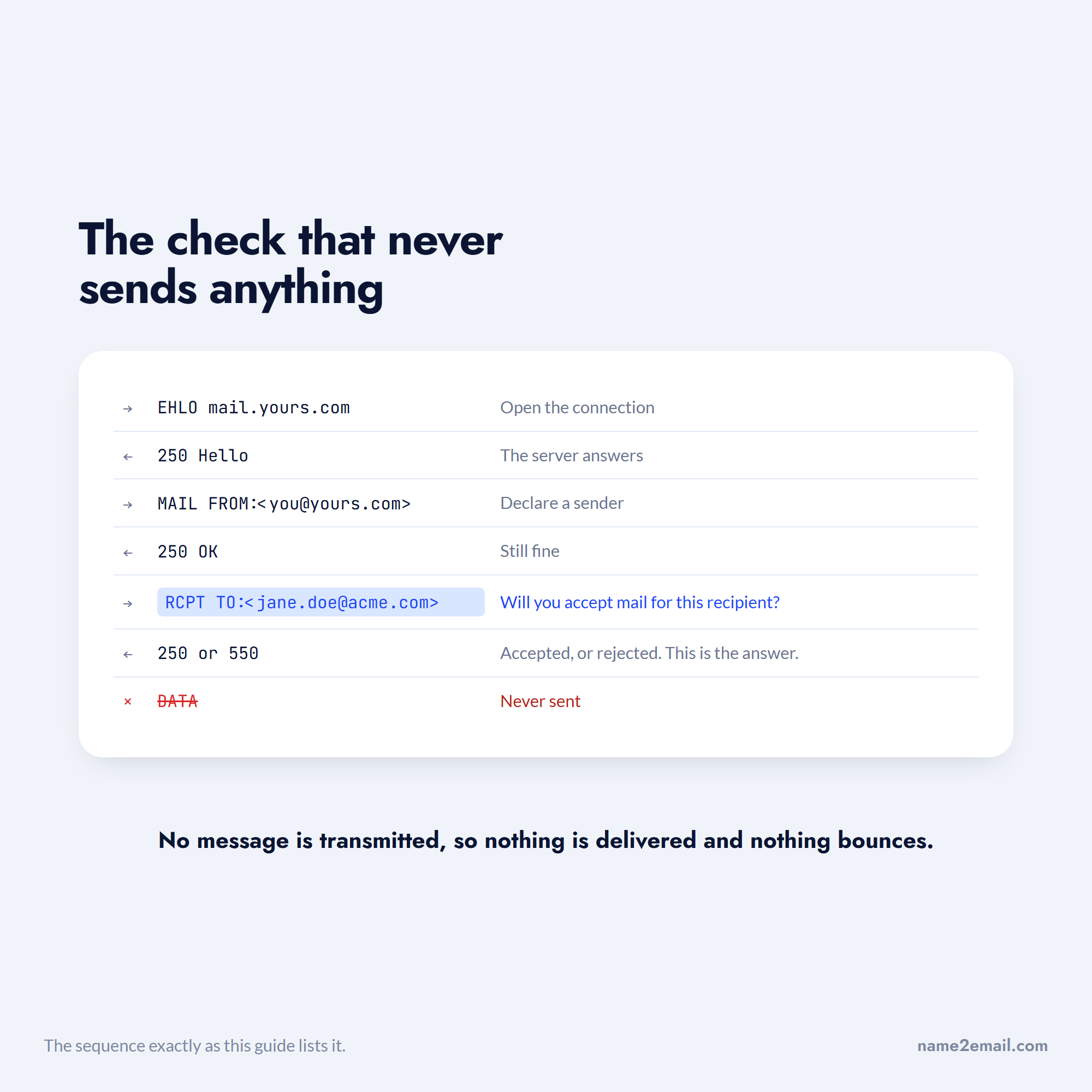
Here's the sequence a verifier runs.
- Look up the domain's MX record to find its mail server.
- Open a connection and send the greeting (`HELO`/`EHLO`).
- Declare a sender with `MAIL FROM`.
- Ask the key question with `RCPT TO:<the address being checked>`, which means "will you accept mail for this recipient?"
- Read the server's response, then disconnect, the actual message (`DATA`) is never sent.
The answer lives in step 4. A `250` response means the server will accept the recipient, so the mailbox likely exists; a `550` means it's rejected, so the mailbox doesn't. Because you never send the `DATA` command, no email is delivered and no bounce is created, which is exactly why you can verify an email address without sending anything. The whole exchange takes under a second.
Laid out in order, the step that never happens is the one that matters.
Free tools wrap this so you never touch a command line. The honest catch is that some servers rate-limit or block these probes, returning an inconclusive "unknown" rather than a clean yes or no, especially at large providers. That's the first sign that SMTP isn't foolproof, and the next section covers where it genuinely fails.
The Two Cases You Can't Fully Verify
Two situations defeat even a perfect SMTP check. Good tools flag them honestly as "risky" or "unknown" instead of claiming a certainty they don't have, and you should treat any tool that calls these "valid" with suspicion.
Catch-All Domains
A catch-all domain is configured to accept mail for any address, whether the mailbox exists or not, so `anything@company.com` returns `250`. Because the server always says yes at `RCPT TO`, an SMTP check can't tell a real mailbox from a fake one there.
A large share of business domains are catch-all, so this is common, not an edge case. Verifiers detect it by probing a random fake address first; if that's accepted too, the domain is flagged accept-all and the real result means nothing.
Gmail and Google Workspace Addresses
Gmail deliberately returns a positive response for fake addresses as an anti-guessing defense, so a raw SMTP check reports made-up Gmail addresses as "valid." Since Gmail is a huge share of mailboxes, this produces the most dangerous kind of error, a false "valid." For Gmail specifically, you can't confirm existence by SMTP alone; you fall back to recognition signals (the Name2Email approach below) or historical delivery data.
Run the same probe against a working domain and the difference is obvious.
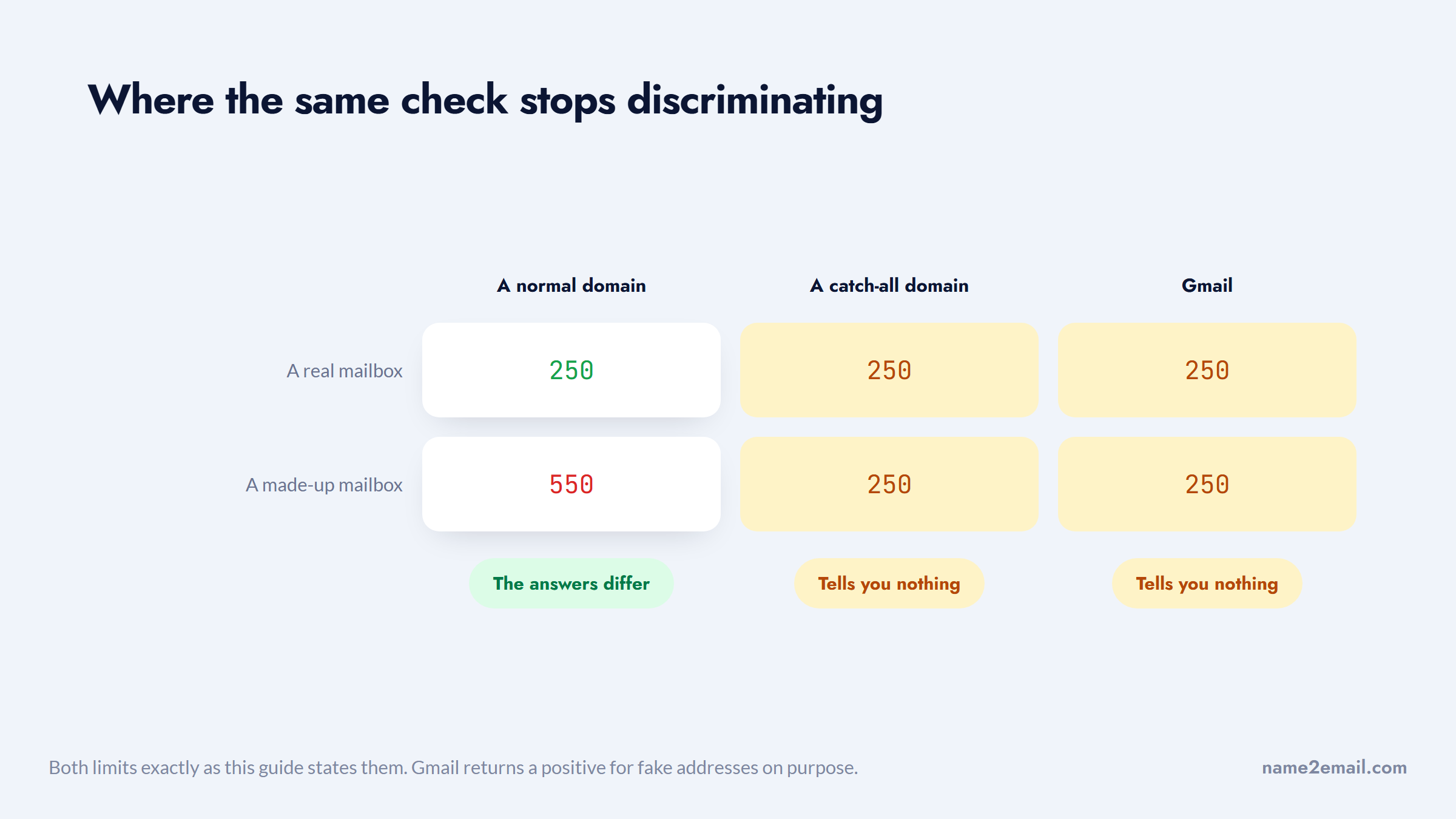
Both limits are real and unavoidable, which is why the honest framing throughout this guide is "likely valid," not "guaranteed." When a domain is catch-all or the address is Gmail, lean on the Gmail-side checks and a cautious first send.
Detect Disposable and Temporary Emails
Separate from deliverability is the throwaway problem. Disposable addresses from services like Mailinator, Guerrilla Mail, or 10 Minute Mail are technically valid and will pass a syntax, MX, and SMTP check, yet they're abandoned within minutes, so mail to them is wasted.
Detection is mostly domain-list matching. Verifiers keep databases of known disposable domains (mature lists cover well over 100,000), and flag any address on one. Newer throwaway domains get caught by pattern and by how recently the domain was registered. If you want to verify a disposable email address specifically, look for a tool that lists "disposable" as an explicit check rather than lumping it into a generic score.
This matters most for signup forms and free-trial abuse, where people reach for a temporary address. For cold outreach, it's a smaller issue, but a disposable address on your list is still a guaranteed non-response worth removing.
Verifiers often flag one more category: role accounts, shared addresses like `info@`, `sales@`, or `support@` that reach a team rather than a person. They're deliverable, so they pass an SMTP check, but they convert poorly for outreach and draw more spam complaints, which is why many senders exclude them.
A good result set lists them separately, and knowing how to verify a disposable email address and how to spot a role account are really the same habit: read the full result, not just a pass or fail.
What "Valid" Actually Means
When a tool says an address is valid, it helps to know which kind of valid it means, because the word gets stretched. To verify that an email address is valid, three different things can be checked, and they don't all guarantee your email arrives.
- The address is correctly formatted, which is necessary but weak, since `fake@company.com` is syntactically valid too.
- The mailbox actually exists and accepts mail, which is what an SMTP check tests and what most people mean when they say "valid."
- The address maps to a known person, which is the recognition signal that Gmail and Name2Email surface.
So when you want to verify if an email address is valid before a send, aim for "deliverable," not just "well-formed." A recognized address is a strong hint, a deliverable one is confirmed, and a merely well-formed one tells you almost nothing. Good tools label which they mean; when a tool is vague, treat "valid" as "worth sending to carefully," not "guaranteed to land."
How to Verify an Email Inside Gmail
You don't always need a separate tool. Gmail itself gives you recognition signals, and this is where Name2Email fits, right in the compose window where you already work.
Here's how to check an address inside Gmail.
- Open Gmail and start composing.
- Type the candidate address into the "To" field.
- With Name2Email installed, type the person's name and company domain and we surface the likely work-email patterns.
- Hover over an address; when Gmail recognizes it, a contact card shows the person's name and often their photo.
- The suggestion that resolves to the right person is your best candidate.
Be clear on what this proves. Gmail recognition confirms the address maps to a known person or account, which is a strong signal the pattern is right, but it is not a deliverability guarantee, and Name2Email is honest about that: it's pattern-based, works best on corporate domains, and can't confirm every address.
The two checks answer different questions, and neither of them answers the last one.
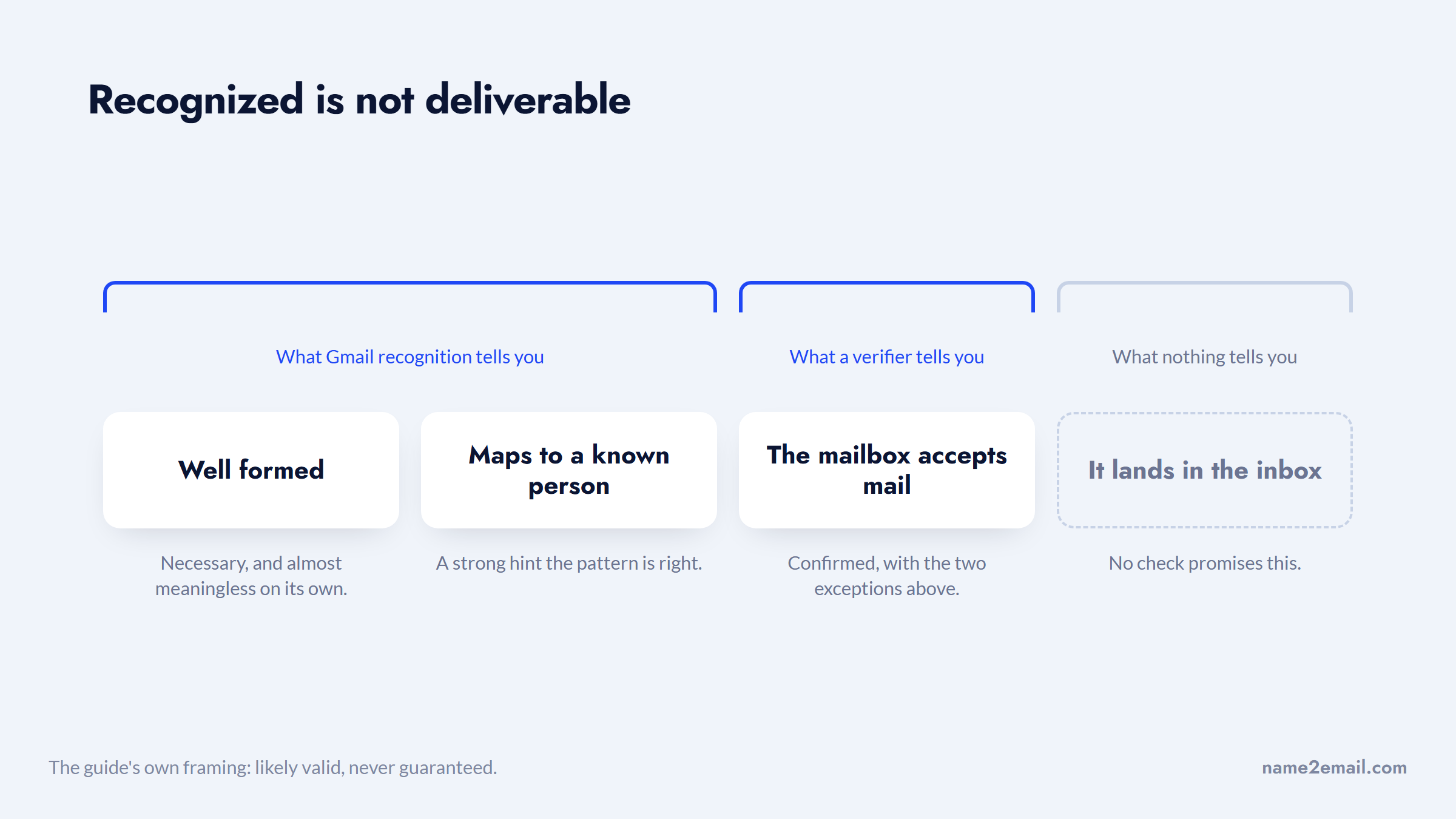
The native contact-card hover works the same way and has grown less reliable, so a missing card isn't proof an address is invalid. For a real send to a big list, confirm with a verifier on top.
Add Name2Email to Chrome to get that recognition signal as you write, then verify the address before it goes into a campaign.
Free Email Verification Tools
When you want a definitive check on a single address, several tools offer a free tier. They run the same syntax, MX, and SMTP layers described above, plus catch-all and disposable flags.
Tool | Free allowance | Notes |
|---|---|---|
Email Hippo | ~100 checks/day | No sign-up needed |
Hunter | Monthly free credits | Includes finder too |
ZeroBounce | Small monthly free block | Claims 99.6% accuracy |
Mailmeteor | Free, no sign-up | "15+ checks" |
NeverBounce / Verifalia | Free single checks | Bulk needs credits |
Free single-address widgets are perfect for spot-checking one email; bulk list cleaning is where paid credits kick in. Whichever you use, remember that every SMTP-based tool inherits the catch-all and Gmail limits above, so free email verification should be read as "reduces risk," not "eliminates it." Confirm the free allowance on the tool's site before you rely on it, since tiers change.
Reading Verifier Results Honestly
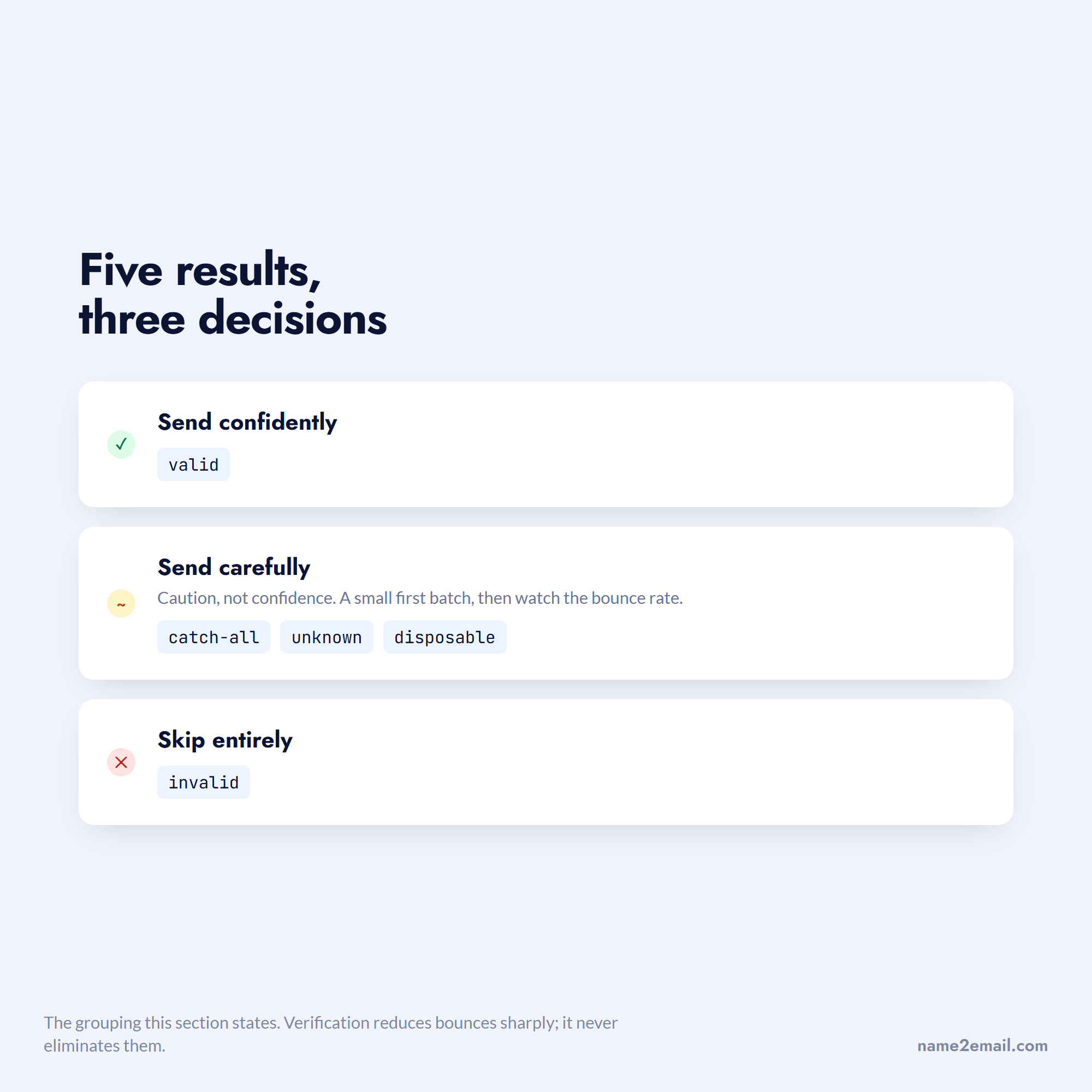
Verifiers don't just return valid or invalid; they return a spectrum, and knowing how to read it saves your reputation. A good result set separates "valid," "invalid," "catch-all/accept-all," "unknown," and "disposable," and you should treat the middle three as caution, not confidence.
The real-world numbers back the caution. In one Reddit thread, marketers reported that a verifier routinely removes 30 to 50% of addresses pulled from a lead provider, and that some still bounce afterward. Verification reduces bounces sharply; it never eliminates them, and source-list quality matters as much as the tool. Send confidently to "valid," carefully to "catch-all," and skip "invalid" entirely.
Five statuses collapse into three decisions, which is all you need at send time.
When you're checking one address to confirm you found the right person, our guide on how to look up an email address pairs well with this, and if you're cleaning a whole list for outreach, the best cold email software bundles verification with sending.
How to Verify a Whole List, Not Just One Address
Single-address checks are perfect for confirming one prospect, but outreach usually means a list, and that changes the tooling. Once you're past a few dozen addresses, a bulk verifier that processes a CSV and returns a scored list beats checking each one by hand.
The workflow is straightforward. Export your list, run it through a bulk verifier (most free tiers cap the volume, so large lists need credits), then segment the results by status. Send to the "valid" addresses, drop the "invalid" ones, and decide case by case on "catch-all" and "unknown."
Many teams send to catch-all addresses in a small, careful first batch and watch the bounce rate before committing the rest.
This staged approach is how to verify email address free at small scale and cheaply at large scale: lean on free single checks and Gmail recognition while your list is short, and graduate to a paid bulk verifier only once volume justifies it. The goal never changes, a clean list that protects your reputation.
Make Verification a Habit
Verification is a habit, not a one-time task. Before any send, run the address through the layers: confirm the format, check the domain has mail records, and use a free tool or Gmail recognition to test the mailbox, treating catch-all and Gmail results as "probably" rather than "definitely."
Do that, and you protect the sender reputation that decides how every campaign performs. Find the address free, confirm it's valid, and you send into inboxes instead of into bounces, which is the entire point. Because every one of these checks is free, there's no real reason to skip them: verifying costs a few seconds and saves the reputation that took months to build.
Frequently asked questions
Use a free verifier like Email Hippo or Mailmeteor to run syntax, domain (MX), and SMTP checks on a single address, or confirm recognition inside Gmail with Name2Email. Free single-address checks are reliable for spot-checking; bulk list cleaning usually needs paid credits. Treat catch-all and Gmail results as "likely," not certain.
Yes. An SMTP check opens a conversation with the recipient's mail server and asks whether the mailbox exists (the `RCPT TO` step), then disconnects before any message is sent, so no email is delivered and no bounce is created. Free tools run this for you; the limit is catch-all domains and Gmail, which can't be confirmed this way.
Type the address into Gmail's compose window and hover, if Gmail recognizes it, a contact card shows the person's name and photo. Name2Email adds this by surfacing likely work-email patterns and confirming them the same way. Recognition is a strong signal the address is right, but it confirms recognition, not guaranteed deliverability.
Use a verifier that lists "disposable" as an explicit check, such as ZeroBounce, Hunter, or Email Hippo. They match the domain against databases of known throwaway providers like Mailinator and 10 Minute Mail, and flag newer throwaway domains by pattern and registration age. This is most useful for signup forms and trial-abuse prevention.
Because the domain accepts mail for every address (catch-all) or blocks verification probes, so the tool honestly can't confirm the specific mailbox. It's not a tool failure, it's a real limit of SMTP checking. Send to catch-all addresses cautiously, since some are real and some aren't, and never treat "unknown" as confirmed valid.

We build Name2Email, the free Chrome extension that finds work emails inside Gmail. We write about outreach, prospecting, and getting more replies.
Connect →