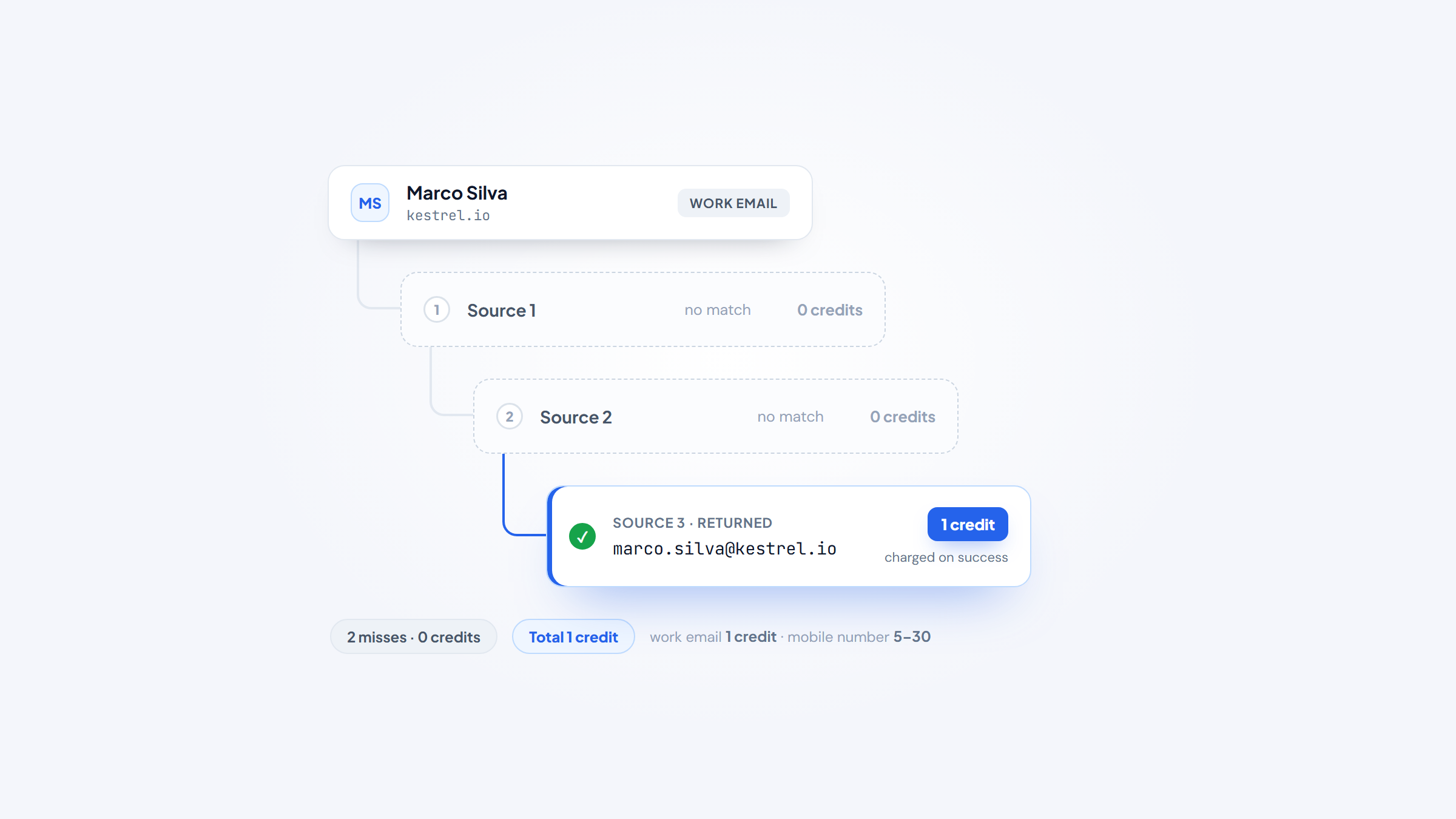
- 1Waterfall tools like Clay, FullEnrich, and BetterContact query several providers in sequence and only charge when a result comes back. Single-source tools are cheaper per credit but miss more.
- 2Credit costs vary enormously by field: a work email is typically 1 credit while a mobile number runs 5 to 30, so your real cost depends on what you enrich, not the sticker price.
- 3Gartner puts the cost of poor data quality at $12.9 million per organization per year, and job changes are the main reason records rot.
- 4Enrichment completes records you already have. Finding one person's email as you write is a different job, and Name2Email does it free inside Gmail.
Enrichment pricing is designed to be hard to compare. One vendor charges per credit, another per verified result, a third bills for actions and data separately, and a fourth sells packages that expire after twelve months.
The result is that two tools with identical headline prices can differ threefold in what they actually cost you. This guide fixes that by showing the credit mechanics alongside the price for all ten data enrichment software options, verified against live pricing pages in 2026.
For transparency: we make Name2Email, a free Chrome extension for finding work emails in Gmail. It is not an enrichment platform and is not ranked below. Enrichment fills in records at scale, which is a job we do not do.
What Data Enrichment Actually Does
Data enrichment takes an incomplete record and fills in the missing fields from external sources. You start with something small, a work email or a company domain or a LinkedIn URL, and get back a fuller picture.
Person enrichment adds job title, seniority, company, work email, mobile number, and LinkedIn profile. Company enrichment adds headcount, industry, revenue band, location, technologies, and funding. Some tools do both, some specialize.
The trigger is usually one of three situations. A form capture gives you an email and nothing else. A CRM has thousands of records that have aged out of usefulness. Or a list purchased elsewhere arrived with gaps.
What separates enrichment from a contact database is direction. A database answers "find me people matching these criteria." Enrichment answers "tell me more about this specific record I already have."
Waterfall or Single Source: The Choice That Sets Your Cost
This is the structural decision in the category, and it drives both hit rate and price.
Single-source tools query their own dataset. You pay a predictable rate per lookup, coverage is whatever that provider has, and misses are simply misses. Coresignal, People Data Labs, and CompanyEnrich work this way.
Waterfall tools query multiple providers in sequence, stopping at the first hit. Clay reaches across 100 or more providers, BetterContact across 20 or more, and FullEnrich across 25 or more. Hit rates climb substantially, and most charge only when a result comes back.
The trade-off is predictability. A waterfall with a 70% hit rate at $0.05 per verified result costs less per usable record than a single source at $0.02 with a 35% hit rate, but your monthly bill moves with your data quality rather than staying flat.
For most go-to-market teams, waterfall wins on cost per usable record. For engineering teams enriching millions of rows, a single-source API with a flat rate is easier to budget and operate.
The 10 Best Data Enrichment Tools in 2026
The table compares entry price alongside the credit mechanics that determine real cost. Every figure was verified against the vendor's live pricing page.
Tool | Best for | Key features | Main limitation | Pricing (from) | Rating |
|---|---|---|---|---|---|
Clay | Orchestrating multi-provider workflows | 100+ providers, AI research agent, CRM sync | API gated to Growth tier | Free; $54/month annually | ★★★★★ |
FullEnrich | Waterfall mobile and email finding | 25+ sources, pay per verified result | Narrow beyond contact fields | Free 1,000 credits | ★★★★☆ |
BetterContact | Cheapest verified-only waterfall | 20+ providers, charged only on valid | Smaller feature surface | $15/month | ★★★★☆ |
Dropcontact | GDPR-native European enrichment | Algorithmic, no database, EU servers | Priced in euros, lower coverage | EUR79/month | ★★★★☆ |
Datagma | API access on every tier including free | Person and company data, free API | Mobiles cost 30 credits each | Free; $39/month annually | ★★★★☆ |
LeadMagic | Agent and developer workflows | API, CLI, MCP server on all plans | No credit rollover on Basic | $49/month | ★★★★★ |
CompanyEnrich | Programmatic company enrichment | Full API on every plan, credit rollover | Company data focus, less person data | $49/month | ★★★★☆ |
People Data Labs | Large-scale structured person data | 100 free records, strong SDKs | Contact data obfuscated on free | Free; $98/month | ★★★★☆ |
Coresignal | Employee and job posting datasets | Firmographic, employee, jobs APIs | Steep jump from $49 to $800 | Free; $49/month | ★★★★☆ |
Explorium | Agent-native GTM data layer | Credit packages, broad data catalog | Credits expire after 12 months | $84.99 package | ★★★☆☆ |
Ratings weight hit rate and pricing transparency over raw dataset size, since coverage claims in this category are self-reported.
Clay
Clay is the orchestration layer rather than a data source. It sits above 100 or more providers and lets you build enrichment waterfalls with fallback logic, so a record passes from provider to provider until something returns.
Claygent, its AI research agent, handles the fields no API covers by reading web pages and answering questions.
Key features:
- Multi-provider waterfalls with conditional fallback across 100+ sources
- Claygent AI agent for research that structured APIs cannot answer
- CRM sync and webhook automation on higher tiers
Pricing: the free plan gives 500 actions and 100 data credits monthly with unlimited seats and no API. Launch starts at $54 per month billed annually ($167 monthly) and Growth at $185 annually ($446 monthly), which is the first tier with API access. Because Clay prices on a credit slider, the headline figure moves with the volume you select.
Pros: widest provider coverage available, genuinely useful free tier, unlimited seats on every plan, AI agent covers unstructured fields, strong community and templates.
Cons: API access is gated to Growth and above, the dual action-and-credit system is confusing, costs escalate quickly at volume.
Why it's a good data enrichment tool: running several providers in sequence beats any single dataset on hit rate, and Clay makes that trivial to configure.
Final verdict: the category leader for teams building custom enrichment workflows.
FullEnrich
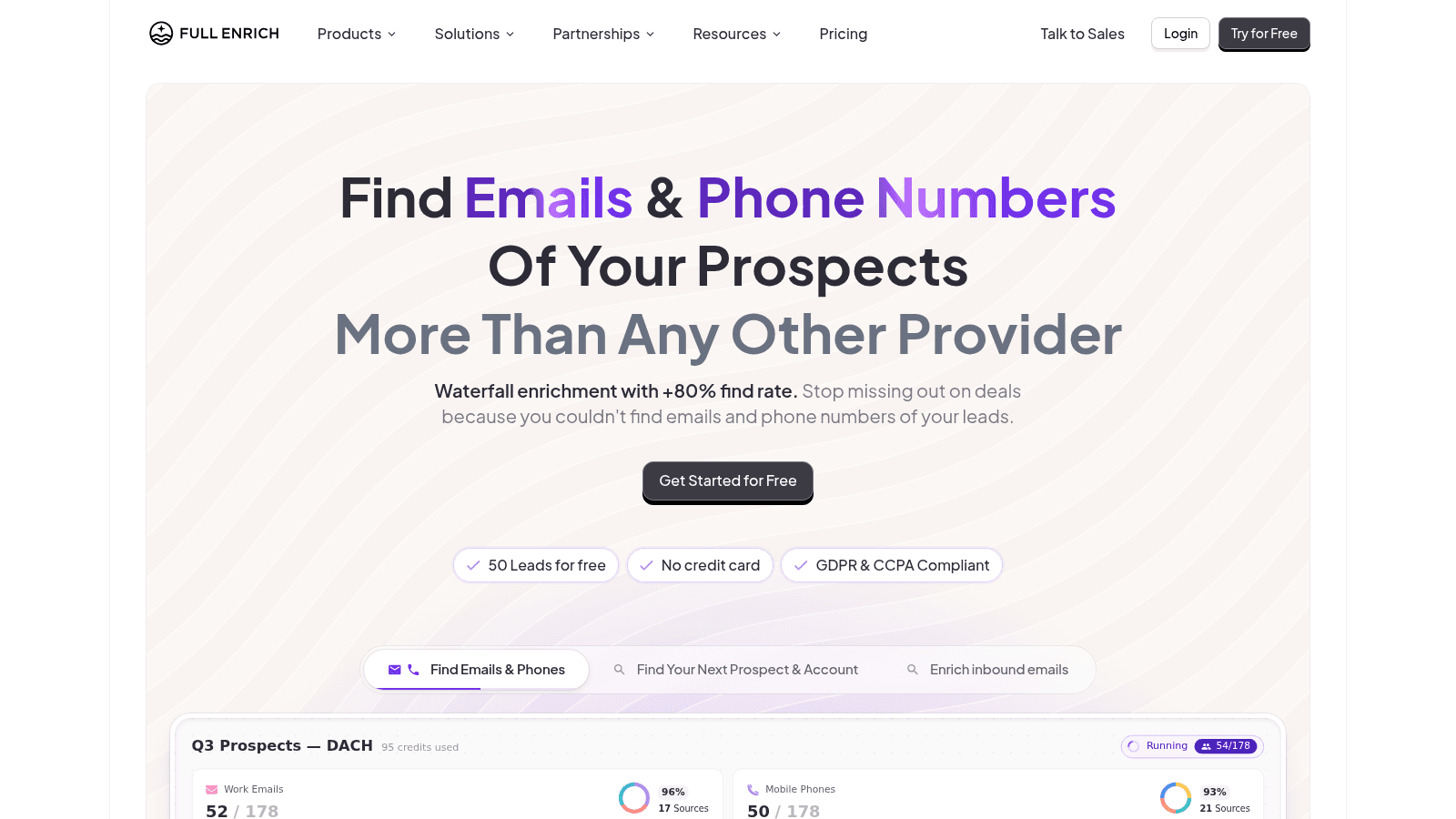
FullEnrich focuses narrowly on contact waterfalls, especially mobile numbers, which are the hardest field to source reliably. It queries 25 or more providers and bills only for verified results.
Unlimited users and integrations on every plan make it unusually team-friendly.
Key features:
- Waterfall enrichment across 25+ contact data providers
- Pay-per-verified-result billing with no charge for misses
- Unlimited users and integrations regardless of plan
Pricing: the free tier includes 1,000 credits per month. Credit costs vary by field, with a work email at 1 credit, a personal email at 3, a mobile number at 10, and a reverse lookup at 1.
Pros: strong mobile hit rates, transparent per-field credit costs, no charge for failed lookups, unlimited seats, generous free tier.
Cons: limited beyond contact data, no company firmographics to speak of, mobile credits consume budget fast.
Why it's a good data enrichment tool: it solves the mobile number problem better than general-purpose platforms.
Final verdict: the specialist pick when phone coverage is the gap.
BetterContact
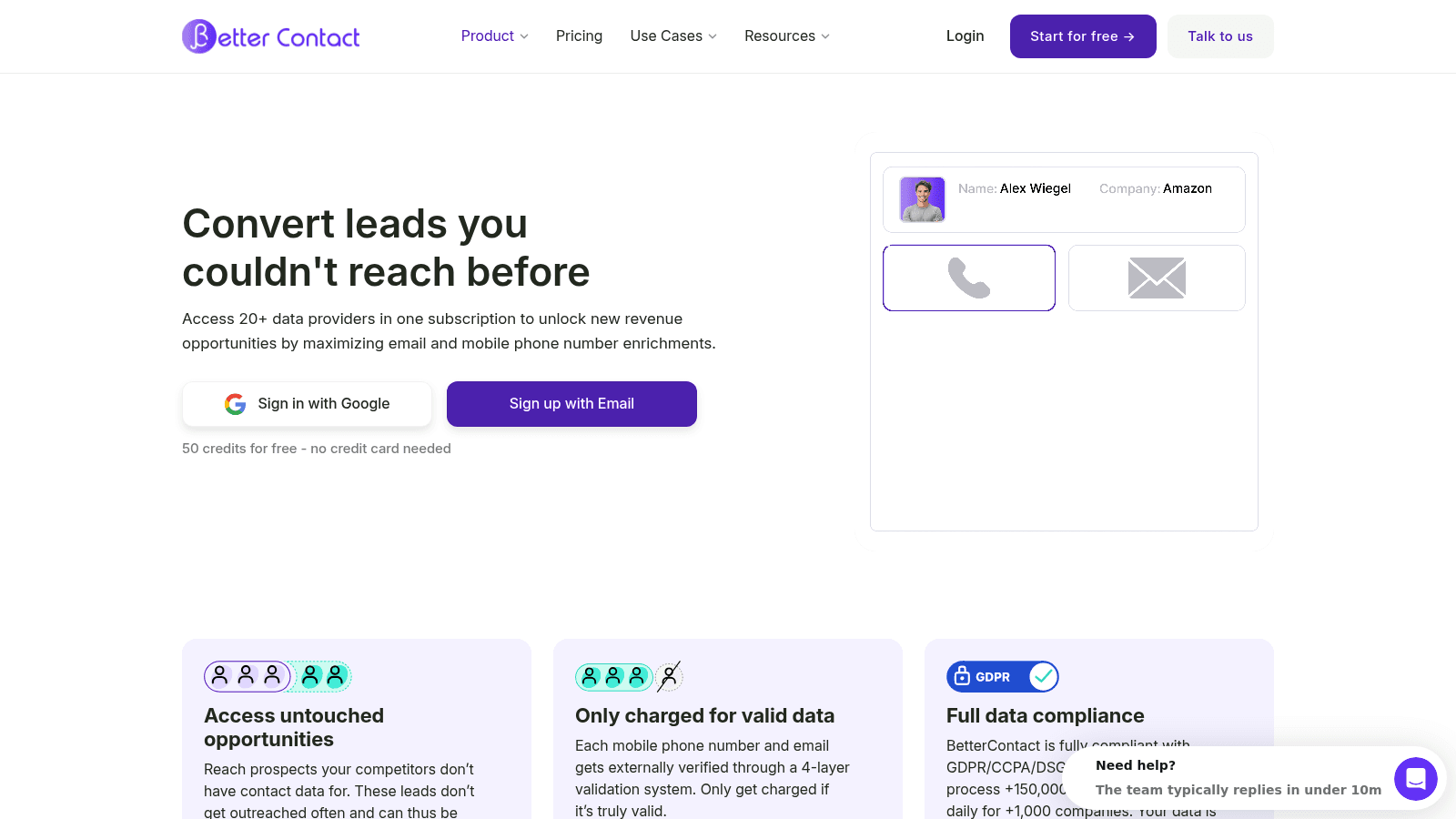
BetterContact runs a waterfall across more than 20 providers including RocketReach, Apollo, ContactOut, Hunter, and Prospeo, and charges only when a result comes back valid.
Its entry price is the lowest of any waterfall tool here.
Key features:
- Waterfall across 20+ named contact providers
- Charged only when a valid result is returned, with no cost for catch-alls
- Bring-your-own provider API keys on the Enterprise tier
Pricing: Starter is $15 per month for 200 credits, roughly $0.075 per email credit. Pro starts at $49 per month with a slider from 1,000 to 50,000 credits, bringing the rate to about $0.049 at 1,000. Enterprise starts at $799. Signing up gives 50 free trial credits.
Pros: cheapest waterfall entry point, no charge for misses or catch-alls, named providers rather than vague claims, simple pricing, bring-your-own keys at scale.
Cons: thinner product beyond enrichment, fewer native integrations than Clay, small credit pool at Starter.
Why it's a good data enrichment tool: it delivers multi-provider hit rates at a price single-source tools charge.
Final verdict: the best value waterfall for small teams.
Dropcontact
Dropcontact is architecturally different from everything else here. It holds no contact database at all, working exclusively through algorithms that build and verify addresses from public signals.
That design makes it the cleanest GDPR story in the category, with EU servers and no third-party data.
Key features:
- Algorithmic enrichment with no stored contact database
- GDPR-compliant processing on European servers
- Job-change detection and company enrichment on the Growth plan
Pricing: Starter is EUR79 per month (EUR63.20 billed annually) for 500 credits, and Growth is EUR120 (EUR96 annually) for the same volume plus LinkedIn enrichment, job classification, and job-change detection. Enterprise starts from 200,000 credits monthly. There are 50 free credits to trial, and Growth carries unused credits over.
Pros: strongest GDPR position available, no third-party data risk, pay-on-success model, credit rollover on Growth, strong European accuracy.
Cons: priced in euros rather than dollars, coverage lower than database-backed providers, credit allowances small relative to price.
Why it's a good data enrichment tool: for EU-facing teams, it removes the compliance question entirely.
Final verdict: the compliance-first option, with a real coverage trade-off.
Datagma
Datagma bundles person and company enrichment together and, unusually, exposes API access on every tier including the free one.
That makes it the cheapest way to prototype an enrichment integration.
Key features:
- Combined person and company enrichment in one call
- API access on all tiers, including the free plan
- Mobile phone lookups alongside standard email enrichment
Pricing: the free plan covers 3 mobile numbers and 90 emails. Regular is $49 per month ($39 annually) for 100 mobiles and 3,000 emails, Popular is $99 ($79 annually), and Expert is $249 ($209 annually). One credit buys an email while a mobile number costs 30.
Pros: API on the free tier, bundles company data with contacts, clear annual discount, straightforward tiers, good European coverage.
Cons: mobile numbers at 30 credits each are expensive, smaller brand with less third-party validation, interface is basic.
Why it's a good data enrichment tool: free API access removes the usual barrier to testing an integration properly.
Final verdict: the best starting point for developers evaluating enrichment.
LeadMagic
LeadMagic prices per endpoint rather than per generic credit, so cheap operations stay cheap. An employee lookup costs 0.05 credits while a mobile find costs 5.
It also ships an API, a command-line interface, and an MCP server on every plan, which makes it the natural fit for agent workflows.
Key features:
- Per-endpoint credit pricing from 0.05 to 5 credits per operation
- API, CLI, and MCP server included on every plan
- Job-change detection and B2B social-to-email lookups
Pricing: Basic is $49 per month ($490 annually) for 2,000 credits, rising through Essential at $99, Growth at $249, Professional at $499, and Ultimate at $849 for 100,000 credits. Enterprise starts at $2,490 per quarter. Plans above Basic roll credits over for up to two months.
Pros: granular per-endpoint pricing avoids overpaying for cheap lookups, MCP server on every tier, shared credit pool across seats, credit rollover above Basic, clear published rates.
Cons: no rollover on the Basic plan, smaller dataset than the large providers, less brand recognition.
Why it's a good data enrichment tool: the endpoint-level pricing means you pay proportionally to the work done.
Final verdict: the best choice for agent-driven and programmatic enrichment.
CompanyEnrich
CompanyEnrich is API-first and focused on company records, turning a domain into a full firmographic profile. Its per-credit cost drops roughly ninefold from the entry tier to the top one.
Every plan includes full API access, which is rarer in this category than it should be.
Key features:
- Domain-to-company enrichment covering firmographics and people data
- Full API access on every plan with rate limits scaling by tier
- Credit rollover from the Pro plan upward
Pricing: a free trial provides 500 credits with no subscription. Starter is $49 per month for 5,000 credits at about $0.0098 each, Pro is $149 for 50,000 at $0.0030, and Scale is $549 for 500,000 at $0.0011. Endpoint costs vary, with autocomplete free and a mobile find costing 30.
Pros: steep volume discount, API not gated behind a top tier, credit rollover on Pro and above, free trial without a subscription, clear rate limits.
Cons: company data is the focus so person coverage is thinner, less useful for contact-led workflows, smaller ecosystem.
Why it's a good data enrichment tool: the per-credit economics at scale beat most general platforms.
Final verdict: the efficient pick for high-volume company enrichment.
People Data Labs
People Data Labs sells structured person and company data as a developer product, with strong SDKs and a well-documented API rather than a user interface.
Its free tier has one catch that matters.
Key features:
- Person and company enrichment delivered as structured JSON
- Separate person and company pricing paths
- SOC 2 Type 2 and ISO certification for regulated buyers
Pricing: the free plan covers up to 100 records per month, always free, but contact data including emails, phones, and addresses is obfuscated at that tier. Pro starts at $98 per month beginning around 350 monthly records, with Enterprise custom and annual commitments saving 20%.
Pros: excellent documentation and SDKs, strong compliance certifications, clean structured output, volume discounts trigger automatically, always-free tier.
Cons: the free tier obfuscates the contact fields most people want to test, developer-only with no interface, pricing scales steeply.
Why it's a good data enrichment tool: it is built for embedding data into a product rather than working a list.
Final verdict: a solid engineering choice, provided you test on a paid tier.
Coresignal
Coresignal specializes in employee and job posting data alongside company records, covering 70 million or more companies and 895 million employee records drawn from 15 or more web sources.
Its headcount history and job posting feeds support hiring-signal use cases other providers cannot.
Key features:
- Company, employee, and job posting APIs from one provider
- Historical headcount data and employee webhooks on the top tier
- Bulk datasets delivered as JSON, CSV, or JSONL with monthly refresh
Pricing: the API free tier gives 200 Collect and 400 Search credits valid for 7 days. Starter is $49 per month, Pro is $800, and Premium is $1,500 with per-record costs falling from roughly $0.196 to as low as $0.005. Bulk datasets start from $1,000 per month with no free tier, and paying yearly saves 20%.
Pros: unusual depth on employees and job postings, strong per-record economics at volume, historical headcount data, flexible API or dataset delivery.
Cons: the jump from $49 to $800 leaves no middle tier, multi-source company data costs double credits, free trial expires in 7 days.
Why it's a good data enrichment tool: hiring and headcount signals are genuinely hard to source elsewhere.
Final verdict: the specialist for growth-signal enrichment.
Explorium
Explorium positions itself as a data layer for go-to-market AI agents, selling credit packages rather than subscriptions across a broad catalog of company and contact attributes.
The purchasing model is the thing to understand before buying.
Key features:
- Broad data catalog spanning firmographic, contact, and alternative sources
- Credit packages rather than recurring subscriptions
- Agent-oriented delivery for automated GTM workflows
Pricing: a free trial gives 100 credits over 90 days. Starter is $84.99 for 2,500 credits, Growth is $599.99 for 25,000, and Scale is $5,624 for 500,000, with Enterprise custom. Operations consume 1 to 5 credits depending on type.
Pros: no recurring commitment required, broad attribute catalog, volume discounts at scale, agent-focused design, transparent package prices.
Cons: credits expire after 12 months and cannot be carried over, packages are non-refundable and non-renewing, less established in GTM than rivals.
Why it's a good data enrichment tool: buying credits outright suits teams with irregular enrichment needs.
Final verdict: reasonable for bursty projects, provided the expiry works for you.
How We Chose These Data Enrichment Tools
We required published, verifiable pricing. Every tool here shows its rates publicly, which ruled out several well-known enterprise vendors that quote only through sales.
We also required that the tool complete records rather than generate lists. Platforms that primarily sell searchable databases went to our sales intelligence tools roundup, since buying a prospect list and filling gaps in your CRM are different purchases with different economics.
Clay's pricing needed special care. It runs on a credit slider, so any single headline number is only true at one volume. The reliable structural fact is the API gating, which sits at the Growth tier, and that is what we led with.
Finally, we prioritized tools where the credit mechanics are published. A tool that tells you a mobile costs 30 credits is more useful than one quoting a flat rate that hides the same thing.
What to Check Before You Buy Enrichment Software
Cost per credit is nearly meaningless on its own. These are the questions that determine what you will actually spend.
- Ask what happens on a miss, since pay-on-success models change the effective rate substantially
- Check the credit cost per field, because mobile numbers cost 5 to 30 times what an email costs
- Confirm whether credits roll over, as several plans reset monthly and one expires annually
- Verify whether API access is included or gated to a higher tier, which catches Clay buyers out
- Test hit rate on 100 of your own records rather than trusting a published coverage figure
- Check data residency and compliance if you handle European contacts
Run that hit-rate test before committing to an annual plan. A 40% difference in hit rate matters far more than a 20% difference in headline price.
Choosing by Use Case
The strongest data enrichment tools for sales operations are the ones that repair a CRM in bulk, and for stale records a waterfall gives the best recovery rate. BetterContact at $15 per month is the cheapest way to try that, and Clay if you need conditional logic.
If mobile numbers are the missing field, FullEnrich is built for exactly that and prices it transparently at 10 credits per number.
If you operate in Europe or handle EU personal data, Dropcontact's algorithmic, database-free approach removes the compliance question that every other tool here raises.
If you are embedding enrichment into your own product, People Data Labs and Coresignal offer the cleanest APIs, while Datagma is the cheapest place to prototype because its free tier includes API access.
If you are building agent workflows, LeadMagic ships an MCP server on every plan, which is still uncommon.
If your enrichment needs are occasional rather than continuous, Explorium's credit packages avoid paying monthly for capacity you do not use, as long as you can consume them within twelve months.
What Data Enrichment Tools Cost in 2026
The honest comparison is cost per usable record, not cost per credit. This table shows entry pricing alongside the mechanic that actually drives your bill.
Tool | Entry price | Credit mechanic | Effective cost driver |
|---|---|---|---|
BetterContact | $15/month | Charged only on valid result | Hit rate, roughly $0.049 to $0.075 per email |
Datagma | $39/month annually | 1 credit per email, 30 per mobile | Ratio of mobiles to emails |
Clay | $54/month annually | Separate actions and data credits | Waterfall depth and slider volume |
Coresignal | $49/month | 1 Collect per record, doubled multi-source | Whether you need multi-source company data |
LeadMagic | $49/month | 0.05 to 5 credits by endpoint | Which endpoints you call most |
CompanyEnrich | $49/month | $0.0098 falling to $0.0011 per credit | Monthly volume tier |
Dropcontact | EUR79/month | Pay on success, 500 credits | Coverage rate on EU contacts |
FullEnrich | Free 1,000 credits | 1 email, 3 personal email, 10 mobile | Field mix |
People Data Labs | $98/month | Per record returned | Record volume |
Explorium | $84.99 package | 1 to 5 credits per operation | Package expiry within 12 months |
Read that right-hand column before the price column. A team enriching mostly mobile numbers will find Datagma's $39 plan more expensive in practice than FullEnrich's free tier, because 30 credits per mobile drains an allowance quickly.
Are Free Data Enrichment Tools Worth It?
The free tiers here are better than in most categories, with one important caveat about what they hide.
FullEnrich gives 1,000 credits monthly, which is enough for real work. Clay's free plan includes 500 actions and 100 data credits with unlimited seats. Datagma's free tier is the only one that includes API access. CompanyEnrich hands over 500 trial credits with no subscription at all.
The caveat is People Data Labs, whose free tier obfuscates exactly the contact fields you would want to evaluate. You can test the shape of the data but not its usefulness, which makes the free tier a poor proxy for the paid product.
Coresignal's free credits expire after 7 days, and Explorium's after 90, so plan the test before you start it.
Used properly, these free tiers let you run the same 100 records through three or four providers and compare hit rates directly. That comparison is the only reliable way to choose here, since every coverage claim in this category is self-reported.
Where Enrichment Ends and Sending Begins
Enrichment gives you complete records. It does not give you a clean send, and the gap between those two things is where deliverability problems start.
A detailed post-mortem in r/coldemail makes the point concretely. An agency operator described spending around $4,200 learning outbound the hard way, with bounce rates climbing above 7% before they had a proper verification step. A commenter added that running without real verification kept their bounce rates in the 6 to 8% range, calling enrichment and verification together "deliverability insurance." You can read the thread on Reddit, bearing in mind it reflects individual experience rather than measured research.
That is the honest sequence: enrich the record, verify the address, then send. Our guides to the best email verification tools and email validation tools cover the middle step, and verifying an email address shows the manual check.
There is also a case enrichment handles badly, which is the single lookup. When you have researched one company and need one person's email right now, spinning up a waterfall and burning credits is disproportionate.
That is what Name2Email is for. Type a name and company domain in Gmail's compose window and we generate the likely formats, fill the "To" field, and let you confirm by hovering, because Gmail displays the person's name and photo when it recognizes an address. It is free, unlimited, and needs no account.
We are honest about the boundary. We generate patterns from public naming conventions rather than querying a database, so we will not enrich 10,000 CRM rows, we work best on corporate domains, and we cannot guarantee every address. For bulk work, the tools above are the right answer, and the best email finding tools compares the paid finders directly.
Two figures explain why any of this matters. Gartner estimates that poor data quality costs organizations an average of $12.9 million per year. And the clock on that decay is measurable: Bureau of Labor Statistics data puts median employee tenure at around 3.9 years, which means a meaningful share of any contact list stops being true every single year.
A Sane Enrichment Setup
Start by filtering, not enriching. The most common way teams overspend is enriching a whole list before deciding which records matter, and every credit spent on a record you will not contact is wasted.
Then run a hit-rate test. Take 100 records you can verify independently, push them through two free tiers, and count usable results. That number, not the price per credit, tells you which tool is cheaper for your data.
Pick one waterfall as your default. BetterContact at $15 per month or Clay's free plan both work as a starting point, and you can move up when volume justifies it.
Add verification before you send, because enrichment returns an address while verification tells you whether it still works. Then keep the list clean over time, which is what email list management software handles, and choose accounts deliberately using company research tools.
For everything that is one person at a time, skip the credits entirely. Add Name2Email to Chrome and find work emails inside Gmail for free, or check what it costs first. If you need to confirm an address you already hold, looking up an address walks through it.
Frequently asked questions
Data enrichment tools take incomplete records and fill in missing fields from external sources. Given an email, a domain, or a LinkedIn URL, b2b data enrichment tools return job titles, work emails, mobile numbers, company headcount, industry, revenue band, and technology stack. They differ from contact databases in direction: a database finds new people matching your criteria, while enrichment adds detail to records you already hold. Most teams use them to repair aging CRM data or complete records captured through forms.
Waterfall enrichment queries several data providers in sequence rather than relying on one, stopping at the first source that returns a result. Clay reaches across 100 or more providers, FullEnrich across 25 or more, and BetterContact across 20 or more. Hit rates are considerably higher than any single source achieves, and most waterfall tools charge only when a valid result comes back. The trade-off is that costs vary with your data quality instead of staying flat month to month.
Yes, and several are genuinely usable. FullEnrich provides 1,000 free credits per month, Clay's free plan includes 500 actions and 100 data credits with unlimited seats, and CompanyEnrich gives 500 trial credits without requiring a subscription. Datagma is notable for including API access on its free tier, which most competitors gate. Be aware that People Data Labs obfuscates contact fields on its free plan, and Coresignal's free credits expire after 7 days.
For large batches, single-source APIs generally outperform waterfalls on throughput because they make one call instead of several. CompanyEnrich's Scale plan adds async endpoints and a Batch API at 600 requests per minute, and Coresignal supports bulk dataset delivery in JSON, CSV, or JSONL with monthly refreshes. Clay processes large tables well but waterfall depth adds latency per row. If speed matters more than hit rate, choose a single provider with high rate limits.
The best data enrichment software is rarely the priciest: entry pricing runs from $15 per month for BetterContact to $98 for People Data Labs, with most tools clustered around $49. The headline price is misleading on its own, because credit costs vary by field: a work email typically costs 1 credit while a mobile number costs 5 with LeadMagic, 10 with FullEnrich, and 30 with Datagma or CompanyEnrich. Calculate your expected field mix and hit rate before comparing plans, since those two factors move the real cost more than the subscription does.

We build Name2Email, the free Chrome extension that finds work emails inside Gmail. We write about outreach, prospecting, and getting more replies.
Connect →