- 1"Looking up" an email means one of two things: finding who owns an address you already have (reverse lookup), or checking whether an address actually exists. They need different methods.
- 2For reverse lookup, free tools do the work: Google the exact address in quotes, search it on LinkedIn, check Gravatar, and use Gmail's contact recognition to see the name behind it.
- 3To check if an address exists, an SMTP check asks the mail server directly, but two cases can't be confirmed: catch-all domains and Gmail addresses, which accept fake addresses on purpose.
- 4Inside Gmail, our free Name2Email extension surfaces the name behind a recognized work address, a fast, free way to confirm who's on the other end.
Learning how to look up an email address sounds like one task, but it's really two, and confusing them is why people end up with the wrong tool. Sometimes you have an address and want to know who's behind it. Sometimes you have an address and want to know if it's even real before you send.
This guide covers both, using free tools, and it's honest about the two situations no tool can fully resolve.
We built Name2Email to work inside Gmail, where a lot of this lookup naturally happens, so it's the space we know well. If your goal is the opposite, starting from a name and finding their address, that's a forward search, and our guide on how to find an email address covers that instead. This one is about starting from the address.
Two Different Jobs: Who Owns It vs Does It Exist
Before you pick a method, decide which job you're doing, because the tools barely overlap.
The first job is reverse lookup: you have an address like `j.doe@acme.com` and want to know who owns it, their name, role, or company. This is an identity question, answered by searching where the address has been published and which accounts it's tied to.
Side by side, the two jobs share a starting point and almost nothing else.
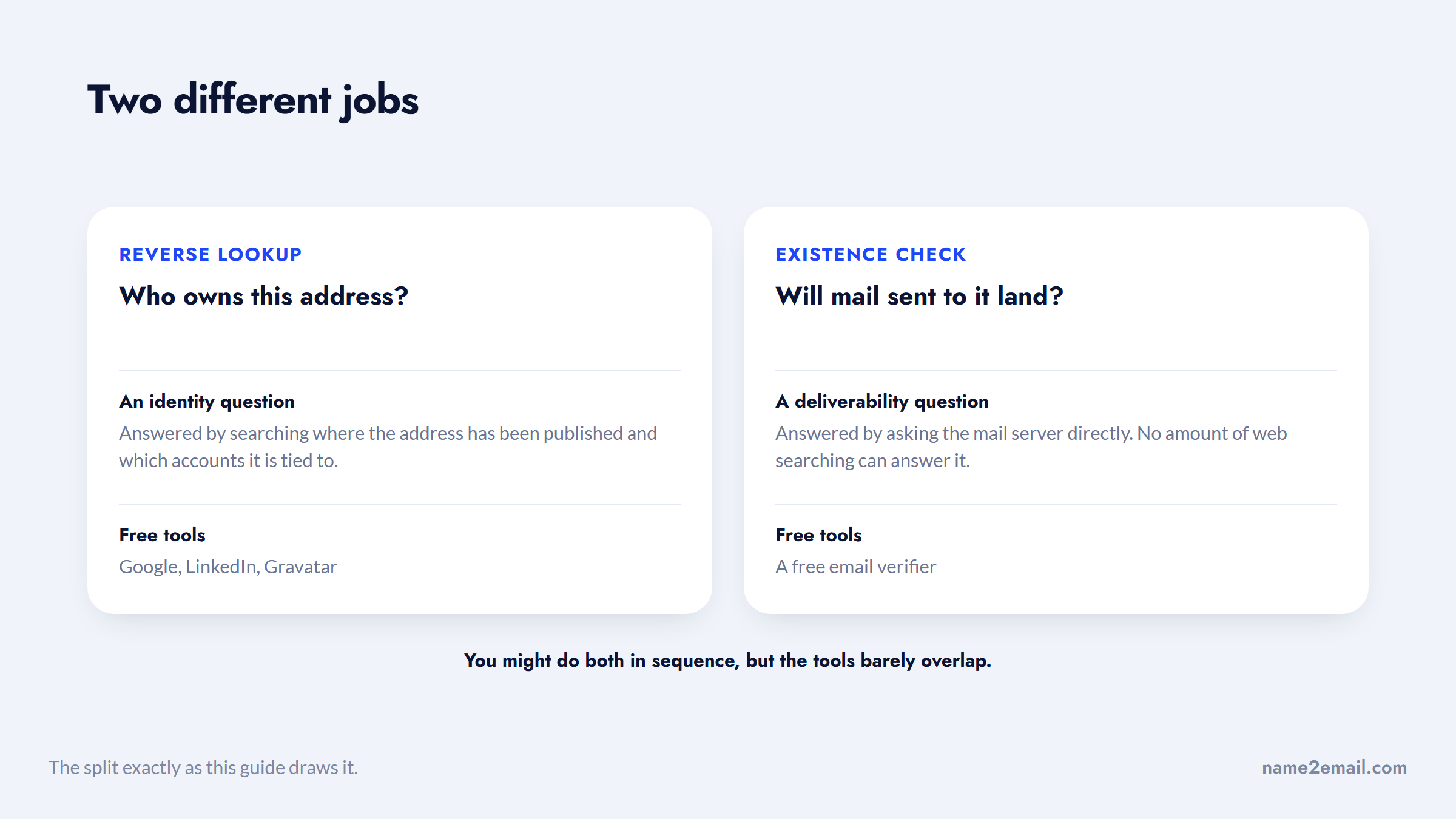
The second job is an existence check: you have an address and want to know whether mail sent to it will land. This is a deliverability question, answered by asking the mail server directly, not by searching the web. You might do both in sequence, confirm who owns an address, then confirm it's live, but they're separate steps with separate tools.
Here's the split at a glance, so you can jump to the method you actually need.
Job | Question it answers | Method | Free tool |
|---|---|---|---|
Reverse lookup | Who owns this address? | Search where it's published | Google, LinkedIn, Gravatar |
Existence check | Will mail to it land? | Ask the mail server (SMTP) | Free email verifier |
Keep this distinction in mind and the rest is straightforward: the next section covers reverse lookup, and the one after covers the existence check.
How to Reverse Look Up an Email Address
Reverse lookup, finding the person behind an address, is mostly a search problem, and free methods handle it well for work emails. Here are the ones that actually work, roughly in order of speed.
Google the Exact Address
The fastest move is to search the address in quotes to force an exact match.
- Search `"j.doe@acme.com"` with the quotes.
- Scan the results for where it appears: team pages, PDFs, press releases, conference speaker lists, forum posts, or GitHub.
- Add context operators if needed, like `"j.doe@acme.com" linkedin` to find a linked profile.
Because people publish and reuse their work address widely, an exact-match search often surfaces a name, a title, and a company in seconds. This is the highest-yield free method for a corporate address, and nearly useless for a locked-down personal one.
Search It on LinkedIn and Social Platforms
Paste the address into LinkedIn's search bar, and into Facebook, X, or Instagram search. If the person registered that account with the email and didn't hide it, their profile can surface directly. This works because so many people reuse a single email across signups, which turns the address into a key that unlocks their profiles.
A related trick: if the address itself returns nothing, search the part before the @ as a username. People often reuse the local part of a work email, say "j.doe," as a handle across platforms, so it can surface accounts the full address doesn't.
Use Gmail's Contact Recognition
This is where Name2Email fits and where the lookup often happens naturally. When an address maps to a Google account with a public profile, Gmail surfaces the associated name and photo on hover.
Name2Email leans on exactly this signal: it works in the compose window to confirm whether a work address maps to a real person and who that person is. Be clear on what that means: it confirms the address is a live, recognized mailbox tied to a profile, and it doesn't expose private identity details Google keeps hidden.
Check Gravatar
Gravatar links public avatars and profiles to an email's hash, so it's a quick free lookup for anyone who set one up (common among developers and WordPress users).
Hash the address and request the Gravatar profile; a hit returns the name, bio, and any social accounts the person attached. It's instant and free, but only works when the person actually created a Gravatar, so treat it as a bonus check rather than a primary method.
Start From Breach Data
Open-source intelligence lookups often begin with breach databases, which now hold a large share of the world's email addresses. Security researcher Troy Hunt reported indexing nearly 2 billion unique email addresses exposed in breaches into Have I Been Pwned in late 2025.
A number that large invites the wrong conclusion about what it can tell you.
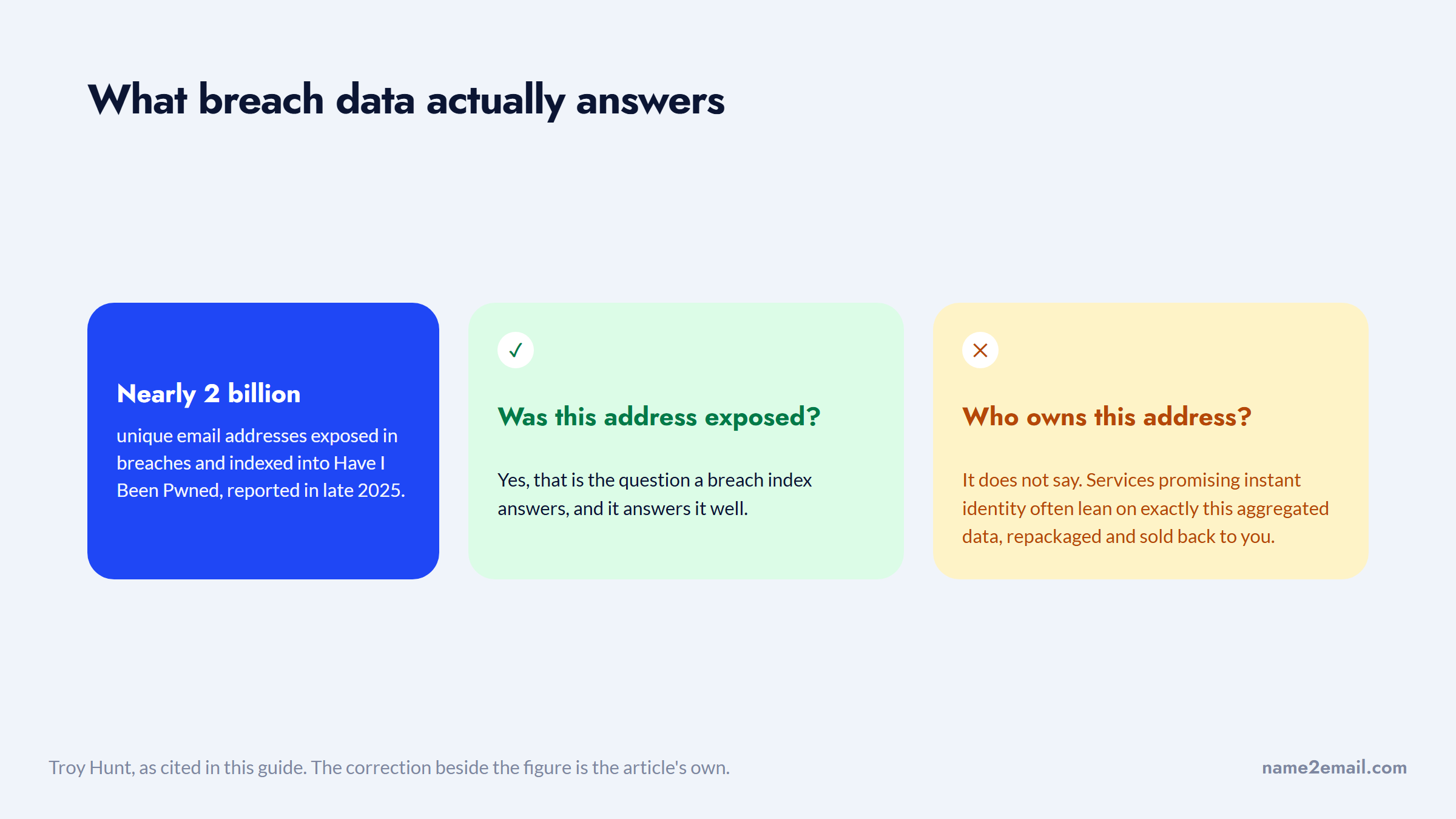
Tools like Have I Been Pwned confirm whether an address appears in known breaches, though HIBP only tells you an address was exposed, not who owns it. Reverse-lookup services that promise instant identity often lean on exactly this kind of aggregated breach data, repackaged and sold back to you.
How to Look Up If an Email Address Exists
The second job, confirming an address is real, isn't a search at all. You ask the mail server whether the mailbox exists, and free tools automate it. It's worth doing, because sending to a dead address bounces, and Validity found roughly one in six emails never reaches the inbox, with bounce rates one of the levers that decide it.
The mechanism is an SMTP check. A verifier finds the domain's mail server through its MX record, opens a connection, and runs the handshake up to the point of naming the recipient (the `RCPT TO` step), then disconnects before sending anything. A positive response means the mailbox is accepted and likely exists; a rejection means it doesn't. No message is delivered, so you can check existence without emailing the person.
Any honest check runs three layers: is the address validly formatted, does the domain have mail (MX) records, and does the mailbox accept mail. The first two are quick and reliable; the third is where certainty starts to slip, for two specific reasons covered next.
Catch-All Domains
Many business domains are catch-all: they accept mail for every possible address, real or not. On a catch-all domain, the server says yes to `xq7z9fake@company.com` just as readily as to a real mailbox, so an SMTP check can't confirm a specific address there. Good tools probe a random fake address first and flag the domain "accept-all" when it's accepted, which is your cue that the result is unreliable.
Gmail's Anti-Guessing Defense
Gmail deliberately accepts fake addresses at the `RCPT TO` step to stop people from enumerating real accounts. That means a raw SMTP check reports made-up Gmail addresses as valid, a false positive on the most common consumer domain there is. For Gmail specifically, existence can't be confirmed this way; you fall back to recognition signals like the Gmail contact card or a small test send.
Free Tools for Email Lookup
You rarely need to run these checks by hand. Free tools and free tiers cover both jobs, reverse lookup and existence, without a subscription.
Tool | Job | Free allowance |
|---|---|---|
Google (exact search) | Reverse lookup | Unlimited |
Name2Email in Gmail | Reverse + recognition | Free, unlimited |
Have I Been Pwned | Breach exposure | Free |
Gravatar | Reverse lookup | Free |
Hunter / ZeroBounce | Existence check | Monthly free credits |
Email Hippo | Existence check | ~100/day, no sign-up |
The pattern is to reach for a search-based tool when you want identity and an SMTP-based verifier when you want deliverability.
Stacking a couple of free tiers covers almost any single lookup you'll need, and Name2Email handles the in-Gmail recognition step at no cost and no limit. Confirm each tool's current free allowance on its site, since tiers change. And keep the two jobs straight: don't run an existence verifier expecting an owner's name, or Google an address expecting a deliverability answer that a web search can't give.
How to Look Up Someone's Email Address, Fast
If you just want the short version of how to look up someone's email address, here's the quick path for each job.
To look up an email address for free and find the owner:
- Google the address in quotes to see where it's published.
- Search it on LinkedIn and other social platforms.
- Check Gravatar and Have I Been Pwned.
- Confirm the name in Gmail with Name2Email.
To look up an email address and check it's real, run it through a free verifier like Email Hippo or Hunter, then treat any catch-all or Gmail result as unknown rather than valid, since both accept fake addresses on purpose and will report one as deliverable when it isn't. Email Hippo's roughly 100 checks a day with no sign-up covers most one-off lookups on its own, so you can confirm a single address in seconds without spending a paid credit.
That's the whole email look up workflow: a search-based path for identity, a verifier for existence, and free tools for both. You can look up email addresses free by stacking a couple of free tiers, and you'll rarely need a paid lookup service at all.
When You'd Look Up an Email Address
People look up an email address for a handful of everyday reasons, and the right method depends on which one you're solving.
- Reverse-look up a message from an unknown sender before you reply or click a link, to confirm the address ties to a real person and company.
- Confirm a sales prospect's address maps to the right person at the right company before you spend time reaching out.
- Run reverse lookup and breach checks to flag addresses linked to fraud or impersonation, the way anti-scam guides do.
- Check whether an old address from a business card still exists before you waste a message on a mailbox that no longer works.
- Run an existence check before a bulk send to strip out the addresses that will bounce and drag down your sender reputation.
A quick word on privacy. Looking up a work email that someone published professionally is routine, and confirming an address exists is standard hygiene. Digging for private personal details behind a consumer email is a different matter, so stick to public, professional information and legitimate purposes, which is also where the free methods above are strongest.
The Limits of Email Lookup
Free methods go a long way, but being honest about their limits saves you from bad conclusions. Two limits matter most.
First, reverse lookup works far better on work addresses than on personal ones. A corporate email is often published on a team page or tied to professional profiles; a personal Gmail or Outlook address is shielded by provider privacy and rarely maps to anything public. Whether you find anything scales with the person's public footprint, not with the tool you use.
Second, "instant" identity results are usually a database match, not magic. In one Reddit thread, OSINT practitioners explained that services returning instant email-to-profile hits are typically leaning on aggregated data brokers or ad-platform identity matching, not doing anything you couldn't do more transparently with free methods.
Both limits point the same way: the result depends on the person, not the price.
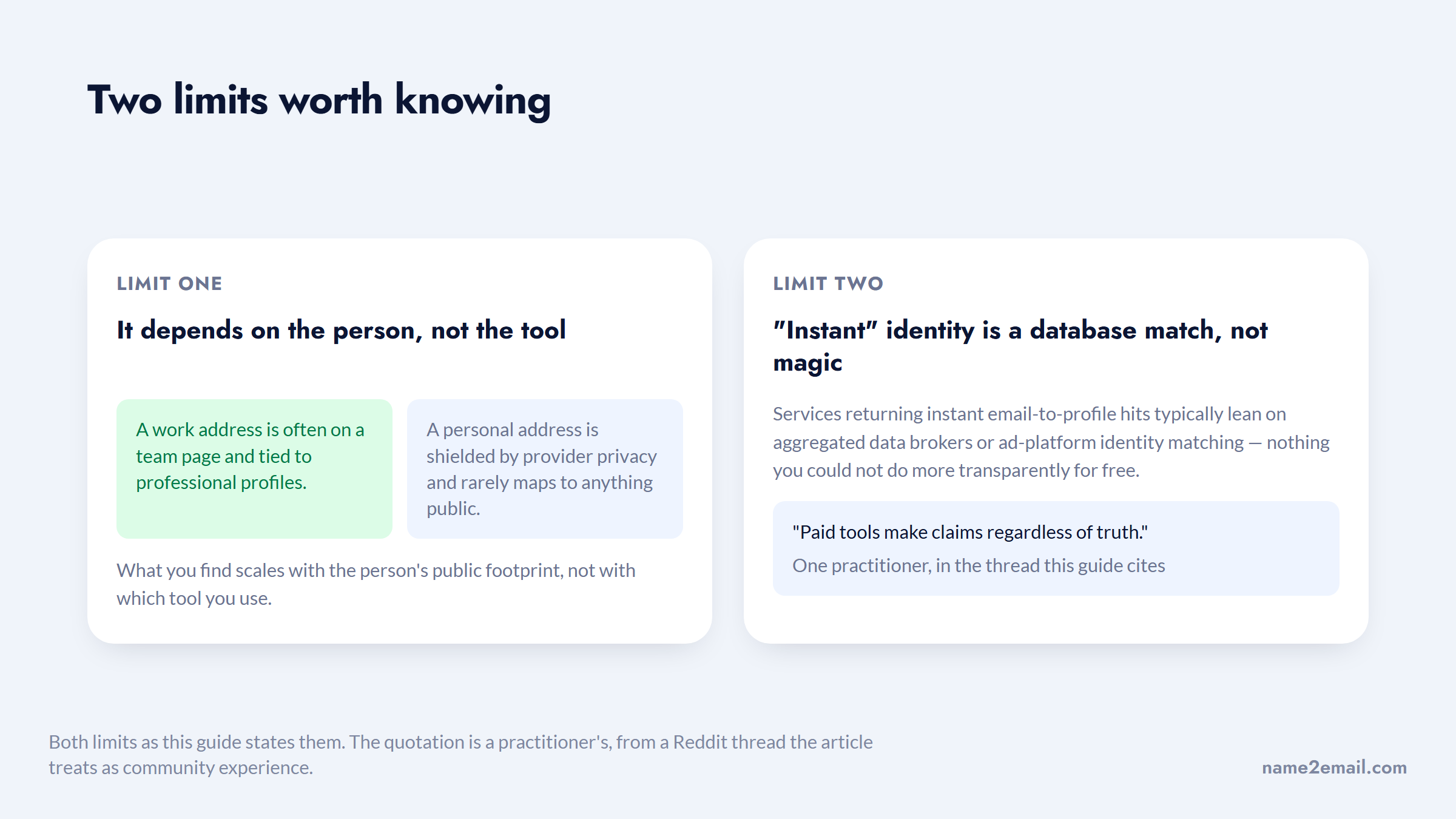
Another warned that paid tools "make claims regardless of truth." The free, manual route is slower but clearer about what it can and can't find, which is why it's the honest starting point.
Verification has limits too, as the catch-all and Gmail cases above show, so treat any lookup result as "likely" rather than "certain," and confirm with a second signal when it matters.
Look Up Work Emails Inside Gmail
For work addresses, the fastest free lookup often happens where you already are, in Gmail, and that's what we built Name2Email to do. It turns the compose window into a lightweight lookup tool.
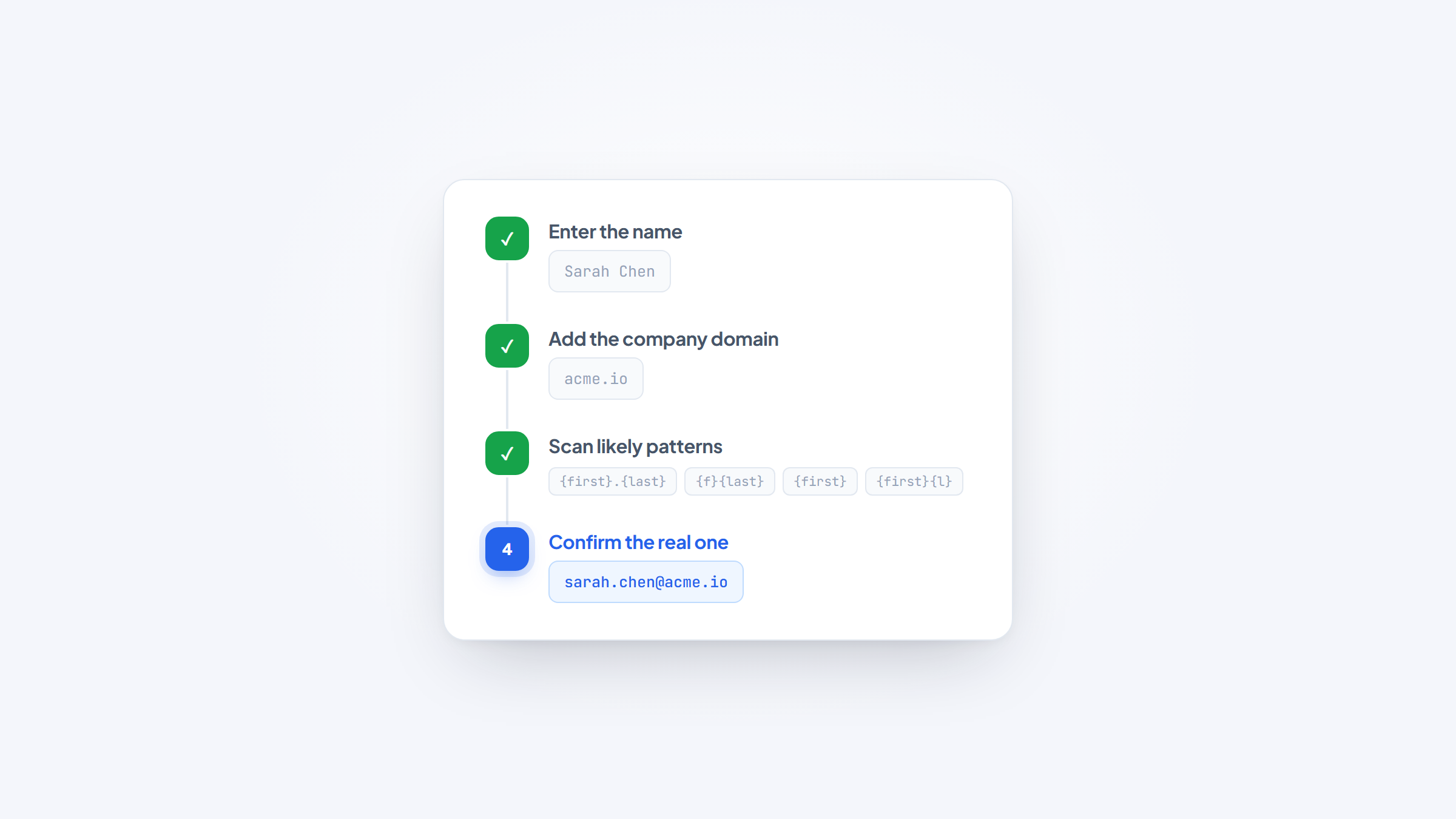
The same contact card answers the question from either end.
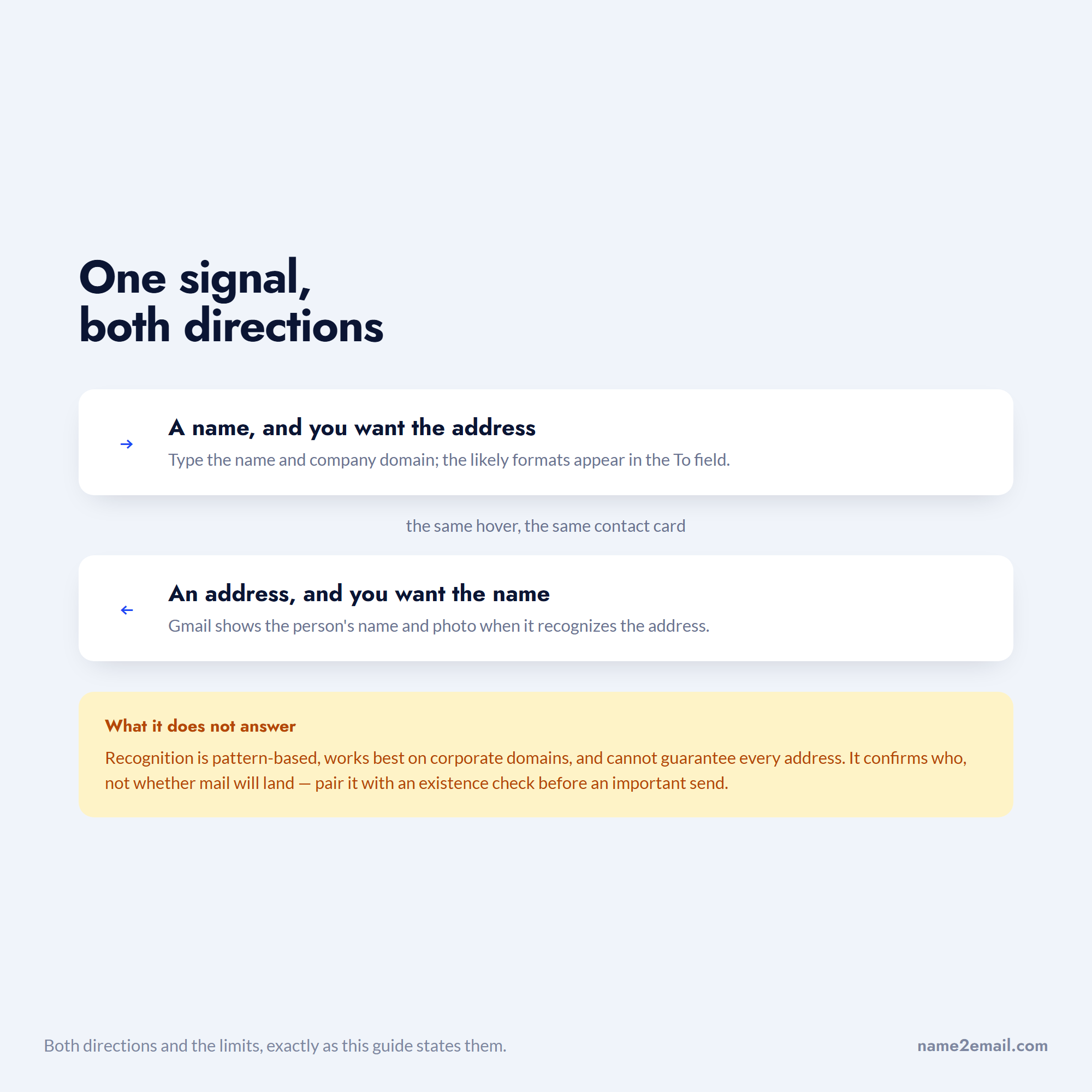
Here's how it works. In Gmail, type a person's name and company domain, and Name2Email surfaces the likely work-email patterns and lets you confirm the right one by hovering, since Gmail shows the person's name and photo when it recognizes an address. So whether you're checking who owns an address or confirming you have the right one for a person, the recognition signal does both in a couple of seconds.
The honest limits still apply: it's pattern-based, works best on corporate domains, and can't guarantee every address, so pair it with an existence check before an important send. Used that way, it's the quickest free way to put a name to a work address, or a work address to a name, without leaving your inbox. Add Name2Email to Chrome to try it.
Once you've confirmed an address, if you're planning to actually reach the person, our guide on how to verify an email in Gmail covers checking it's deliverable, and the best cold email software covers sending at scale.
Putting It Together
Match the method to the job and email lookup gets simple. To find who owns an address, Google it in quotes, search it on LinkedIn, check Gravatar, and use Gmail recognition. To check if an address exists, run a free SMTP verifier and treat catch-all and Gmail results as "unknown," not "valid."
Above all, keep your expectations honest: work addresses look up well, personal ones often don't, and no free tool confirms everything.
Start with a search for identity or a verifier for existence, confirm with a second signal when the stakes are high, and you'll get reliable answers without paying for a lookup service that overpromises. And when the address in question is a work email, the quickest free check of all is the one that happens right in your inbox, where Gmail already knows the name behind a recognized address.
Frequently asked questions
For who owns it, search the address in quotes on Google, look it up on LinkedIn and social platforms, check Gravatar, and use Gmail's contact recognition (Name2Email surfaces this in the compose window). For whether it exists, use a free verifier like Email Hippo or Hunter. Both jobs are doable without a subscription.
Reverse lookup means finding the person behind an address. Google the exact address in quotes to find where it's published, paste it into LinkedIn and social search to surface linked profiles, and check Gravatar and Have I Been Pwned. This works far better for corporate addresses than for private personal ones.
Use a free email verifier, which runs an SMTP check: it asks the mail server whether the mailbox accepts mail, without sending anything. It's reliable for most domains, but it can't confirm catch-all domains (which accept every address) or Gmail addresses (which accept fake ones on purpose), so treat those results as "unknown."
If you mean finding their address from their name, yes, use Google operators, LinkedIn, the company's email pattern, and a free finder like Name2Email in Gmail. If you mean identifying who owns an address you already have, reverse lookup with Google, LinkedIn, and Gravatar handles it, best for work emails.
For work addresses with a public footprint, free methods are quite accurate, since the data is genuinely published. For personal addresses, accuracy drops sharply because the information is private. Be wary of paid tools promising instant identity for any address; those results are often aggregated broker data, and accuracy varies widely.

We build Name2Email, the free Chrome extension that finds work emails inside Gmail. We write about outreach, prospecting, and getting more replies.
Connect →