- 1Google reverse email lookup means searching an address you already have to find out who owns it. It works because addresses get published in places their owners forgot about.
- 2The single highest-yield move is wrapping the address in quotation marks, which forces an exact-match search instead of a fuzzy one.
- 3Gmail already does a quiet version of this: hover a recognized address and it shows the name and photo attached to the account.
- 4Paid "reverse lookup" sites mostly resell what Google shows for free, then charge at the paywall. Run the free checks first.
Someone emails you from `j.reeves@northwind-logistics.com` and you have no idea who they are. Or you find an old address in a spreadsheet and need to know whether it belongs to the person you think it does.
That is a reverse email address lookup: you start with the address and work backward to the human. An email reverse lookup answers a different question from a normal search, so it needs different methods. It is the opposite of the more common problem of finding an email address when you already know the name.
This guide covers the Google-based methods specifically, because Google is free, fast, and finds more than most people expect. We make Name2Email, a free Chrome extension that works inside Gmail, so we spend a lot of time in this territory. The methods below do not need our tool, and we will be clear about where it helps and where it does not.
For the broader version of this task, including how to check whether an address exists at all, our guide on looking up an email address covers the whole picture.
Why a Google Reverse Email Lookup Works at All
A reverse lookup succeeds because email addresses leak into public view constantly, usually without their owner intending it.
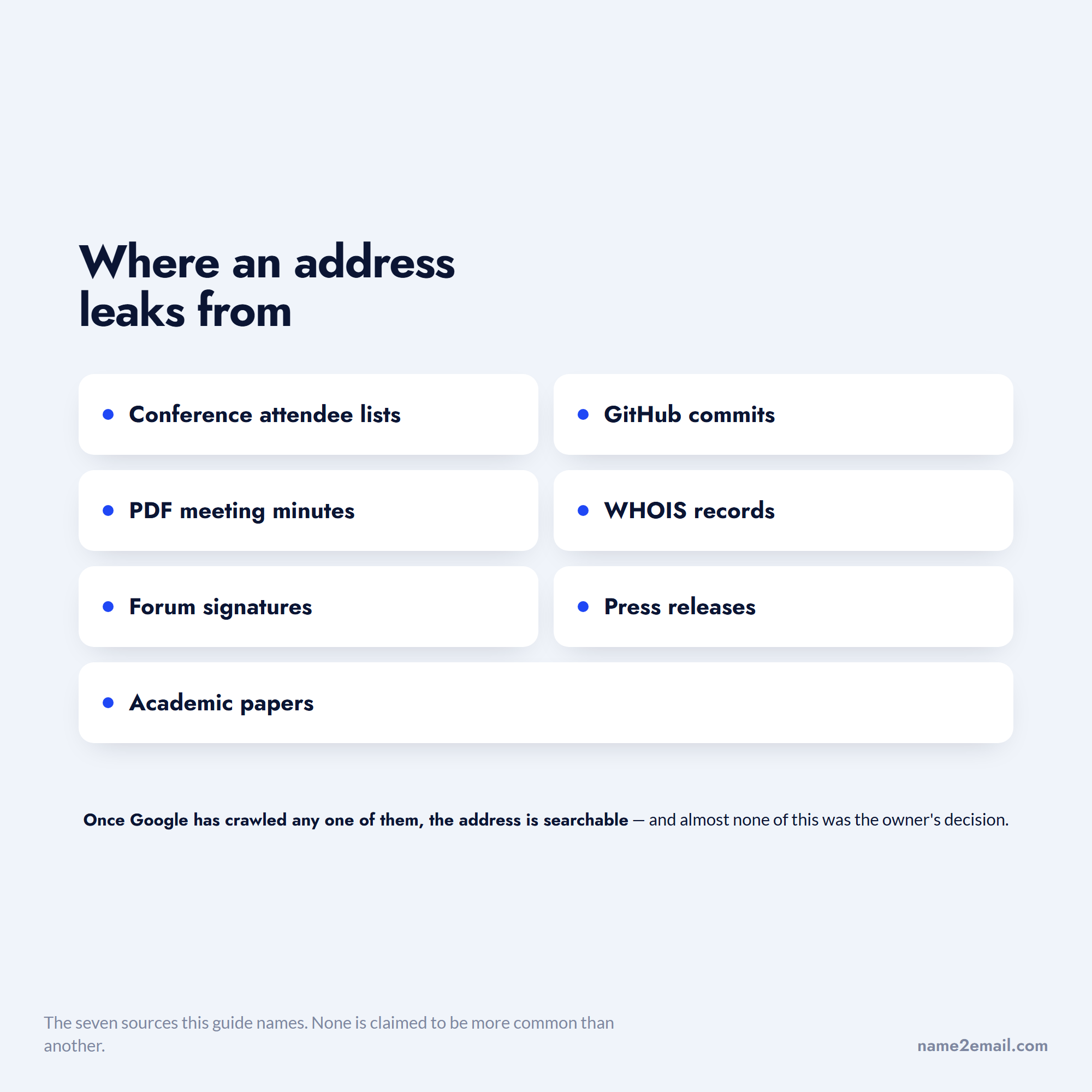
Addresses end up in conference attendee lists, GitHub commits, PDF meeting minutes, WHOIS records, forum signatures, press releases, and academic papers. Once Google has crawled any of those, the address is searchable.
Almost none of these places put the address there on the owner's instruction.
There is a second, less visible reason. Research from Princeton found that about 30% of emails leak the recipient's address to one or more third parties simply when the message is viewed, in a study of commercial mailing-list email by Englehardt, Han and Narayanan. Addresses circulate far more widely than the people who own them realize.
That is uncomfortable if it is your address. It is useful if you are trying to confirm who sent you something.
The Exact-Match Search That Does Most of the Work
Start here before anything clever. Type the full address into Google wrapped in quotation marks.
Google's own documentation confirms that putting a phrase in quotes forces an exact-match search. Without quotes, Google will helpfully break the address into fragments and show you pages containing "reeves" or "logistics" that have nothing to do with your target.
With quotes, you only get pages where that exact string appears.
Run it three ways, because each surfaces different results:
- Search `"j.reeves@northwind-logistics.com"` for the full address.
- Search `"j.reeves" northwind-logistics` to catch pages that obfuscate the address as "j.reeves (at) northwind-logistics.com" to dodge scrapers.
- Search just the domain, `"northwind-logistics.com"`, alongside a guessed first or last name, to find the person even when their address is not published.
If the address belongs to someone with any public professional footprint, one of those three usually returns something.
Narrowing With site: and filetype:
When the plain search returns nothing, aim it at specific places.
The `site:` operator restricts results to one domain, and `filetype:` restricts to a file format. Both are officially documented by Google.
`site:linkedin.com "j.reeves@northwind-logistics.com"` checks whether the address appears on a LinkedIn profile, which happens more than you would expect in contact sections.
`"j.reeves@northwind-logistics.com" filetype:pdf` is the one people skip, and it is often the most productive. Conference programs, board minutes, grant applications, and university directories are overwhelmingly PDFs, and they list contact details in full.
You can also point `site:` at the company's own domain. Searching `site:northwind-logistics.com "reeves"` will often surface a team page, a press release, or an author byline that ties the address to a name and job title.
Using Gmail's Built-In Recognition
Google runs a reverse lookup you can use without opening a search tab at all.
When Gmail recognizes an address as belonging to a Google account, hovering over it in a message or in the compose window surfaces a contact card with the person's name and profile photo. That is Google confirming the address is real and attached to a specific identity.
This is the fastest check available, and it costs nothing. It also has a specific limitation worth stating: it only works when the address is tied to a Google account, so plenty of legitimate corporate addresses return nothing.
This behavior is exactly what our free extension builds on. Name2Email generates likely address formats from a name and company domain inside Gmail's compose window, then lets you confirm the right one by hovering. It is designed for the forward direction, name to address, but the confirmation step is the same mechanism you use in reverse.
We are honest about what that means. We generate patterns from public naming conventions rather than querying a stored database, we work best on corporate domains, and we cannot guarantee every address. What we do give you is unlimited free lookups with no account and no credit meter.
Where Else to Look When Google Comes Up Empty
Google indexes the open web, and a good share of identity information sits just outside it.
Social platforms run their own search, and searching an address inside LinkedIn, Facebook, or X sometimes finds an account Google never surfaced. Gravatar is a quiet win: it maps email addresses to profile images and public profiles, and you can check one by visiting a Gravatar URL built from the address hash.
Developer platforms are the richest source for technical people. GitHub commits frequently carry the author's real email in the commit metadata, and searching an address there can identify a person and their employer in one step.
Each check answers a different question, which is why none of them can be the only one you run.
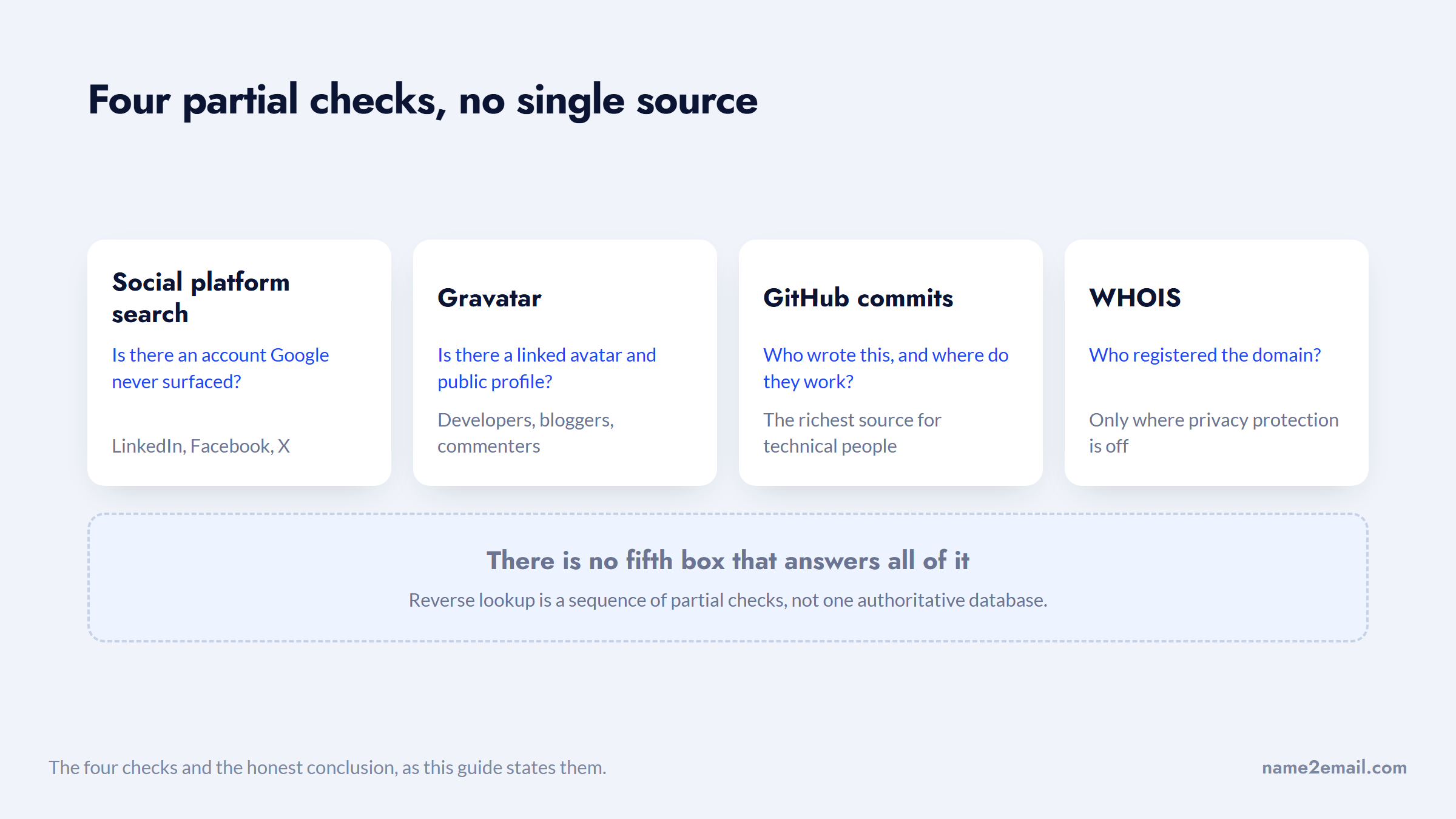
Domain records help when the address belongs to a small business or a site owner. A WHOIS lookup on the domain shows the registrant contact where privacy protection has not been enabled.
None of these are exhaustive, and that is the honest state of reverse lookup: it is a sequence of partial checks rather than one authoritative database.
Free Methods Compared
Each method answers a slightly different question, and knowing which to reach for saves time.
Method | What it tells you | Cost | Works best for |
|---|---|---|---|
Exact-match Google search | Where the address is published publicly | Free | Anyone with a public professional footprint |
`site:` search | Whether it appears on a specific platform | Free | LinkedIn profiles, company sites |
`filetype:pdf` search | Address in documents and directories | Free | Academics, conference speakers, board members |
Gmail hover recognition | Name and photo on the Google account | Free | Addresses tied to a Google account |
Gravatar | Linked avatar and public profile | Free | Developers, bloggers, commenters |
GitHub commit search | Real name and employer of a developer | Free | Engineers and open-source contributors |
WHOIS | Domain registrant contact | Free | Small business owners, site operators |
Paid lookup services | Aggregated public records | $10 to $30/month | Consumer addresses, US phone and address data |
The pattern here is that the free checks cover professional identity well and consumer identity poorly. Paid services invert that, which is the only real reason to consider one.
How Much a Result Actually Proves
Not every hit carries the same weight, and treating them as equivalent is how people reach confident wrong conclusions.
What you found | What it proves | Confidence |
|---|---|---|
Address on the company's own site next to a name | That person holds that address | High |
Gmail shows a name and photo on hover | The address is real and tied to that account | High |
Address in a PDF with a job title | The address was valid when published | Medium to high |
Address in a GitHub commit | A developer used it, possibly years ago | Medium |
Name matches but on a different domain | Possibly a different person entirely | Low |
Only the domain matches, no name | Nothing about the individual | Very low |
A paid site asserts a match behind a paywall | Unverified until you see the source | Very low |
The middle rows are where mistakes happen. A published address proves it existed at publication, not that the person still works there, and job changes are the single most common reason a confident match turns out to be stale.
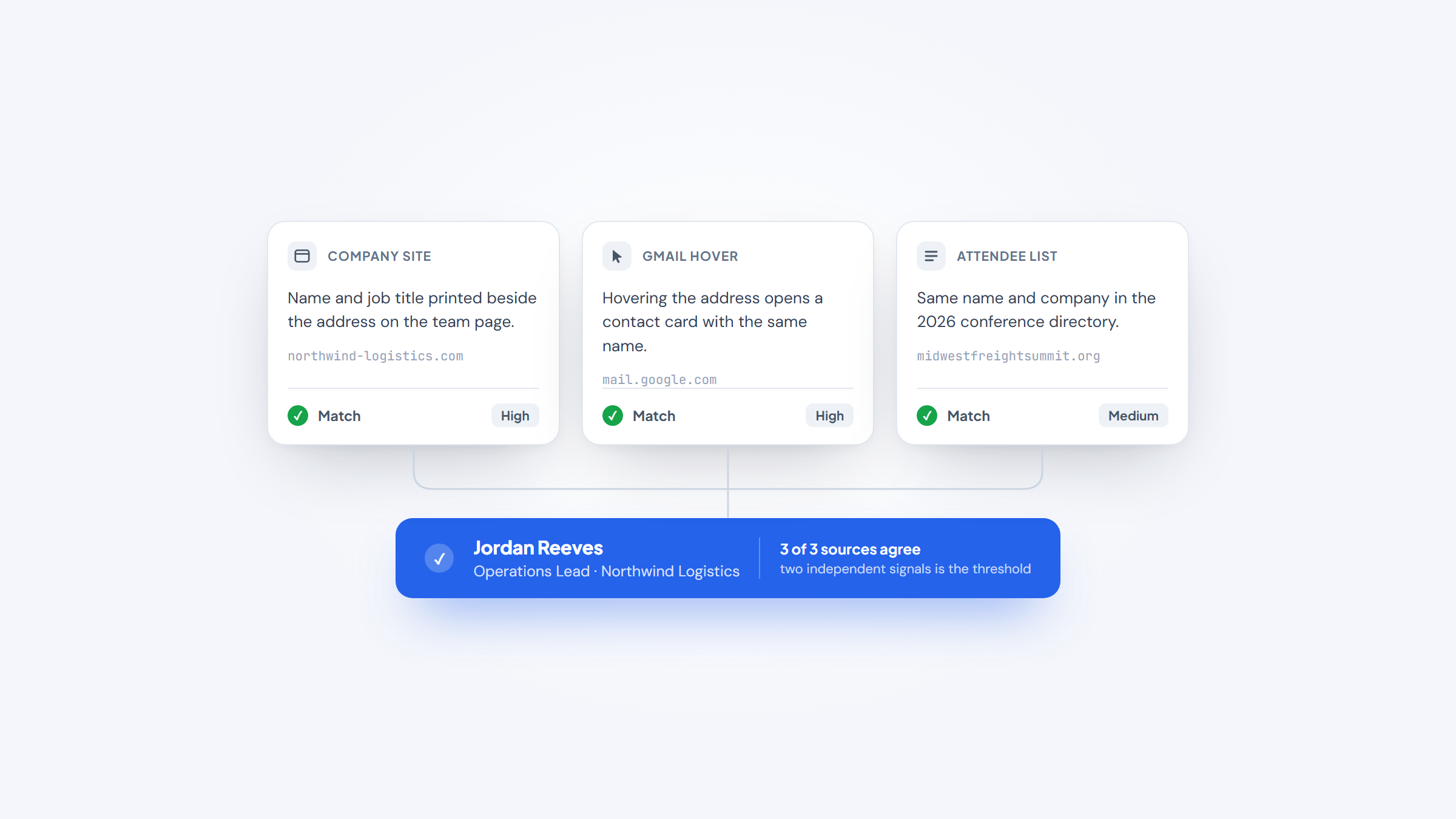
Two independent signals pointing at the same person is the threshold worth acting on. One signal is a lead.
Reading a Result That Contradicts Itself
Occasionally the checks disagree, and the disagreement is informative rather than a dead end.
If Gmail recognizes the address but Google finds nothing published, you are probably looking at a real person with a low public profile. That is common outside sales and technology roles, and it is not suspicious.
If Google finds the address attached to a name but Gmail shows no contact card, the address may be on a corporate mail system rather than Google Workspace, which is ordinary, or it may have been deactivated.
Only one of the three disagreements is actually a warning.
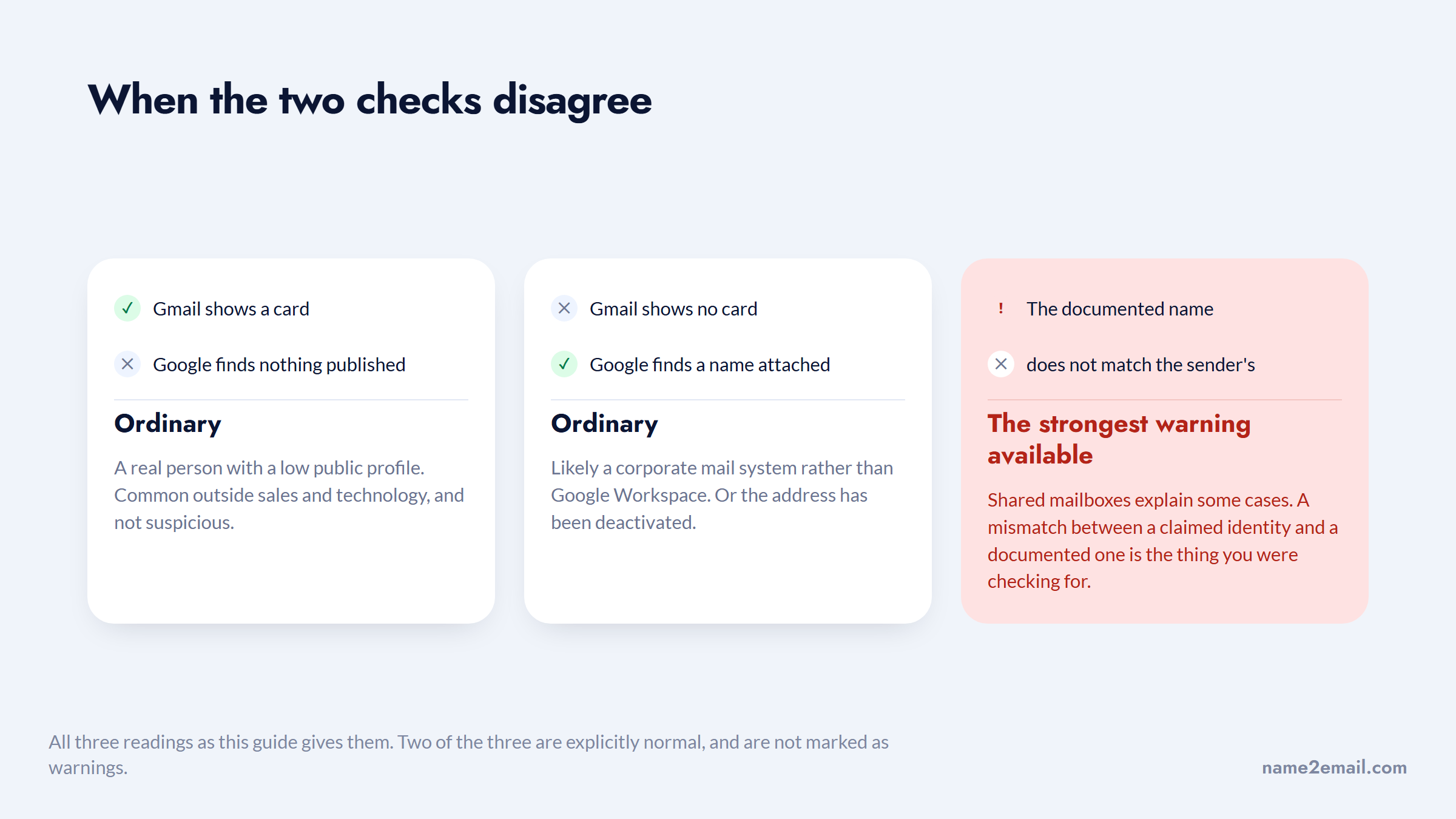
If the name attached to the address differs from the name in the message you received, treat that as the strongest warning available. Shared mailboxes and role accounts explain some cases, but a mismatch between a claimed identity and a documented one is the specific thing you were checking for.
When the Lookup Is About Safety, Not Curiosity
A large share of reverse lookups are people trying to work out whether they are being scammed, and the scale of that problem is worth stating plainly.
The FTC reported that people lost $3.5 billion to imposter scams in 2025, with imposter scams the most reported fraud category and nearly one in three fraud reports falling into it. Reported losses have grown almost threefold since 2020.
What you are looking for here is the opposite of what most people expect to find.
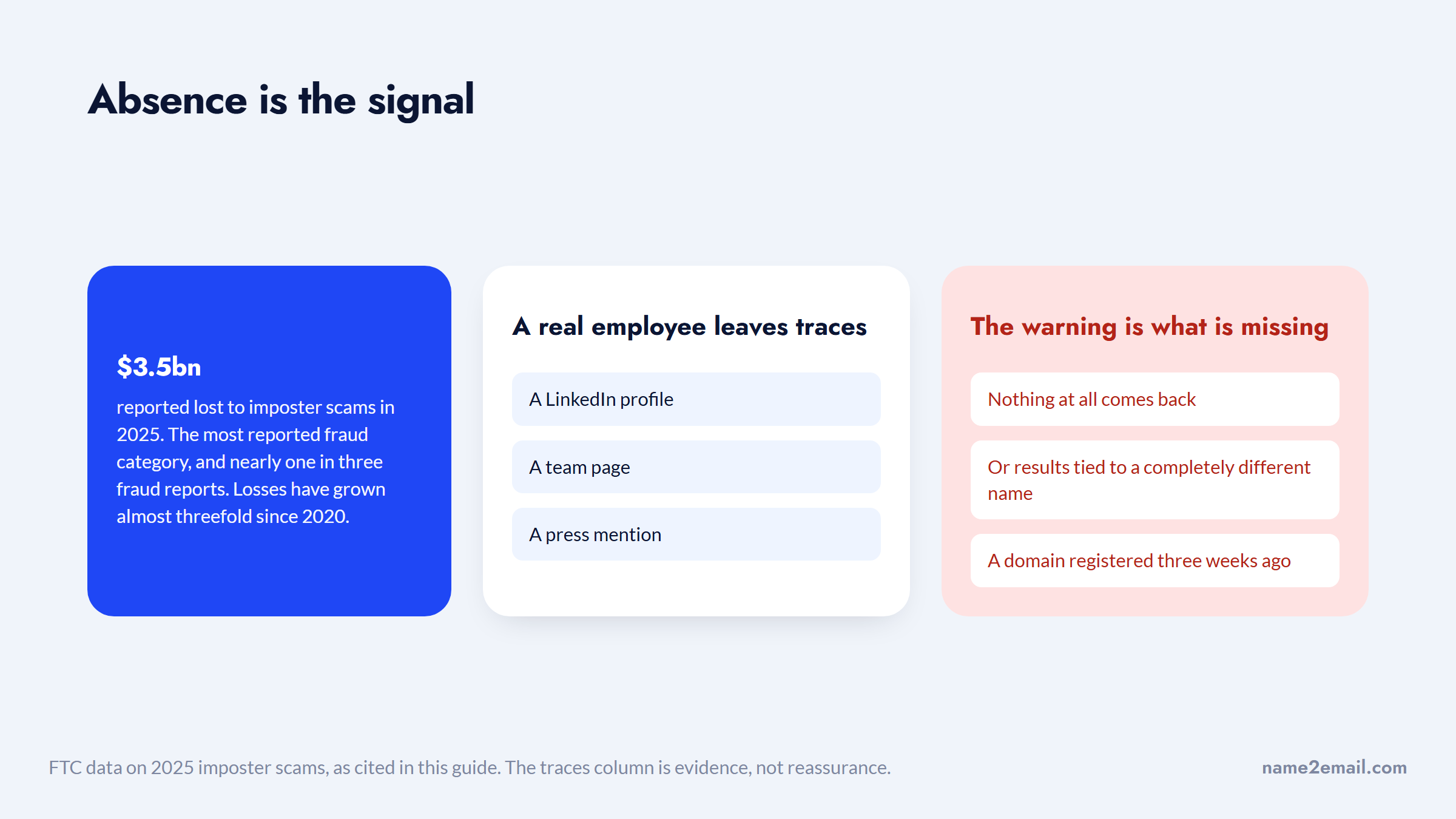
If you are checking an address for that reason, the useful signal is usually absence rather than presence. A real employee at a real company leaves traces: a LinkedIn profile, a team page, a press mention. An address claiming to be from a large company that returns nothing at all, or returns results tied to a completely different name, is the warning.
Also check the domain itself rather than just the address. Scam senders frequently register a domain that is one character off a real one, and a WHOIS lookup showing a domain created three weeks ago tells you more than any name search will.
The Limits Nobody Mentions
Reverse lookup fails in predictable ways, and knowing them saves you from false conclusions.
Personal Gmail, Outlook, and Yahoo addresses are the hardest. They are not tied to a company domain, they rarely appear in published documents, and free-tier consumer databases are thin. A generic `firstnamelastname@gmail.com` may genuinely be untraceable through public search.
A silent result does not mean a fake person. Plenty of legitimate professionals have almost no web footprint, particularly outside sales, marketing, and technology.
Common names create false matches. Searching a name pulled from an address will return the wrong person often enough that you should always corroborate with a second signal, usually the company domain.
Two of these leave you with nothing, and two leave you with the wrong answer.
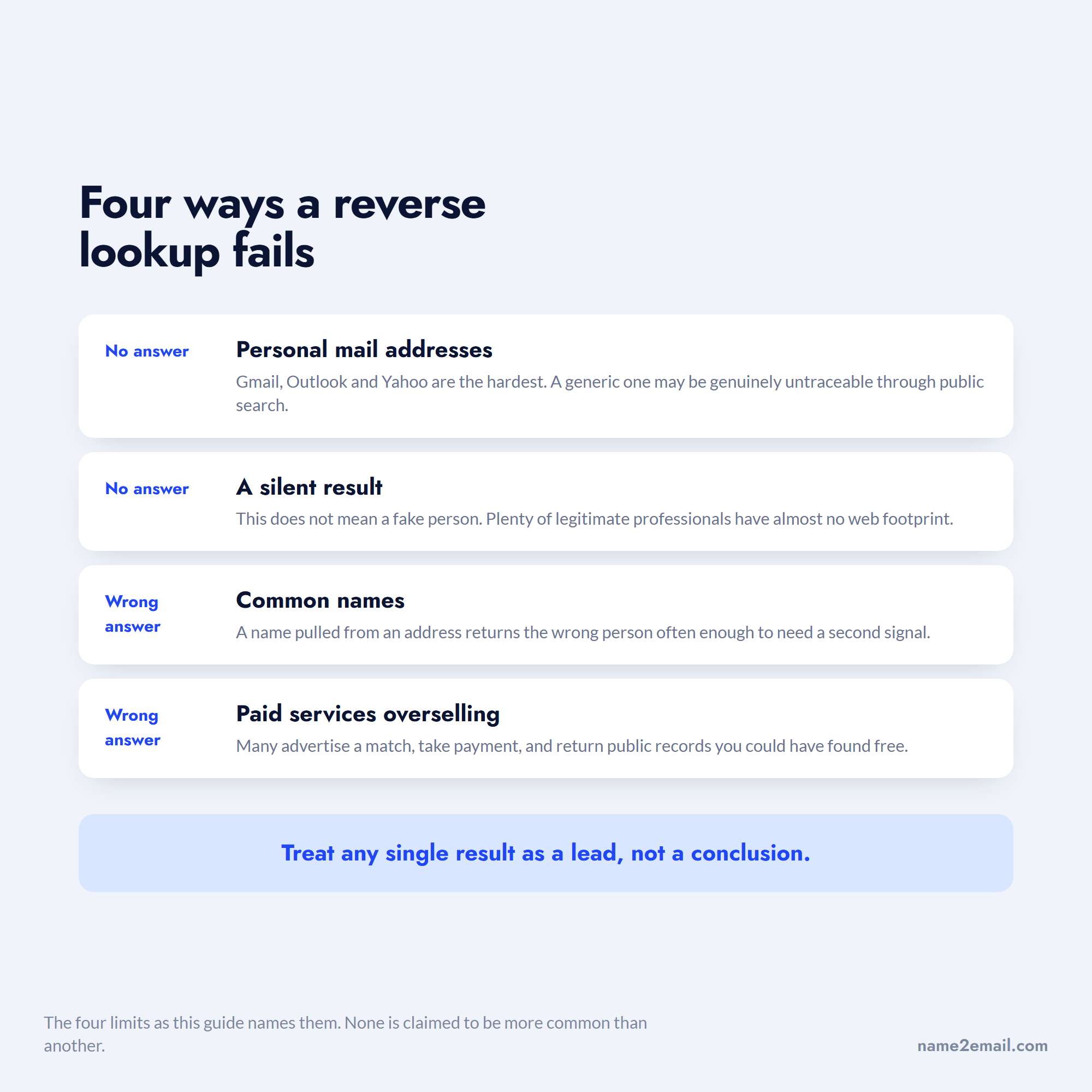
Paid services oversell badly. Many advertise a match, take payment, and return public records you could have found in a Google search, which is why the free sequence should always run first.
Treat any single result as a lead rather than a conclusion, and confirm with a second independent source before acting on it.
The Privacy Side, If the Address Is Yours
Running this process on your own address is genuinely useful, and the results are often unsettling.
A widely-read thread in r/privacy captures the reaction. Someone wrote that they had begun cleaning up their digital footprint and had recently learned "people can trace what accounts are registered to a certain email address," then asked how to undo it. The most upvoted replies were blunt: you cannot fully undo it, because reused addresses, phone numbers and passwords link back to you regardless, and the practical fix is a fresh address used uniquely per service. You can read the thread on Reddit, keeping in mind it is community advice rather than formal guidance.
The actionable version is simple. Search your own address in quotes, see what comes back, and remove what you control: old forum signatures, public WHOIS records, published committee documents. Use a separate address for anything you expect to become public.
You will not erase your footprint, but you can decide which address carries it.
Doing the Reverse Lookup in Order
Work from cheapest to most effortful and stop as soon as you have a confident answer.
- Search the full address in quotation marks, then in the obfuscated "at" form.
- Hover the address in Gmail to see whether a name and photo appear.
- Run `site:linkedin.com` and a `filetype:pdf` search against the address.
- Search the company domain with the name fragment from the address.
- Check Gravatar and, for technical contacts, GitHub commit history.
- Run WHOIS if the address sits on a small or unfamiliar domain.
- Only then consider a paid service, and only for consumer addresses.
Most lookups resolve in the first two steps, which is why paying before you have tried them is usually money wasted.
Turning a Confirmed Identity Into a Conversation
Reverse lookup usually ends with a decision about whether to reply, and often about whether to reach someone else at the same company.
That flips you into the forward problem: you know the company and now need a specific person's address. Our free extension handles that inside Gmail, generating the likely formats from a name and domain so you can confirm the right one by hovering, with no credits and no account. Add Name2Email to Chrome if that is where you are heading.
Before you send anything to an address you assembled rather than confirmed, verify it. Our guide on verifying an email address covers the check, and the best email verification tools compares the paid options if you are working at volume. If the outreach that follows is cold, the best cold email software covers the sending side, and you can see who uses us and how if you want the short version.
Frequently asked questions
A reverse email lookup starts with an email address and works backward to identify who owns it, along with their name, employer, or role. It is the opposite of a standard email search, which starts with a person and finds their address. The methods differ completely: reverse lookup relies on finding where an address has been published or which accounts it is tied to, while forward search relies on working out a company's address pattern. Free Google searching handles most professional reverse lookups.
Yes, and the best free reverse email lookup is Google itself. Searching the full address in quotation marks is the single most effective free method, and adding `site:` or `filetype:pdf` extends it further. Gmail's hover recognition is free and instant for any address tied to a Google account, and Gravatar and GitHub cover developers well. Most sites advertising "free reverse email lookup" show a partial result then charge at the paywall, so run the Google sequence before paying anything.
A reverse email lookup Gmail can do natively starts with your cursor: hover the sender's address in an open message or in the compose window. When the address belongs to a recognized Google account, Gmail displays a contact card with the person's name and profile photo, which confirms both that the address is real and who it belongs to. This only works for addresses linked to a Google account, so many valid corporate addresses will show nothing. Treat a blank card as inconclusive rather than as evidence the address is fake.
Sometimes, but it is the hardest case. Personal Gmail addresses are not tied to a company domain and rarely appear in published documents, so exact-match search often returns nothing. Your best options are hovering the address in Gmail to see the account name, checking Gravatar, and searching the address on social platforms directly. If the address was chosen to be anonymous and has never been used publicly, it may genuinely not be traceable through free tools.
Rarely for business addresses, occasionally for consumer ones. Most paid services aggregate public records and social profiles, which substantially overlaps what a careful Google search returns for free. They add real value only for US consumer data such as linked phone numbers and physical addresses, which Google does not index well. Run every free check first, and be aware that many of these sites advertise a match before payment and deliver thinner results than implied afterward.

We build Name2Email, the free Chrome extension that finds work emails inside Gmail. We write about outreach, prospecting, and getting more replies.
Connect →