- 1The US has 685,800 computer and information systems manager jobs, and only a fraction of those people carry the title CIO, so a list filtered on that title misses most of the buyers.
- 2In smaller organizations IT frequently reports to the CFO, which means the person who approves your purchase has a finance title and will never appear in a CIO file.
- 3One vendor's own page concedes the problem, describing the CIO as also being called the CDIO or IT director, and then sells seven separate title lists to cover it.
- 4Government publishes its technology leaders openly: NASCIO's directory covers state CIOs and the federal CIO Council lists agency CIOs, both free.
Every provider ranking for "cio email list" sells you the same thing: records filtered on a job title. That works if the title reliably identifies the buyer. In enterprise IT it does not, and the gap is large enough to sink a campaign before the first send.
This guide is about building a list of the people who actually decide, which is a different and more useful exercise than buying rows where the title field says CIO.
The Title Does Not Identify the Job
Ask five companies who runs technology and you get five different answers. A CIO usually owns internal systems and operations. A CTO often owns the product, or the whole thing in a smaller firm. A CISO owns security and may or may not report to either. A Chief Digital Officer owns transformation programs that overlap both.
Below a certain size the C-level title disappears entirely and the same responsibilities sit with a VP of Technology, a Director of IT, or an IT Manager who also fixes the printers.
The vendors' own product catalogues admit it before anyone else does.
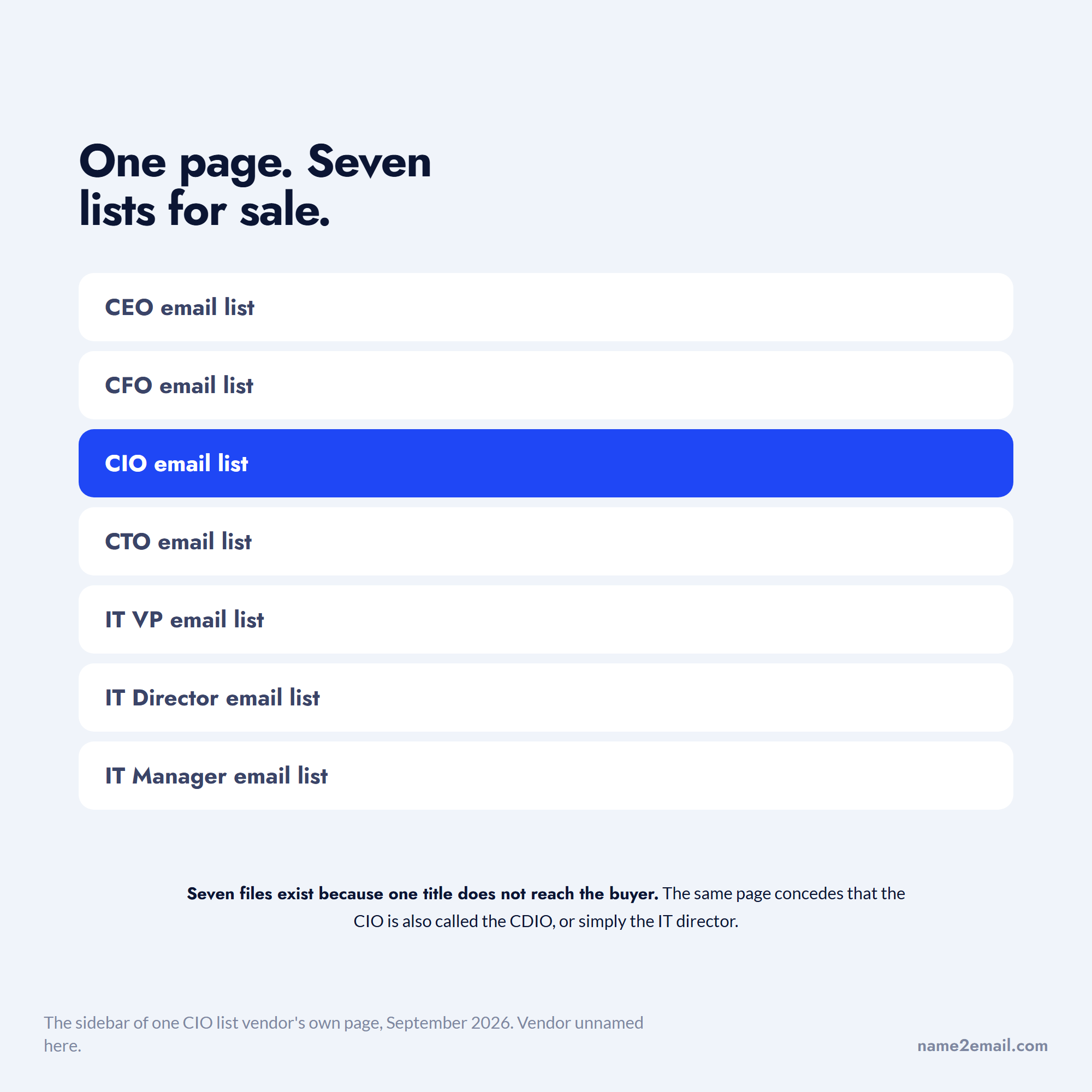
The clearest evidence is that vendors know this and price around it. Procure Data's own CIO page states that the Chief Information Officer is "also referred to as chief digital information officer (CDIO) or information technology (IT) director in some companies," and its sidebar then offers separate lists for CEOs, CFOs, CIOs, CTOs, IT VPs, IT Directors and IT Managers. Seven files exist because one title does not reach the buyer.
How Many IT Leaders Actually Exist
The Bureau of Labor Statistics counts 685,800 computer and information systems manager jobs in the US as of 2025, with a median wage of $175,140 and 16% projected growth through 2035, which works out at about 53,500 openings a year.
That occupation code covers CIOs, CTOs, IT directors, IT managers and information security managers together, because the government classifies by function rather than by title. It is the honest denominator for "IT decision makers."
Against that occupation, the people literally titled CIO are a sliver.
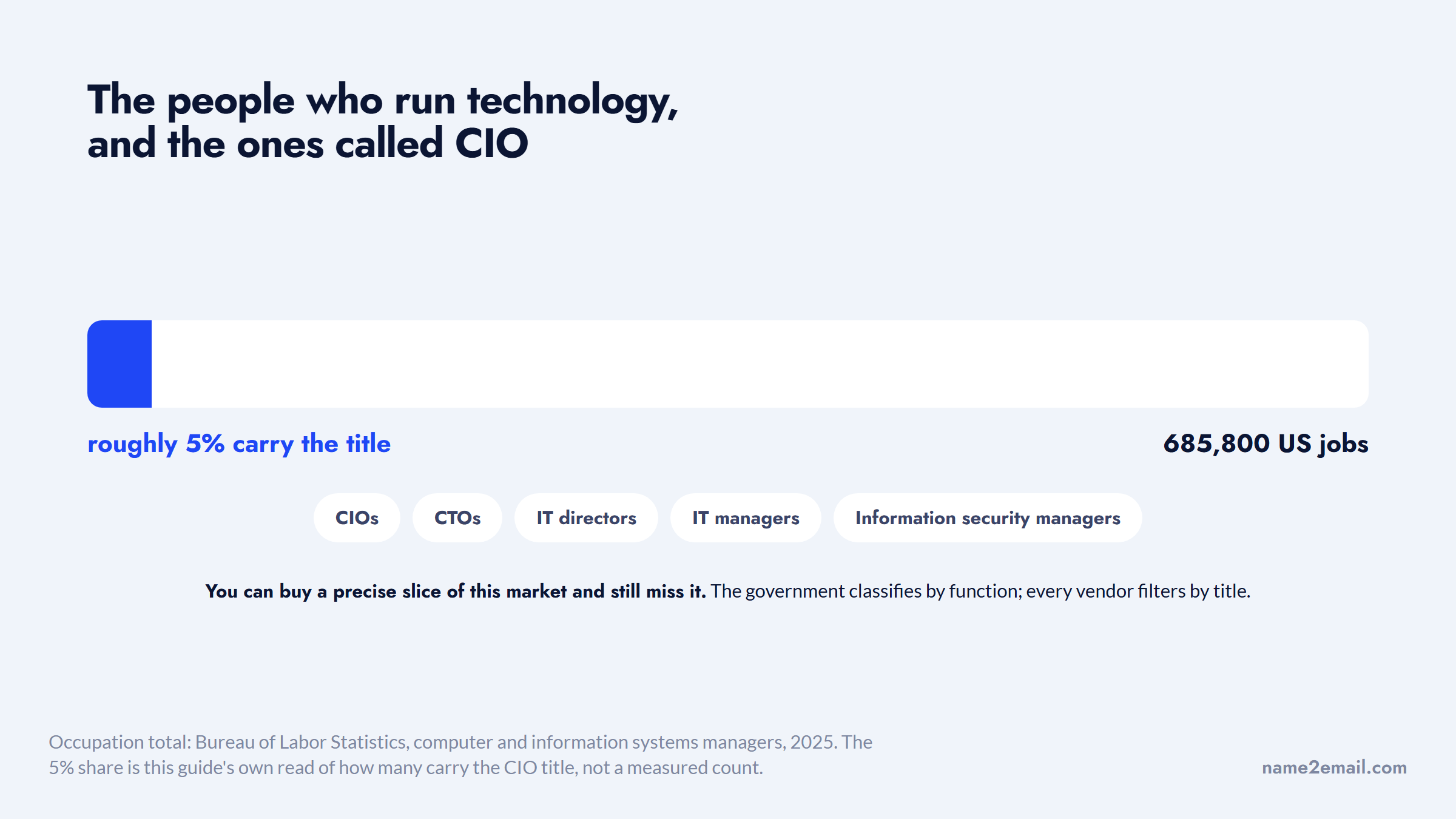
Set it against what CIO list vendors advertise and the mismatch is obvious. Files marketed as CIO lists typically claim tens of thousands of records, which is roughly right for the population of people literally titled CIO, and roughly 5% of the population of people who run technology budgets. You can buy a precise slice of a market and still miss it.
Where IT Reports Decides Who Signs
The reporting line matters more than the title, and it is the thing least likely to appear in any purchased record.
A thread on r/sysadmin asking whether IT reporting to the CFO is a red flag drew a well-upvoted answer calling it a yellow flag rather than a red one, and a reason to ask harder questions about how the business funds IT requests.
Another reply called the arrangement common in smaller businesses. A third argued that where it exists, the IT director is effectively the CIO in all but title, with the CFO simply signing the larger checks.
Where IT sits on the org chart decides whose title appears on the approval.
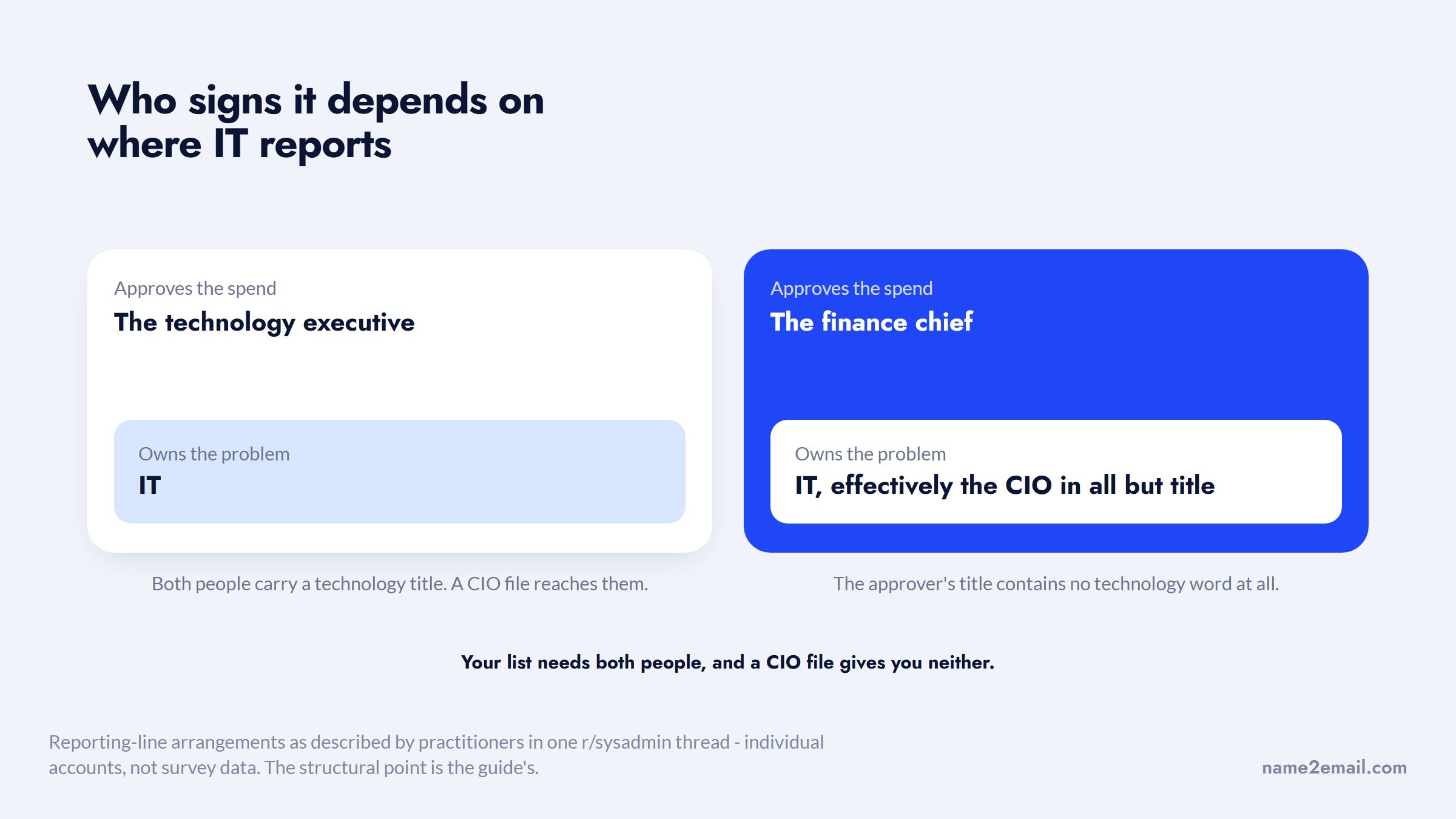
Both are practitioner accounts rather than survey data, but the structural point holds and it has a direct consequence for outreach. In a company where IT rolls up to finance, a purchase gets justified in cost terms and approved by someone whose title contains no technology word at all. Your list needs both people, and a CIO file gives you neither.
Mapping Titles to Company Size
The practical fix is to build a CIO email list around the role rather than the title, since the expected title varies by organization size.
Organization size | Usual technology decision maker | Common title | Who else must agree |
|---|---|---|---|
Under 50 staff | Owner, operations lead, or an outsourced MSP | IT Manager, or no internal role at all | Owner or CFO |
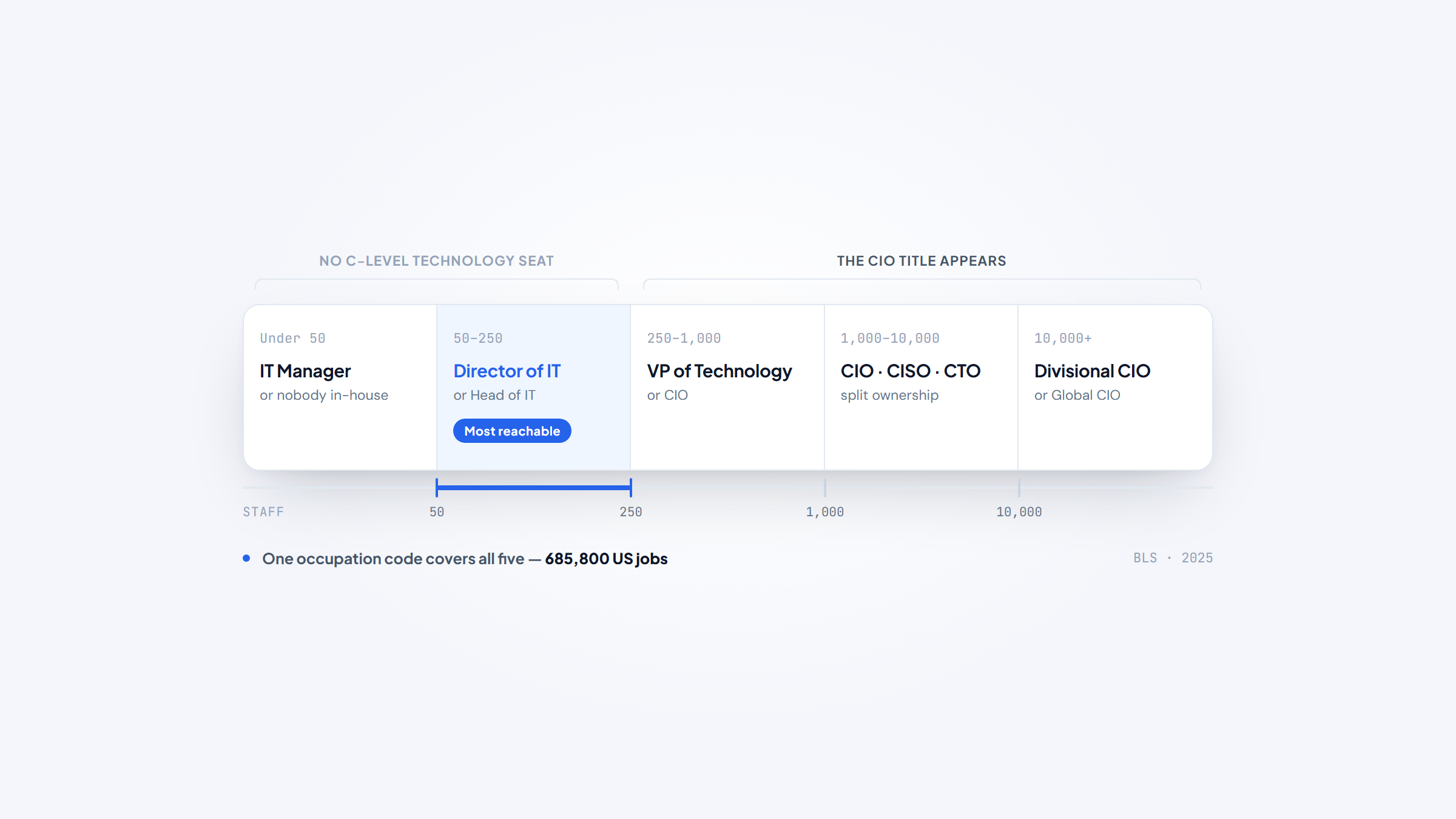
50 to 250 | A single IT leader covering everything | Director of IT, Head of IT | CFO, frequently the direct manager |
250 to 1,000 | A dedicated technology executive | VP of Technology, CIO | CFO and often a security lead |
1,000 to 10,000 | Split ownership across domains | CIO plus CISO plus CTO | Procurement, security review, the business unit sponsor |
10,000+ | Divisional or regional technology leaders | Divisional CIO, Global CIO | Procurement, architecture review board, legal |
Read that table as a targeting rule rather than an org chart. If your product costs $500 a month, the buyer sits in the top two rows and is almost never called CIO. If it costs $500,000, the CIO exists but cannot approve it alone, and reaching only them wastes the cycle.
Laid out as five bands, the reachable buyer sits in the middle and is not called CIO.
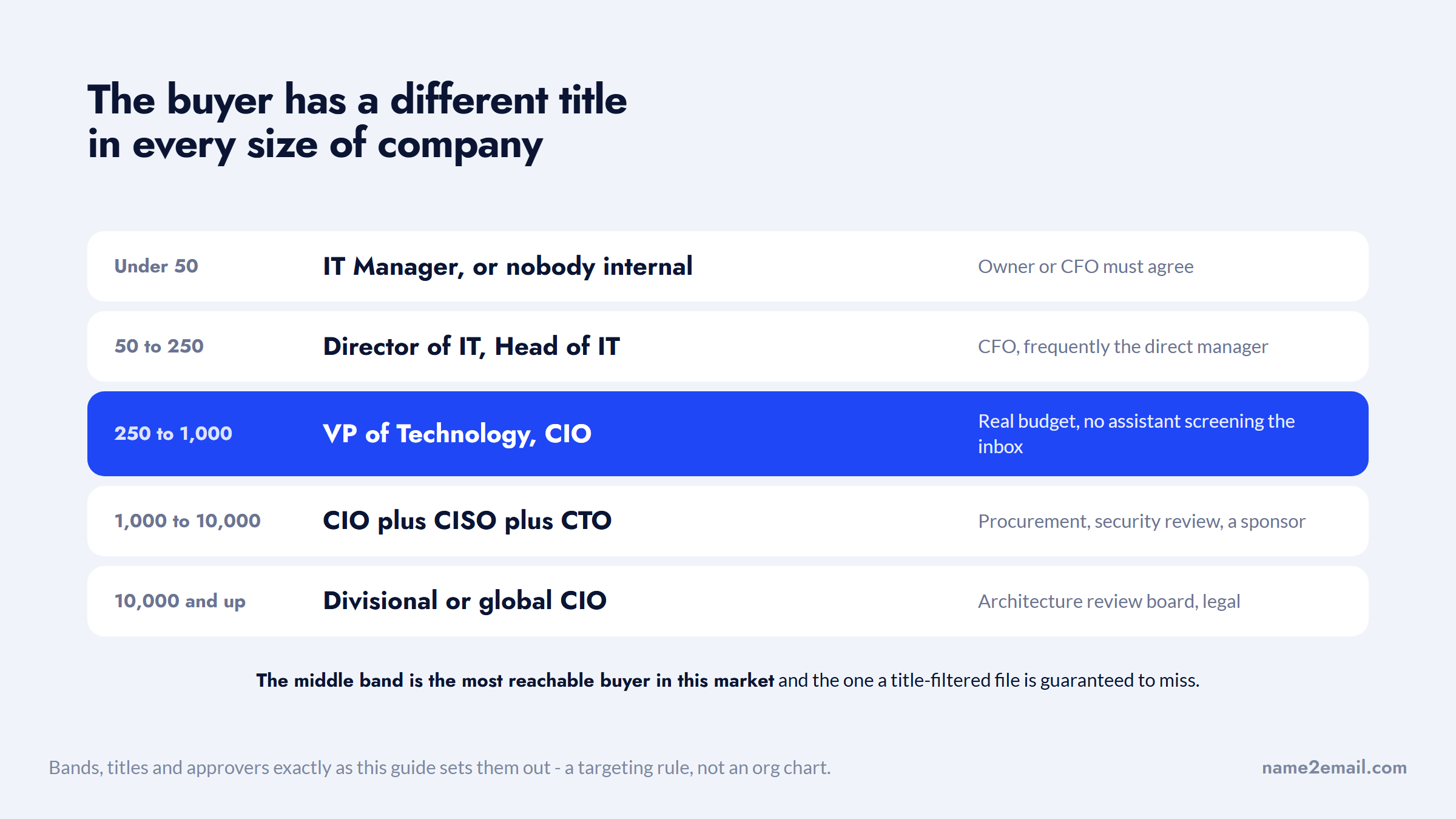
The middle band is where most outbound goes wrong. A company of 200 people has one technology leader who owns everything from the firewall to the vendor contracts, and that person is usually titled Director of IT because there is no C-suite to join. They have real authority, a real budget and no assistant screening their inbox, which makes them the most reachable buyer in this entire market and the one a CIO-filtered list is guaranteed to miss.
Running the same sequence across all five bands is what produces the reply rates this category is known for. Segmenting by band first, and changing both the message and the recipient for each, is the practical use of our roundup of sales automation tools.
What the CIO List Vendors Offer
Here is what the providers publish, with pricing taken from each vendor's own page rather than from any competitor's comparison.
Provider | Published count | Published price | Model | Worth knowing |
|---|---|---|---|---|
Reply.io | No CIO-specific count | From $59/user/mo | Outreach platform with bundled data | The 1B+ database sits inside the platform and is not sold as a standalone CIO file |
Apollo | 210M+ contacts overall | $49, $79 and $119 per user/mo annual | Self-serve database and sequencing | Title filters are yours to set, so the CIO-versus-IT-director problem is yours to solve |
Lead411 | Not published for this title | Free 7-day trial with 50 exports, Spark $49/mo, Ignite from $150/mo | Self-serve with intent data | Publishes tiers openly, unusual in this category |
eSalesData | Not published | Quote only, custom by design | Managed list building | Its own page claims both "more than 2,500 businesses" and "more than 12,000 global customers" |
US Marketing Management | Not published | Quote only | Managed, US organizations over $1M revenue | Sells under three license terms: outright purchase, 12-month lease, or one-time use |
Procure Data | Not published | Quote only | Managed | Concedes on its own page that the CIO title is used interchangeably with CDIO and IT director |
Not one of the six publishes a CIO-specific count, which is itself informative. Apollo's 210M+ is its whole database rather than a title segment, and the three managed-list specialists prefer to scope by your requirements than commit to a number.
Apollo and Lead411 are the two that let you see the data before buying, which is the practical difference in this table. Reply.io, which built our extension, is here for contrast since it sells software rather than a list.
The US Marketing Management detail is the one most people miss when they buy. A one-time-use license means exactly that, and a 12-month lease is not a purchase, so the same file can cost very different amounts depending on terms nobody reads. Ask which license you are getting before comparing prices between vendors.
The Free Directories Almost Nobody Uses
A CIO email and mailing list can be assembled from public records for one whole segment, because public sector technology leadership is published openly, and it covers organizations with real budgets that most outbound teams ignore because the data is not in a commercial file.
NASCIO, the National Association of State Chief Information Officers, runs a state CIO directory and publishes an annual survey of state CIOs now in its sixteenth iteration, with responses from 51 state and territory CIOs. The federal CIO Council publishes its leadership and membership, drawn from the CIOs of every federal agency.
Public bodies publish something no commercial file has ever carried, right next to the name.
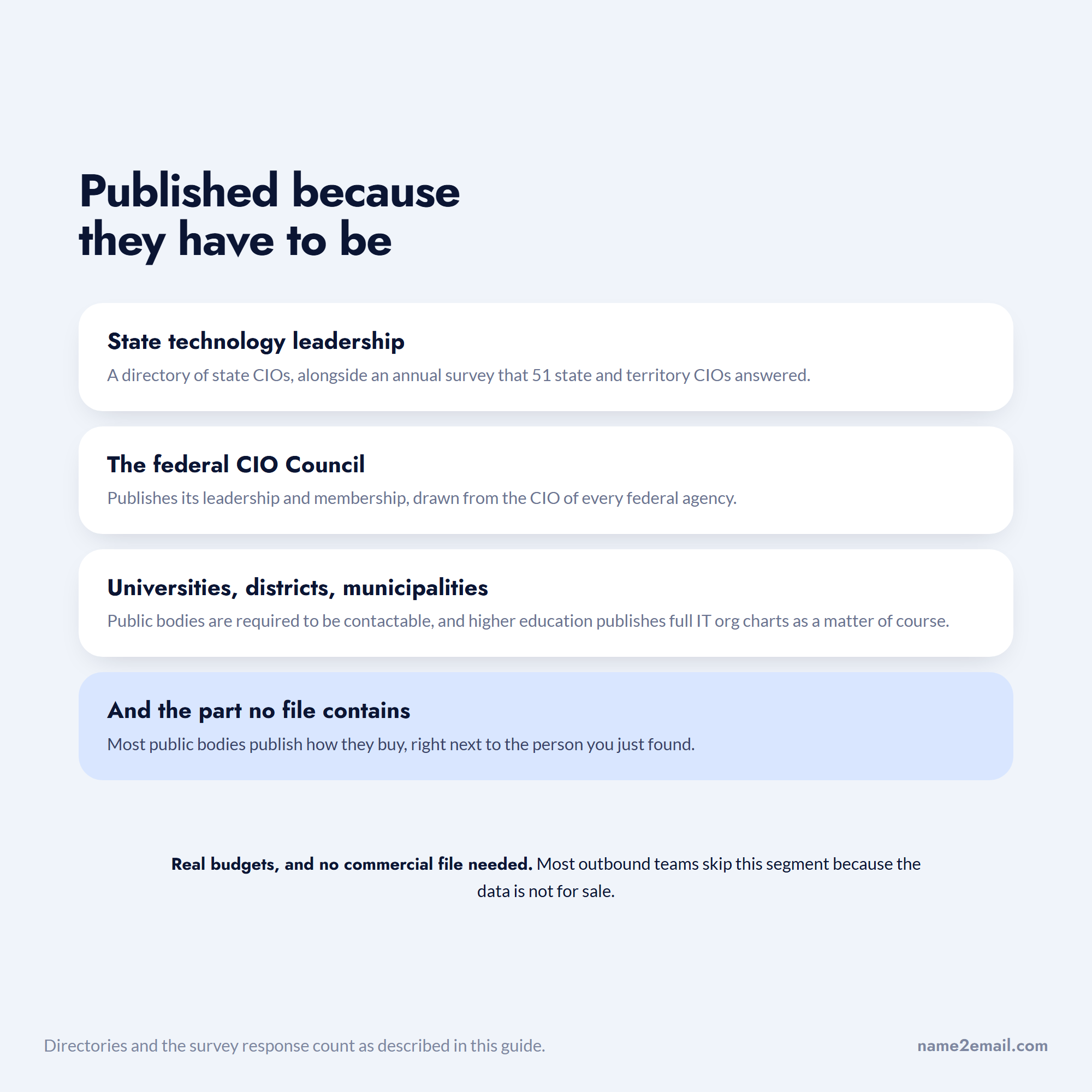
Below that level, the makings of a CIO email and mailing list sit on public websites: most state and municipal governments, public universities and school districts publish their technology leadership openly, because public bodies are required to be contactable. Higher education is particularly open, since university IT departments publish full org charts as a matter of course.
Building From a Public Directory
The work is straightforward and the resulting list is more accurate than anything you can buy, because the organization published it about itself.
- Start with the directory covering your segment, whether that is NASCIO for states, the CIO Council for federal agencies, or a state's own agency listing for local government.
- Capture the organization, the person's full name and their exact title, since public sector titles vary as much as private ones.
- Open the organization's own website to confirm the person is current, as directories lag appointments by months.
- Record the domain, which for public bodies is stable and follows a strict naming convention.
- Note the procurement route, since most public bodies publish how they buy and many require a purchasing vehicle before any conversation.
The last step is the one that separates a useful public sector list from a frustrating one. Knowing an agency's purchasing process before you write changes the entire message, and it is published for free next to the contact you just found.
Public sector domains are also the easiest case for pattern-based lookup, since naming conventions are mandated rather than improvised, which is the condition our features are designed around.
Building a Title-Agnostic List
For private companies, build your CIO email list around the organization rather than the title.
- Pick companies by a signal your product attaches to, such as a migration, a compliance deadline or a funding round
- Identify the senior technology person by looking at the company's own site, leadership page and job postings rather than a title filter
- Capture whoever is one level down as well, since they usually scope the problem before the executive hears about it
- Record who IT reports to when the company discloses it, because that person is your second recipient
- Keep the exact title as you found it rather than normalizing everything to CIO
That last point sounds pedantic and matters enormously. A message addressed to a "Director of IT" that calls them a CIO announces that it came from a file, which is the single most common tell in this category. Pulling the exact title when a company's own site is thin is what our guide to finding email from LinkedIn is about.
From a Named Person to an Address
Once you have a name and the organization's domain, the last step is the address, and this is where most workflows either guess or start paying per lookup.
Name2Email is a free Chrome extension that turns those two facts into an address. Compose a message in Gmail, enter who you want and where they work, and the likely formats appear in the To field. Hovering over each shows whether Gmail recognizes it, which is how you confirm without sending anything.
Calling this a data source would be wrong, so we will not. No file of CIOs sits behind it, nothing is for sale, and enrichment is a different product entirely. The extension infers probable addresses from published naming conventions, handling one person at a time, and both enterprises and public bodies are the easy case for that. Some names it will not crack.
For this audience the free-and-unlimited part is more than a nice-to-have. Targeting by role rather than title means checking several people per company, and a metered finder charges you for every one of those attempts including the wrong ones. Nothing is metered and nothing needs registering, which is the whole of our pricing story.
Verifying Before You Send
IT leadership turns over quickly, and the BLS projection of roughly 53,500 openings a year in this occupation is a reasonable proxy for how much movement sits underneath a stable-looking headcount.
Verify addresses before the first send and re-check quarterly, and pay particular attention to titles rather than just deliverability. An address that still resolves for someone promoted out of the role is worse than a bounce, because it looks like success while your message reaches someone who no longer owns the problem. Our walkthrough of verifying an email address covers the checks that catch this inside Gmail.
Watch bounce rates by source. Public directory records and self-built company research behave very differently from purchased files, and blended reporting hides which of your inputs is actually working.
Writing to Someone Who Blocks Vendors for a Living
Technology leaders receive more cold outreach than almost any other function and have the tooling to stop it. Assume your message is being read by someone with a spam filter they configured themselves.
Lead with a specific, observable fact about their environment rather than a claim about your product. Name the migration, the compliance date or the system you can see they run. Keep the first message short enough to read on a phone between meetings, and make the ask a question rather than a demo request.
Skip the escalation tactics. Emailing someone's manager after silence is common enough that IT leaders discuss it openly, and it converts a non-response into a permanent block. The sequencing that works instead is covered in our roundup of cold email software.
Target the Role, Buy the Title Only If You Must
The reason CIO lists disappoint is not that the data is bad. It is that the title is a poor proxy for the job in most of the market, and every provider in this category filters on exactly that proxy.
Build from organizations instead. Pick companies by a signal, read their own leadership pages, capture whoever actually runs technology under whatever title they use, add the person one level down, and find the addresses yourself.
That is more work for the first fifty companies and considerably less for the next five hundred, because you are never re-qualifying a file somebody else assembled. The questions worth asking before paying for one anyway are in our guide to buying email lists.
Add Name2Email to Chrome so that checking three people at one organization costs exactly what checking one costs. Nothing to pay, nothing to register for.
Frequently asked questions
Confirm the person and the title on the organization's own leadership page first, since directories and databases lag appointments badly. Once the name and the organization's domain are confirmed, the plausible address formats are a short list, and hovering over them in Gmail shows which one the mail system already knows. For public sector targets this is easier than private, because government and university domains follow strict, published naming conventions.
For government there effectively is. NASCIO publishes a state CIO directory, the federal CIO Council publishes its agency membership, and most public universities and municipalities list technology leadership on their own sites. For private companies no free file exists, but company leadership pages, job postings and press releases give you names and titles at no cost, which is the part of a list that actually costs money to get right.
In practice, less than the two files suggest. A CIO typically owns internal systems and a CTO typically owns product or engineering, but the split varies by company and industry, and in firms under roughly 250 staff one person often does both under either title. Vendors selling a combined CIO CTO email list are acknowledging the overlap. Decide which function your product touches and target that, rather than assuming the title maps to it.
Federal labor statistics put the figure at 685,800 in a single occupation code that gathers up chief information officers, chief technology officers, IT directors, IT managers and security managers together. People literally titled CIO are a small fraction of that. Any vendor count you see should be read against the 685,800 figure rather than against the market's own headline numbers, because the useful audience is the wider group.
Yes, mainly because of procurement rather than the person. Healthcare systems and public bodies buy through defined processes, often requiring a purchasing vehicle, a security review or a formal tender, and those requirements are usually published. The upside is that both sectors disclose their technology leadership openly, so the contact data is easier to build and more accurate than the private sector equivalent.

We build Name2Email, the free Chrome extension that finds work emails inside Gmail. We write about outreach, prospecting, and getting more replies.
Connect →